Overview
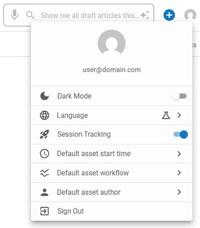
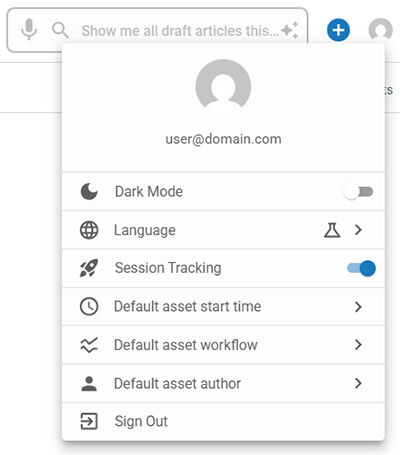
The Profile Options are available by clicking on the Profile icon in the upper right. These include options for Dark Mode, Site Preview, Language preferences, Session Tracking, Default asset start time, Default asset workflow, Default asset author and Sign Out. Above the options, the email address of the currently signed-in user is displayed.
Dark Mode
The Dark Mode option alters the background to black while the text and icons are displayed in lighter colors. This contrast can reduce eye strain, particularly in low-light environments, or consume less power.
Site Preview
The available Site Preview options are View front page, View front page anonymously, and View front page preview.
View front page
The 'View front page' option will open the live, published version of the your site's front page and log in with your account. Any content or changes that are not yet published will not be visible in this view.
View front page anonymously
The 'View front page anonymously' option will open the live, published version of your site's front page as an anonymous visitor (i.e., a user who is not logged in). It helps simulate what the site looks like to visitors who do not have special permissions or roles. This is useful for verifying content visibility or ensuring restricted content is properly hidden.
View front page preview
The 'View front page preview' option will open a preview of your site's front page. It allows users to see how the page will look once all updates are published. This option is ideal for reviewing article content prior to publishing and for reviewing updates reliably because it ignores cache.
📝 Preview will not display ads, or some third-party widgets, and the formatting may not be exactly as the site will look to your readers.
Language
⚠️ Language options are a proof of concept and currently only update the Profile Options menu items.
The available Language options are English, Français, and Español.
Session Tracking
The Session Tracking feature allows users to enable or disable the tracking of their activity within the BLOX NXT Admin. The setting is disabled by default. When enabled, Session Tracking can help the BLOX Team when troubleshooting reported issues and when investigating potential performance improvement requests.
If you have Session Tracking enabled and are submitting a support ticket, please let us know along with the general date and time of the issue so that our team knows to review your session tracking log.
Default asset start time
Sets the default start time for any new asset you create. This value is session-based, meaning the start time will adjust depending on when you begin creating the asset.
Default asset workflow
Set the default workflow for any asset you create.
Default asset author
Use this setting to automatically set yourself as the author of all assets you create.
Sign Out
The Sign Out option allows users to securely exit their admin accounts, ensuring that their information and data remain protected, especially on shared or public computers.