NOTE: Some blocks, such as Slideshow: Carousel, will strip HTML tags (ie: anchor tags) from Article Assets when pulled in. However, they will remain in the Article Asset itself when not viewed in a block.
 Assets make up the majority of your site's content. Assets can be articles, images, videos, classified ads, calendar events, etc. A Block can be thought of as a 'container' or 'frame' that displays the assets assigned to it in different ways. The challenges that many beginning users of BLOX face is making the connection between the two and understanding that an asset's Tags and a block's Query Rules work together to determine which content ends up being displayed by which block.
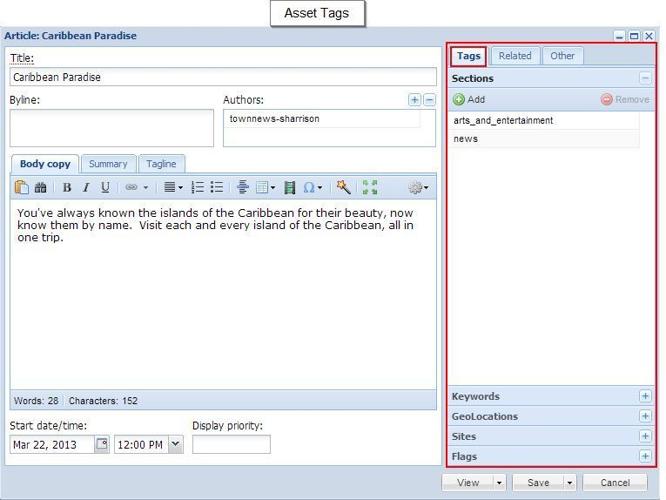
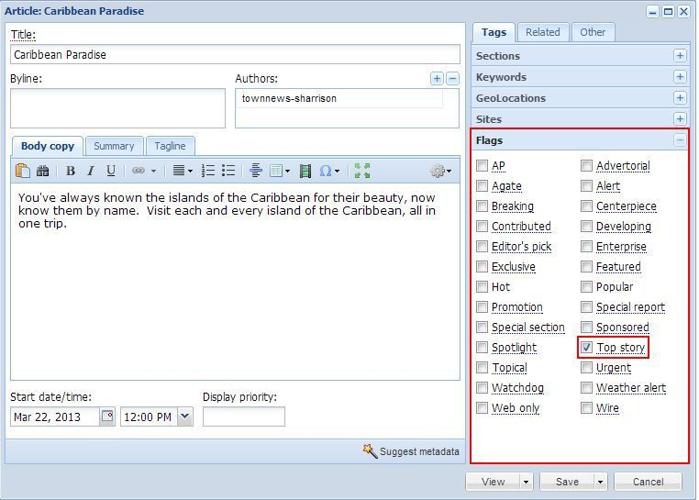
Note that asset Tags are located on the right side of the Edit Asset window.
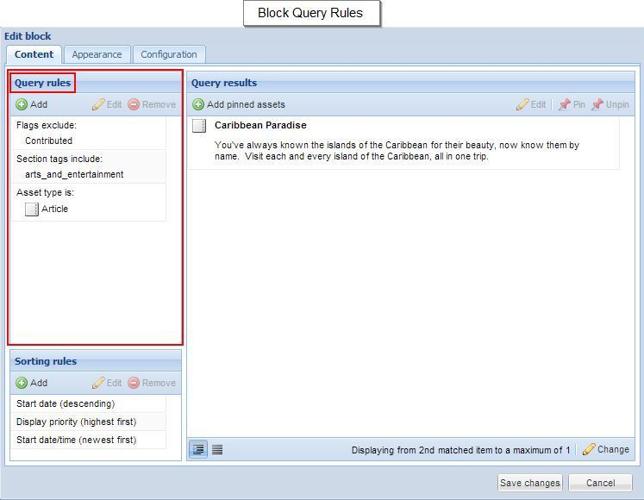
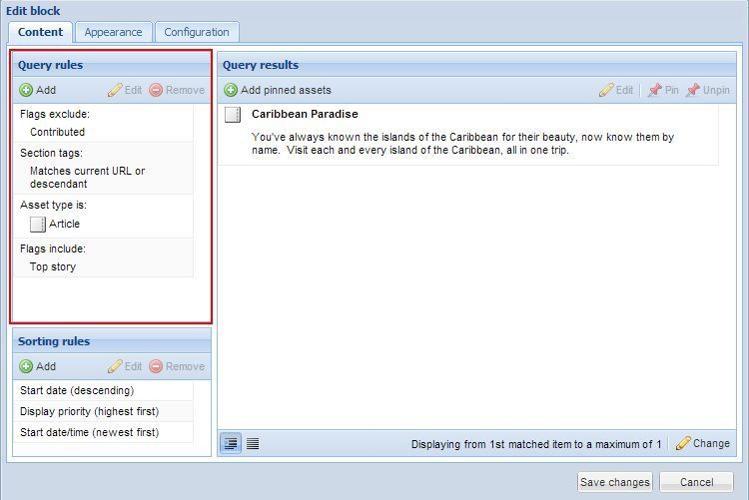
A block's Query Rules are found on the left side of a block window.
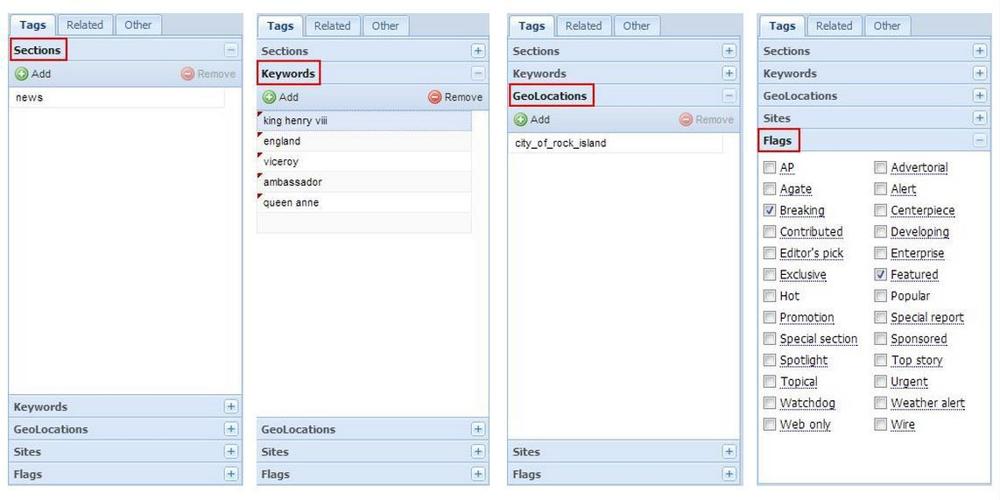
 Each asset Tag has several different types of Tag Properties, such as Section, Keyword, Category, or Flags. The specific types of tags available vary with the type of asset:
- Editorial Assets (Article, Image, Collection, Audio, Flash, HTML, Link, PDF, Poll, Table, Video, YouTube, Zip) have: Section, Keywords, GeoLocations, Sites and Flags
- Calendar Events have: Section, Keywords, GeoLocations, Sites and Flags
- Marketplace Business Directory Listings have: Categories and Keywords
- Classified Ads have: Categories, Keywords, GeoLocations, Sites, Flags, and Markets
 Each block will have Query Rules that either allow or restrict content based on:
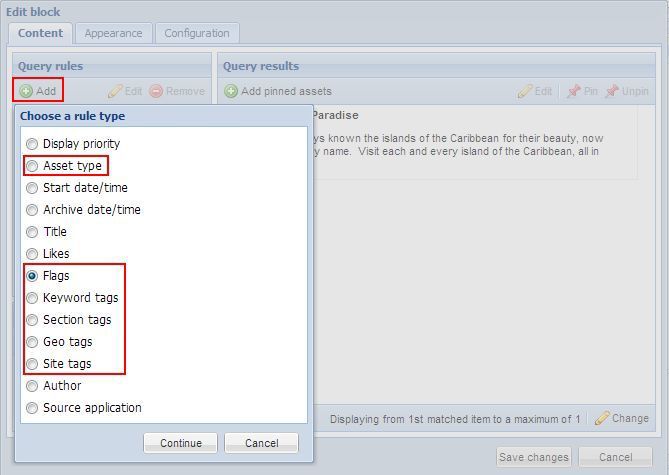
- The asset type (Article, Image, etc), or Ad type (PDF, Image, Text, etc.). Blocks for Calendar Events and Business Directory Listings will only properly display those types of content.
- Flag tags
- Keyword tags
- Section tags
- Geolocation tags
- Site tags
- Other criteria depending on the type of block
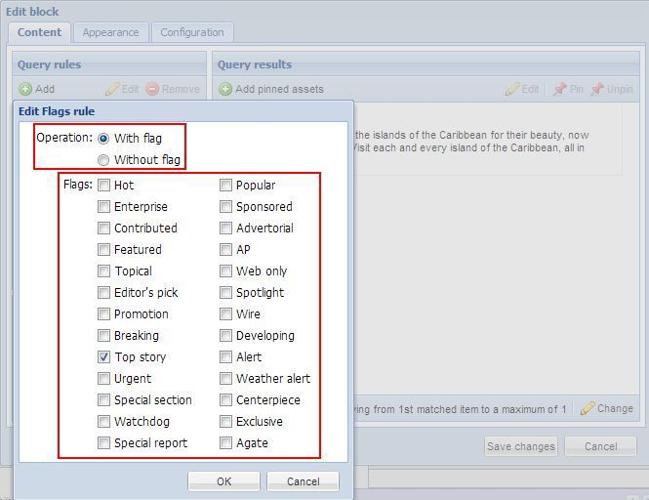
 If the Flags option is chosen from the above list of rule types, and Continue is clicked, we are able to choose whether to allow or forbid content with the selected flag type on the next screen.
 If a Query Rule of 'With Top Story Flag' is selected, then all content displayed in by this block must have (at a minimum) the Top Story flag selected on the asset's Flags.
 If we look at all of the Query Rules for this particular block, we see that any content that is to be displayed by the block must:
- not have a 'Contributed' flag (it cannot have been sent in, or contributed, by a front-end user),
- have a Section Tag that matches the current URL or descendent (must be assigned to the section of the publication corresponding to the current URL),
- be an Article Asset, and
- have a Top Story flag.
NOTE: These rules are, in a sense, "all or nothing," meaning that any asset to be displayed by the block must match all of the query rules which have been set.
 When creating or modifying any type of content, it is helpful to be aware of the Query rules of the intended block. That way, you can be sure to assign (or not assign) sections, keywords, geolocations, sites, and/or flags as applicable. Unless you intend to change the content a block pulls in for an extended period of time, it is generally recommended to modify an asset's tags instead of changing a block's query rules. An asset's tags only influence the display of one asset, whereas a block's query rules can affect whether many assets are displayed or not.
To recap, the Query Rules of most blocks are set so that the block displays assets based on:
- Type of asset (Editorial - Article, Image, HTML, etc., Calendar, Classified ad - Image, Text, PDF, etc., Business Directory Listing)
- Section assignments
- Keyword tags
- Geo(location) tags
- Site tags
- Flag tags
- Market (Classified ads only) tags
At a minimum, if the above bulleted items match the query rules of a block, it will be displayed within that block, provided the block is not already 'full' (it has reached the maximum number of items to display).
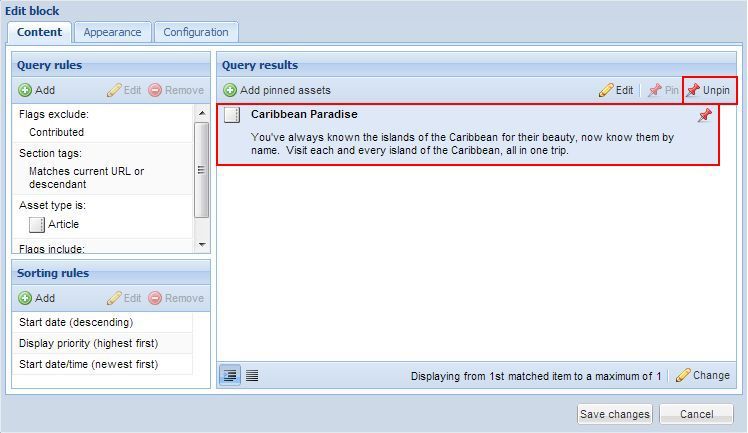
 There may be occasion when you want an asset to remain at the very top of a block, and not be moved as new assets are published: For example, severe weather events lasting several days, an award that your publication or community has won, ongoing Amber Alerts, etc. In those unique circumstances, it is appropriate to use Add Pinned Assets to a block. Pinning an asset means that it will remain at the top of the block until it is removed, or unpinned.
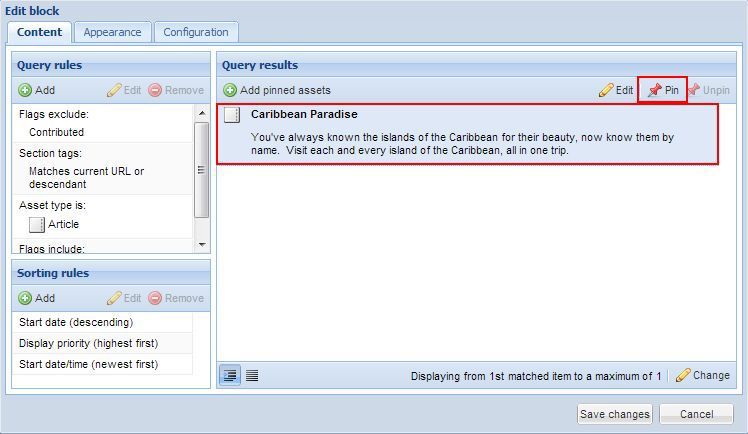
 To pin an asset that is already in a block, simply click on the asset once in the block, and then click Pin. When it is time for the asset to re-enter the regular hierarchy of assets, click Unpin.
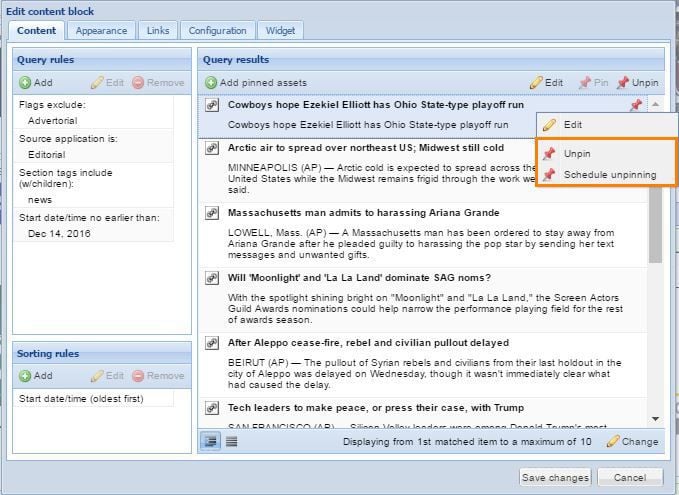
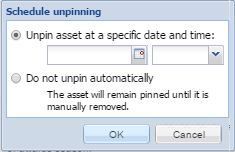
You can also schedule an Pinned Asset to be Unpinned at specific Date/Time. Right click on the applicable Pinned Asset and select Schedule Unpinning.
That opens the Scheduled Unpinning window. Set the Date/Time and then click OK.
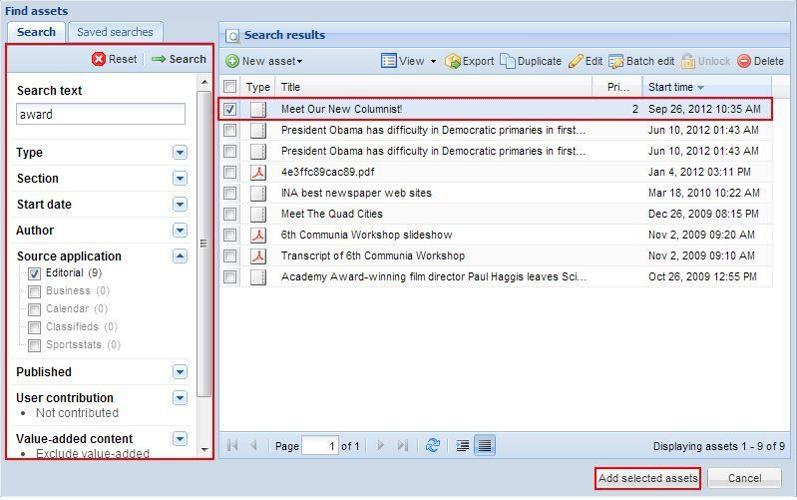
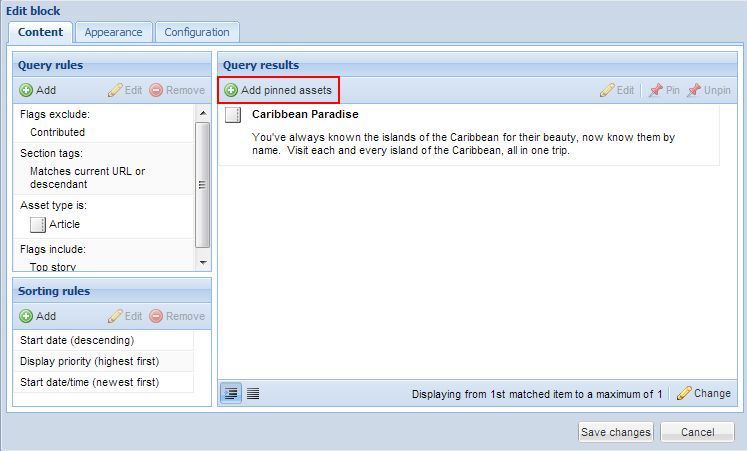
 If you wish to pin an asset into a block which wouldn't ordinarily display it, you are able to override the Query rules by selecting Add pinned assets from the top of the Query results window.
The Find Assets window appears. Use Search on the left to locate the asset you wish to pin. Select it, then click Add selected assets from the bottom of the screen.
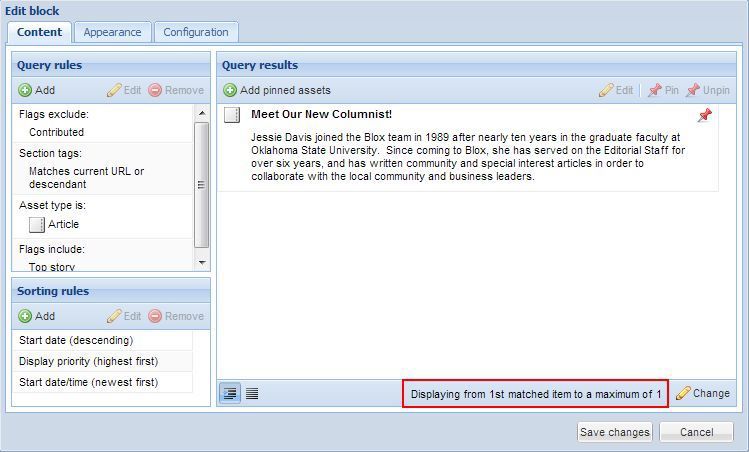
The selected asset is now pinned to the top of the block. As this block is set to display a maximum of 1 assets, the previous asset has been pushed out of the block.
This asset will remain in the block until it is unpinned.
 Pinning should be used only when it is necessary per the needs of your publication and community. If you find that the only way you are able to get assets into certain blocks each day is to pin them, then this is a warning flag that a crucial piece of information is missing. If you find yourself in this situation, please attend a training, dive deeper into the documentation, or reach out for other resources.