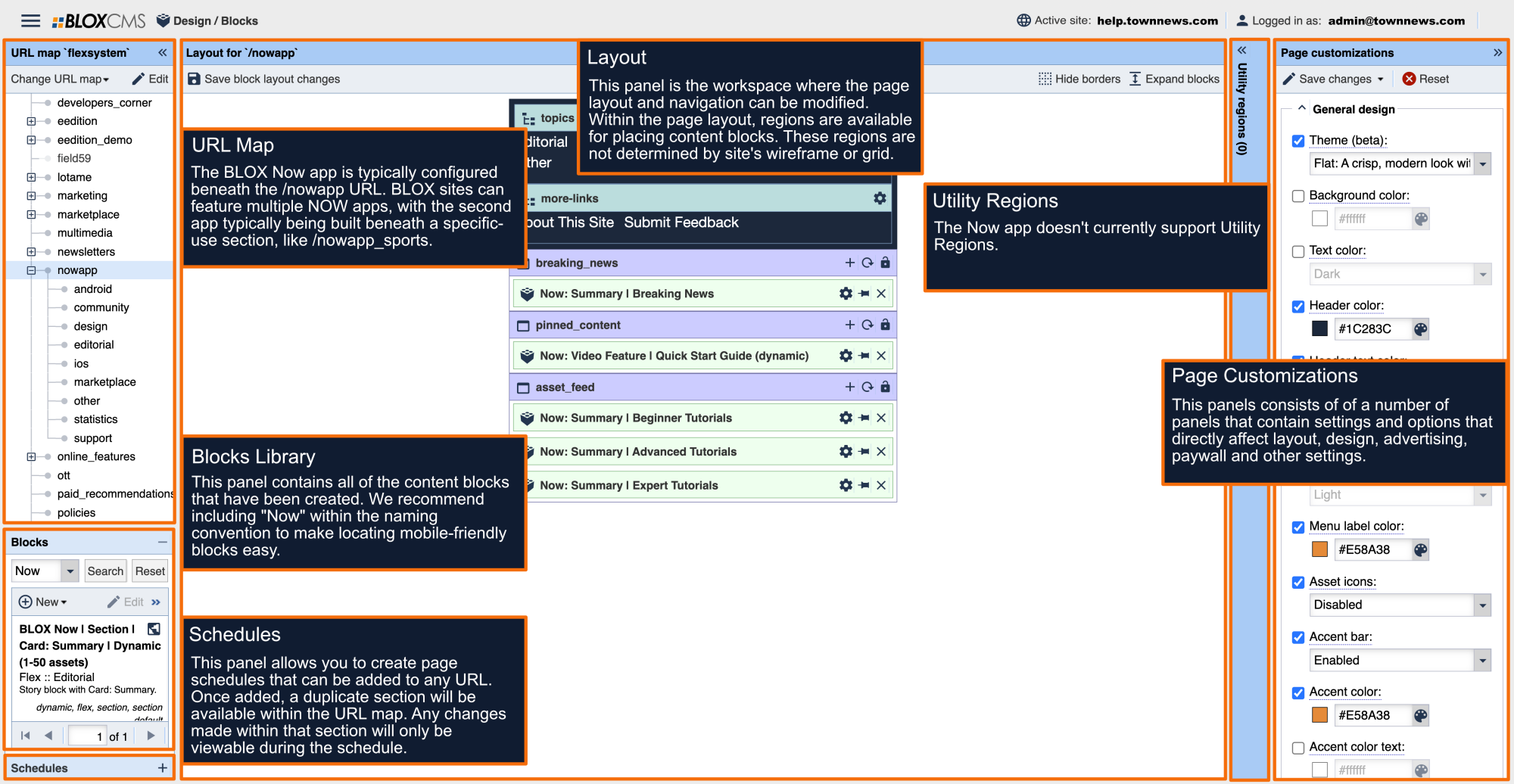
Design / Blocks
Page customizations
Under Experimental click the checkbox for App launch behavior.
- This setting is currently under "Experimental". f
The following options are available:
- Launch normally - no log in screen or promo page at launch.
- Show login screen at launch - login screen, no promo page.
- Show sign up promotion - log in screen and promo screen and launch
- Note: This does not impact the login screen presented if the paywall is enabled. If the paywall is enabled and the setting's set to 'Launch normally', the login screen launch.
The BLOX Now app promo page styling is as follows:
The color and text customization settings that are illustrated above can be found in the NOW app URL in Design / Blocks, under Page customizations > General design.
- "Background color" is controlled by the "Background color" setting, and is already set. The same background color is used in the rest of the app.
- "Background text color" is controlled by the "Text color" setting, and is already set. The same text color is used in the rest of the app.
- "Sign Up button" color and login link color is controlled by the "Accent color (experimental)" setting.
- "Not now, no thanks" text color is controlled by the "Accent color text (experimental)" setting.
- The promo page text and images are configured under Page customizations > Messages (experimental)
-