A basic Related_Content ruleset withOUT the tagging for write-back.
Most Related Content items pass the Title onto the Adobe InDesign page. Some exceptions include Quotes or Pullquotes.
Adding Support for Related Content Write-back
By Jon S. Winters
Product Architect
Updated
Necessary Components for Writing-back Related Content Items
BLOX CMS version 1.62.1 or greater.
BLOX Total CMS client for Adobe InDesign and Adobe InCopy version 5.63.00 or newer.
Modifications to your site's Related Content rulesets to tag the related content frames with the unique id of each related content item
Modifications to your site's Export ruleset to support proper formatting of the related content title and the numbered and bulleted lists common in related content items.
Adobe InDesign Creative Cloud. Write-back of related content is not supported for the outdated Creative Suite versions.
Modifying the Related Content Ruleset for Write-back Tagging
2. Decompress that .zip and note its location for future import.
3. Using the browser interface for the domain that you will test with, choose Desktop > Applications > Settings > InDesign > Translate Rulesets
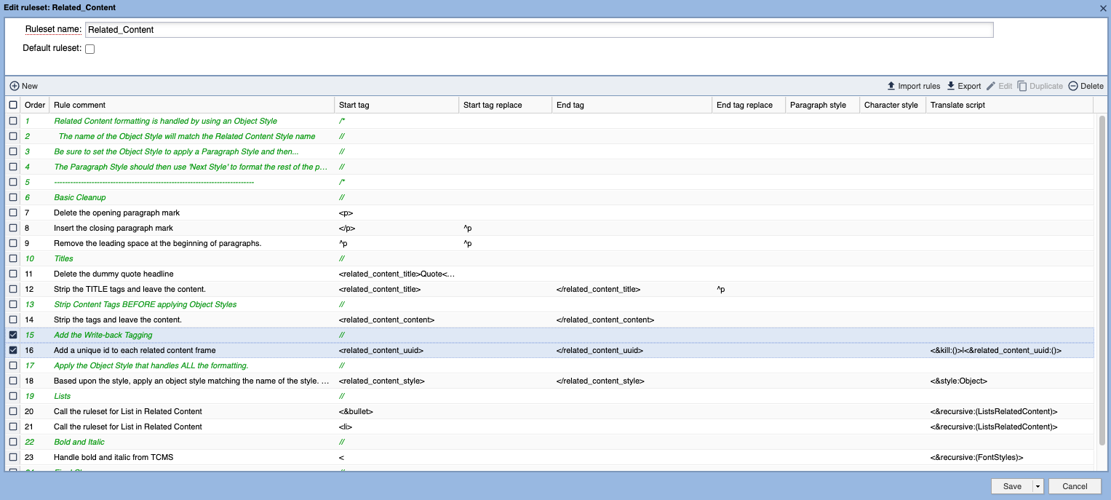
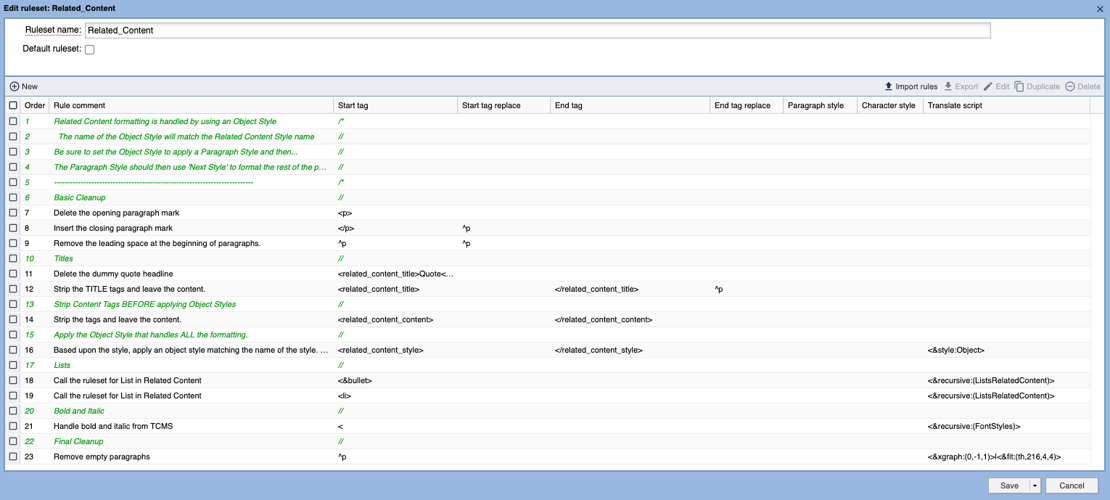
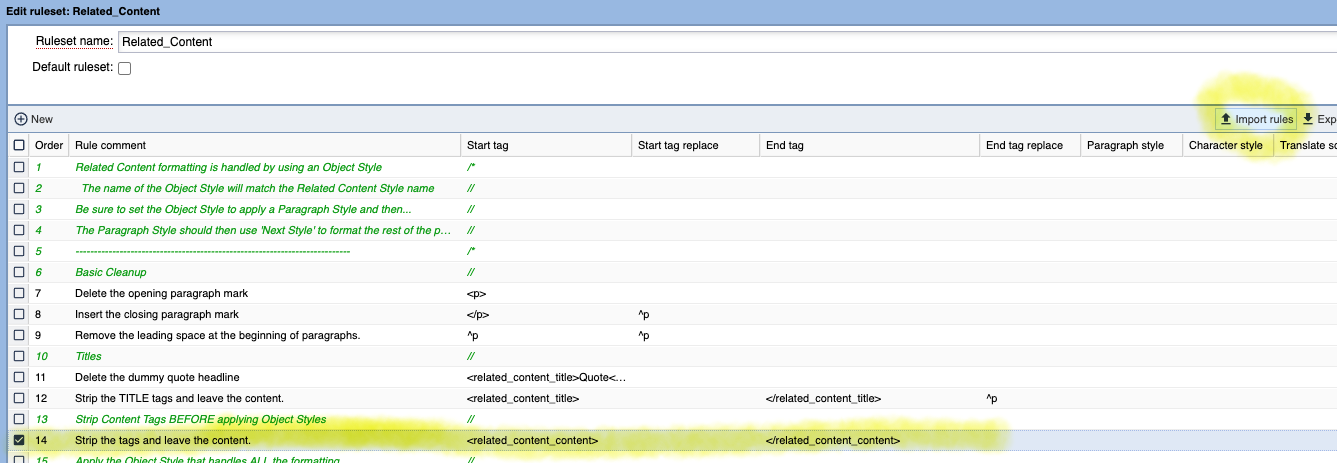
4. Nearly every BLOX Total CMS site has a single Related Content ruleset. Find that ruleset and open it. A sample of what it might look like is shown below:
A basic Related_Content ruleset withOUT the tagging for write-back.
5. Click on the line above where the Object Style is used to handle the formatting. This is shown below in the sample ruleset:
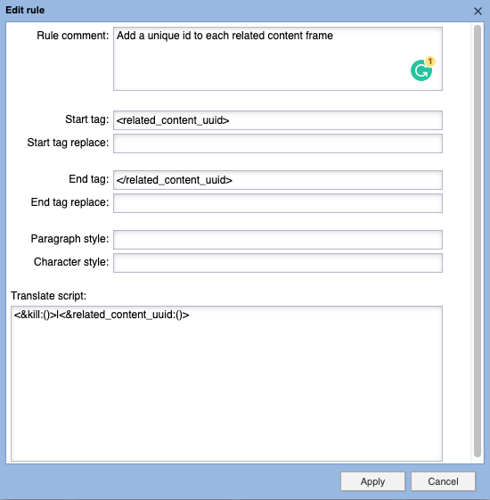
6. Click the Import Rules button as shown above
7. In the dialog that appears, click the Upload File button
8. Locate the decompressed .json file from the .zip file above and import it
9. If the position isn't correct, move the two uploaded rules to the location shown below:
10. Click the Save and Close menu/button at the bottom of the dialog
Modifying the Export Ruleset for proper Formatting
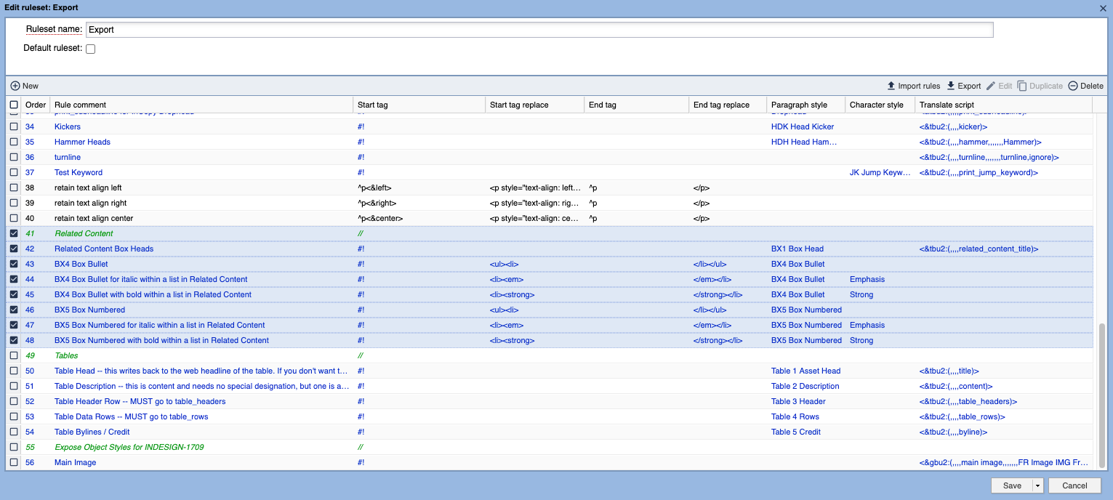
Unlike with the tagging above, this is far more complicated because it involves specifics about your site that TownNews can't predict. For my test domain, here are the rules I had to add to my Export ruleset:
The Export ruleset is available in the same Translate Rulesets function in the browser as with the write-back tagging.
In general you need these two things:
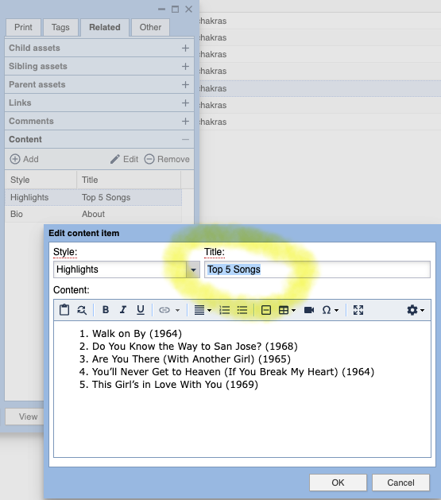
1. Something to link the paragraph style used to format the related content title. The title is usually the first blob of text in the related content frame on the Adobe InDesign page. Pull Quotes often don't use them however. Here is an example of where they are located in the browser based editor:
Most Related Content items pass the Title onto the Adobe InDesign page. Some exceptions include Quotes or Pullquotes.
The easiest way to figure this out the style name is to place some related content on pages and look at the Paragraph Style name. On my test domain, all the Related Content titles format with a paragraph style called BX1 Box Head. So that style is added to a rule that points to the related_content_title field using the <&tbu2:(,,,,related_content_title)> in Translate Script field in the Export ruleset as shown below:
If you have multiple paragraph styles that are used for related content heads, each would get a unique line in your Export ruleset.
Failure to add this will cause the title to write back to the body of the related content item.
WARNING: Do NOT also use these styles in Adobe InDesign for purposes other than Related Content Titles. Styles for Related Content Titles need to be uniquely named even though they can be based on one another.
2. If your sites EVER uses bullet lists (unordered lists) or numbered lists (ordered lists) in related content, you must add those styles with appropriate list write-back tags or when write-back from Adobe InDesign and/or Adobe InCopy happens those items will lose their list formatting.
Samples of what that might look like is shown in the above screen dump.
While likely not a good match for your related content write-back a sample set of rules (as shown above) can be extracted from the following .zip file: