Page Locations
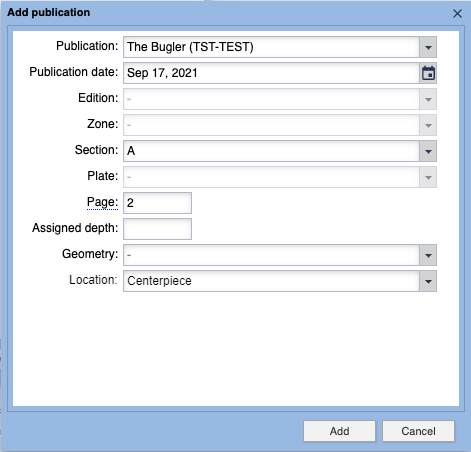
A big part of getting desirable results with Automated Production is budgeting assets to the correct edition, section and/or page. Additional controls are offered for indicating where on the pages the assets should be placed. This is called the Page Location. It can be set in each asset in the Publication Placement area:
This image shows the Page Placement Location that is used by the Automated Production feature to guide placement. The selected placement is no…
Without question, the absolute best way to get assets placed on pages in pleasing layout formats is to assign those locations in the above accordion. This is particularly true for a handful of positions which will not be automatically selected (Skybox/Teaser, Centerpiece, and either Rail location) because they have a strong impact on the rest of the page's design.
Placement Options
The following options are available:
Skybox/Teaser
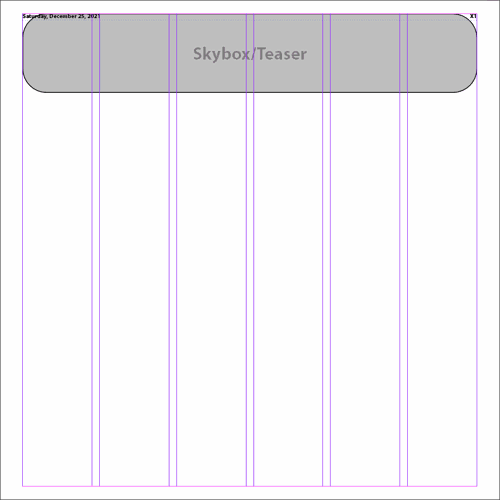
This runs from the left margin to the right margin across all columns. It also runs from the top margin to 1/6th of the page's live area.
These are generally only used for blurbs about a story that is featured on an inside page or a subsequent section front.
A sample of the Skybox/Teaser page Location. This runs across the full width of the page and from the very top to 1/6th the way down the page.
The `Fill Page` mode will never automatically select this location.
In general, this is just an location that is reserved for section fronts.
Upper Left
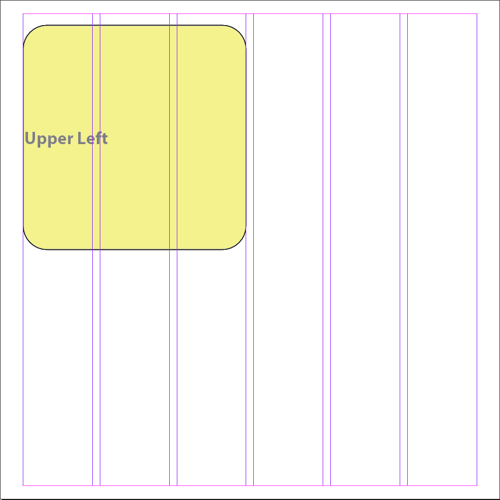
This runs from the left margin to the right edge of the first half of the page's columns. It also runs from the top margin to the vertical midpoint of the page.
If there are an odd number of columns on the page, it will use the center column.
A sample of the Upper Left page Location. This location occupies the upper left quarter of the page. If there are an odd number of columns, it…
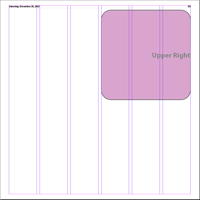
Upper Right
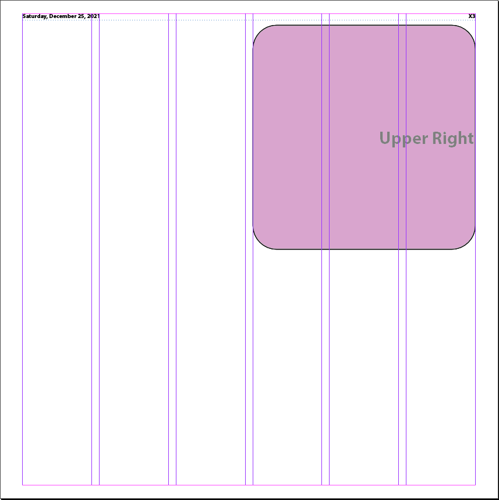
This runs from the left edge of the page's right-hand columns and from the top margin to the vertical midpoint of the page.
If there are an odd number of columns on the page, it will not use the center column.
A sample of the Upper Right page Location. This location occupies the upper right quarter of the page. If there are an odd number of columns, …
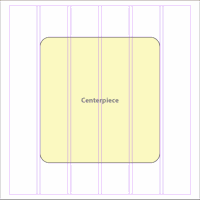
Centerpiece
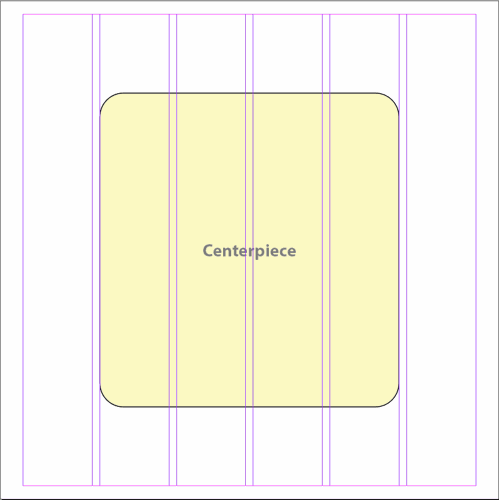
This runs from the 2nd column on the page through the next to the last column on the page. Vertically it runs from 1/6th of the page's height to the 5/6th point.
Centerpieces are generally centered on the page with additional page content wrapping around the centerpiece. They are frequently paginated with rules around the area and a hammer head above an image, caption, headline, story. But the space is a design free-for-all and there are no fixed rules and few if any sites have custom rulesets for Centerpieces.
A sample of the Centerpiece page Location. This location occupies the center of the page. It starts 1/6 the way down from the top and ends 1/6…
The `Fill Page` mode will never automatically select this location.
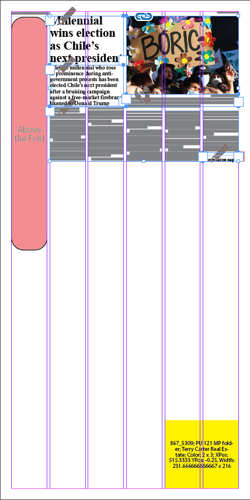
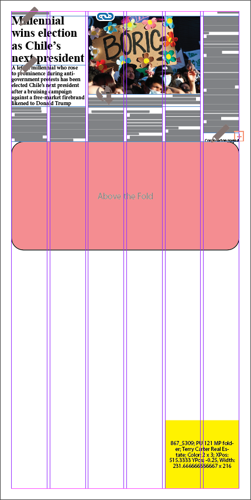
Above the Fold
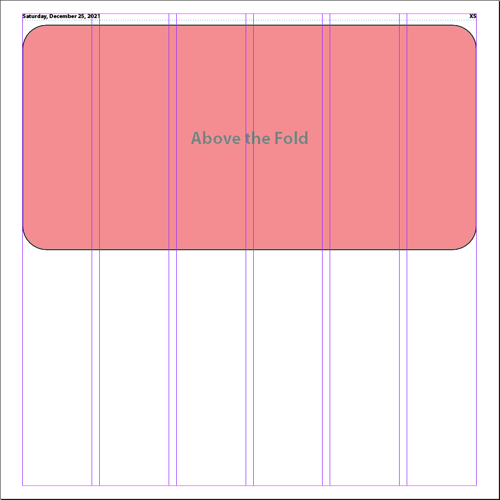
All the way across the page but from the top margin to the vertical midpoint of the page. Another way to think about it would be the combination of the Upper Left and Upper Right.
Remember, the only way to drive single-copy sales is to place assets above the fold on the very first page of the front section. Placing too many stories on the front of other sections and then forcing a jump only irritates your readers.
A sample of the Above the Fold page Location. It begins after allowing an offset for the folios and continues down to the centerline of the li…
Left Rail
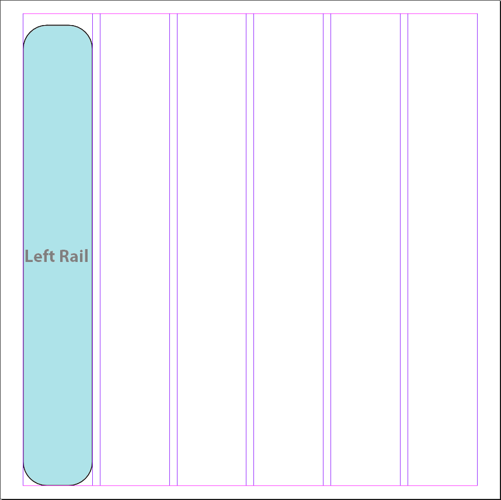
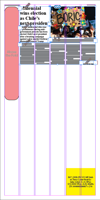
The full height of the left column.
A sample of the Left Rail page Location. It begins after allowing an offset for the folios and then fills the leftmost column.
The `Fill Page` mode will never automatically select either Rail location if the asset being placed has any children. You can definitely budget to the rail position, however.
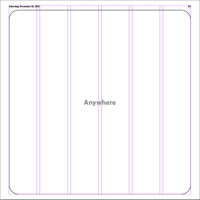
Anywhere
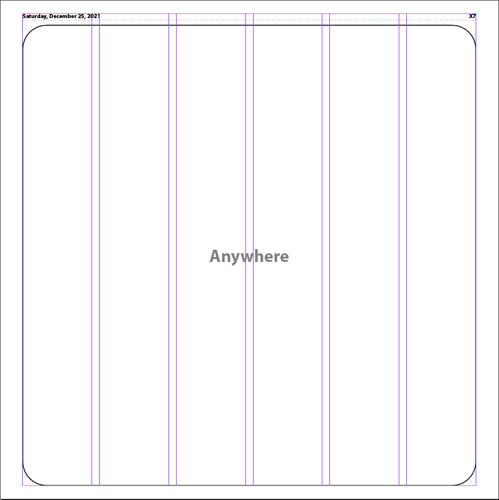
Anywhere on the page. This is the default location, but it's not very descriptive it is? Ideally, you should select one of the other Locations.
A sample of the Anywhere page Location. This is the default page Location and it doesn't do much good in directing the layout as, except for a…
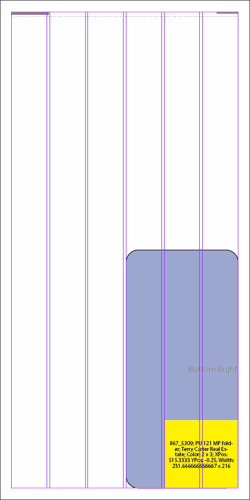
Right Rail
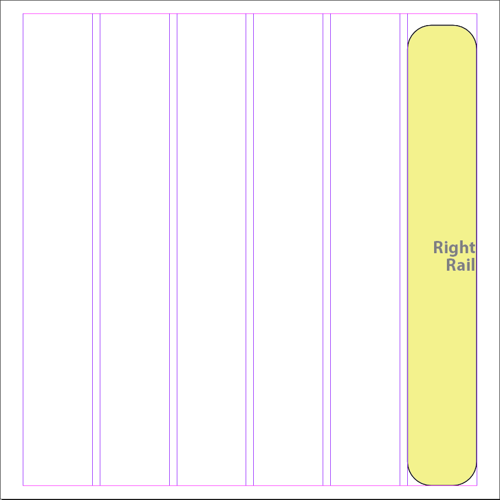
The full height of the right column.
A sample of the Right Rail page Location. It begins after allowing an offset for the folios and then fills the rightmost column.
The `Fill Page` mode will never automatically select either Rail location if the asset being placed has any children. You can definitely budget to the rail position, however.
Below the Fold
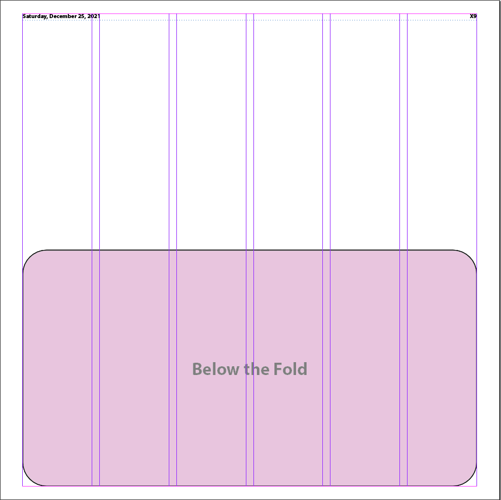
All the way across the page but from the vertical midpoint down to the bottom margin. The result is the same total area as combining the Bottom Left and Bottom Right.
A sample of the Below the Fold page Location. It occupies the bottom half of the page.
Bottom Left
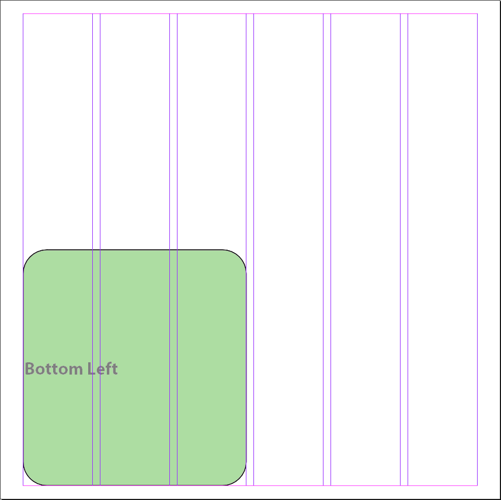
This runs from the left margin to the right edge of the first half of the page's columns. It starts at the vertical midpoint and runs to the bottom margin.
If there are an odd number of columns on the page, it will include the center column barring any obstructions.
A sample of the Bottom Left page Location. This location occupies the lower left quarter of the page. If there are an odd number of columns, i…
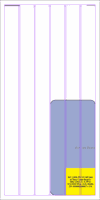
Bottom Right
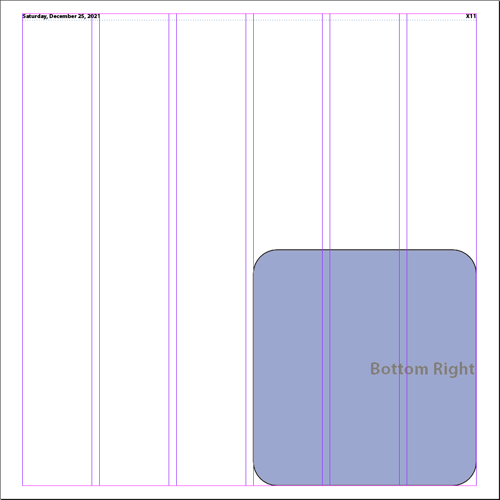
This runs from the left edge of the page's right-hand columns to the right margin. It starts at the vertical midpoint and runs to the bottom margin.
If there are an odd number of columns on the page, it will not use the center column.
A sample of the Bottom Right page Location. This location occupies the lower right quarter of the page. If there are an odd number of columns,…
See for yourself!
While the definition of each Location is described above, if you want to see for yourself where each Location is on a given page choose:
BLOX Total CMS > Automated Production > Placement Locations > Display Raw Placement Locations
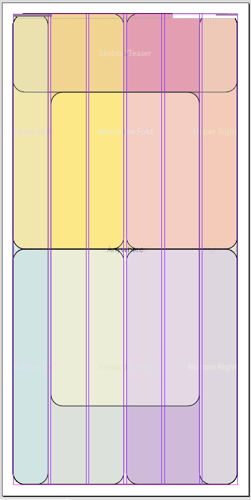
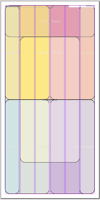
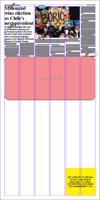
On a blank page, that will produce a see of colors similar to this:
A view of the Raw Page Placement Positions on a 'blank' page (it has folios). These colored blobs are configured to not print. They aren't use…
Or to see a single page Location, follow the steps below:
- Choose BLOX Total CMS > Automated Production > Placement Locations > Display Single Raw Placement Location...
- When the dialog appears, select the desired location
- Click the OK button
Page Location Overlaps and Conflicts
The Locations listed above are fully inclusive and they definitely overlap other Locations. In addition, you can have situations where the existence of a Left Rail uses the first column of the Upper Left Location. That's fine. There is intelligence in use to prevent the placed assets from overlapping.
While page Locations can't conflict with themselves even though they overlap, they can conflict when they overlap items on the page. This results in one of two outcomes:
- The page Location and the items on the page completely overlap and the page Location is no longer available for placement. That doesn't necessarily prevent an asset from being placed, but it does prevent it from being placed in a specific Location.
- The page Location's size is reduced. See the Conflict Rules below to see how this happens.
Overlap Conflict Rules
Assets, advertisements (when managed by BLOX Total CMS), and cutouts (which are controlled by the cutout preferences) can all overlap and produce conflicts and either remove or reduce the size of a page Location.
All conflicts are evaluated on a full column width basis. Say the designer goes off grid and produces a wider than one column Left Rail, the page Location logic will assume that both columns 1 and 2 are full or obstructing the page Locations. This is expected behavior. This can be worked around by using Page Design snippets and flowing assets into properly designated snippets.
The top of a placement Location has precedence over the rest of the location. Thus, you can easily find situations where wide Locations such as Above the Fold, Below the Fold and Anywhere present themselves as a single column rather than align under a wide obstruction. Here is an example:
This example shows the Above the Fold Location. Even though that Location can use the full width of the page, since it's top is exposed, it wi…
The Above the Fold Location showing it shifting down the page when the top of the page is blocked with an asset. While the top is shifted dow…
If an entire column is occupied by an obstruction the column will be removed from the page Location. If all that remains of a column is smaller than the e-edition cutout minimum height, it too will be removed.
Doglegs around an obstruction below the top of the page Location are left. It will affect the column inches in that column, but the page Location will effectively encompass it.
The Bottom Right Location with an ad causing a dogleg. This type of dogleg is allowed.
This is not the case for obstructions above them. It's generally considered bad design to dogleg around something above it. Thus, it isn't permitted.
Horizontal obstructions follow a couple of different rules. If there is a wider opening, the page Location takes the widest opening. If all the openings are the same size, the page Location chooses the right hand side.
Viewing Page Locations treatment of Overlap Conflicts
Rather than viewing the raw Locations, you can also view the open Locations using this function: BLOX Total CMS > Automated Production > Placement Locations> Display Open Placement Locations to show all remaining Locations or you can use BLOX Total CMS > Automated Production > Placement Locations > Display Single Open Placement Location... to get a dialog with the available Locations and see how much of that one Location is still available.
Fill Page Positions of Last Resort
Client version 5.68 added the ability to fill the page, providing there were enough budgeted assets. As described at the beginning of this article, the best way to control the placement of assets is to budget the desired page location. But there has been logic involved in selecting page locations since early 2022.
The primarily logic is based upon the estimated asset length and the remaining space on the page for each page location. For example, on a page with approximately 120 column inches of space, each of the four corners (Upper Left, Upper Right, Lower Left, and Lower Right) should start out with approximately 30 column inches (120/4 = 30).
But if the top of the page asset needs more space, it's frame will can be lengthened via the rulesets to become taller and that would take space from the page locations under it. All that is highly logical. In addition, if the asset was long to begin with, it could have instead been placed `Above the Fold` and still left some space in either Upper corner, but not enough to allow the asset to be placed without extending into another page location.
However, the overall logic was modified with client version 5.68 to provide a second chance to fit odd things as the page is being completed. As described above, testing found that those corners would not always be completely filled. For example the original logic might have placed an asset in the bottom right corner and left a dogleg under it. So the new logic will attempt to use the `Above the Fold` and `Below the Fold` more often to allow the spaces to better fill.