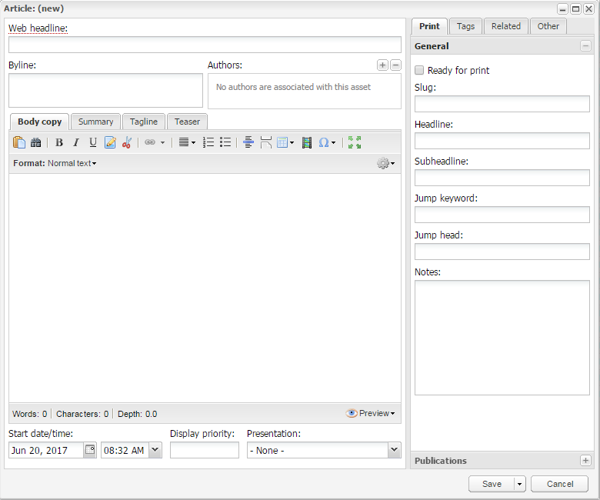
This screenshot shows the General options of the Print tab of the Asset editor window within BLOX Total CMS. Also notice there is a scissor icon to trim (remove) print content.
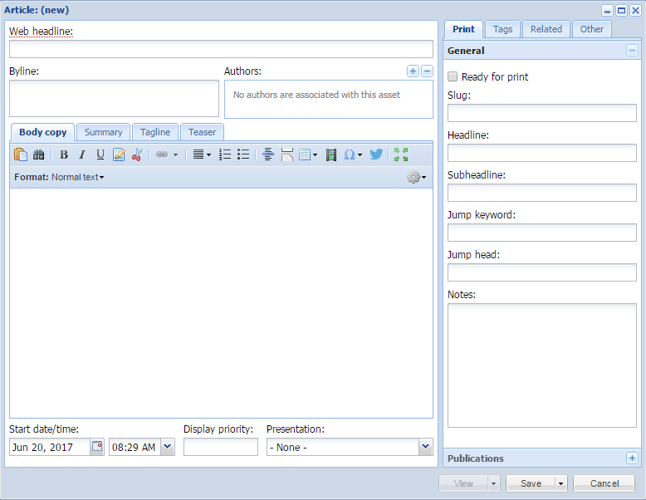
This screenshot shows the General options of the Print tab of the Asset editor window within BLOXCMS (Hosted Platform). Also notice there is a scissor icon to trim (remove) print content.
BLOX Total CMS Print Options (Hosted and Appliance)
Updated
The Print option contains fields unique to the BLOX Total CMS that are used with Adobe InDesign / Adobe InCopy and are also available on the Hosted Platform.
This screenshot shows the General options of the Print tab of the Asset editor window within BLOX Total CMS. Also notice there is a scissor icon to trim (remove) print content.
This screenshot shows the General options of the Print tab of the Asset editor window within BLOXCMS (Hosted Platform). Also notice there is a scissor icon to trim (remove) print content.
Print General Options include:
Slug: Used to help users search for assets. Slugs are unique to each site.
Headline: The suggested print headline used on the page.
Subheadline: The suggested subheadline used on the page. Some sites call this a deck head, a subhead, a read-in, a summary graph, or even a teaser.
Jump Keyword: The suggested jump keyword from the page if the story jumped and the site used our jump functions in Adobe InDesign.
Jump Headline: The suggested jump headline from the page if the story jumped and the site used our jump functions in Adobe InDesign.
Notes: Notes about the asset that follow the asset through the entire workflow. Notes also show up on the Budget View within Page Tracker.
There are also options in the Publications section to control budgeting.
Note: The Print options are only available on the Hosted Platform for customers who have both BLOX Total CMS Appliance and TownNews.com's Hosted services.
Note: There are additional Print options available as a part of the Workflow Process. If you have questions, contact our Customer Service team - (800) 293-9576.