
You have permission to edit this article.
Edit

Deleting a Page from a Page Tracker Edition

  • Updated

1) Open any Edition in Page Tracker

2) Click once on the undesired page (usually an advance page that will not progress in the Pages workflow)

The Delete Button
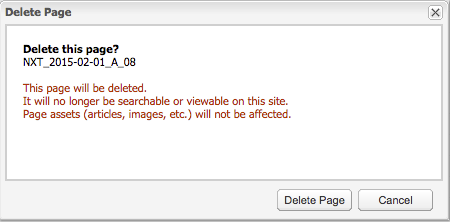
Confirm Page Deletion In Page Tracker Edition

This dialog appears after you click the Delete button with one or more pages selected in a Page Tracker Edition. Click the Delete Page button to delete.

We want your feedback!

See something that needs updating or additional clarification? Want assistance with a topic that isn’t listed here? Please let us know!

At BLOX Digital we are dedicated to providing you the information you need to be successful when you need it.

Visit our feedback page to log in, submit a support ticket, and track the progress of your open requests.