Site Tag Based Preview
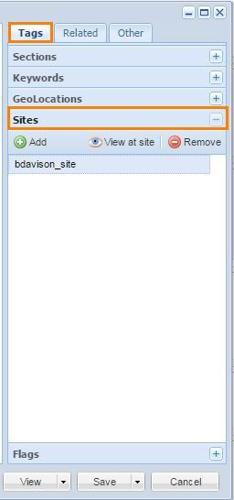
BLOX Total CMS assets can be previewed from the Tags / Sites menu option in the browser based editor. To do that:
- Click on the hosted BLOX site that you want to preview
- Click the View at Site button.
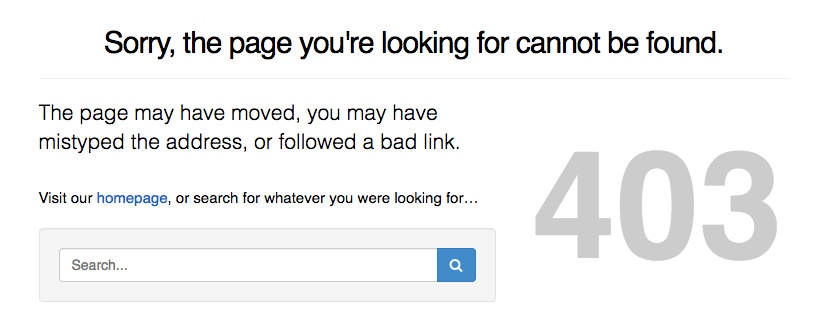
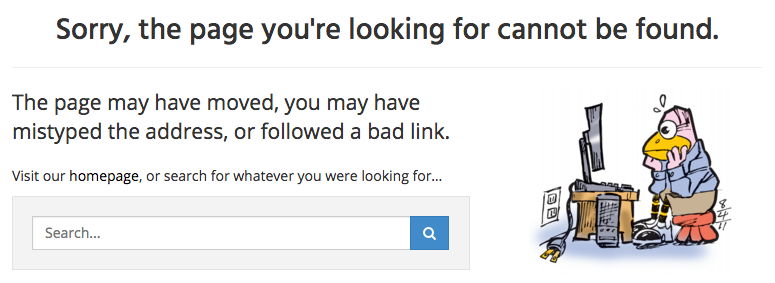
If the asset has been syndicated, then you will see the asset at it actually appears on the live hosted BLOX website. Technically this isn't a preview but the real live view. And if the asset isn't live yet it isn't viewable and you will get a 403 / 404 page instead. Those might look like these:
Thus, just because it has a Site tag, it doesn't mean that the asset has actually gone live. Remember from your very first day of training there are the following things that prevent an asset from going online?
- Site Tag: Assets must have a Site tag to go online
- Start Date/Time: The current time must be past the asset's Start Date/Time
- Do Not Publish: This is located under Other. If Do Not Publish is checked, the asset could be available in the hosted BLOX admin, but it won't appear to users.
- Workflow's Block Syndication: The asset's workflow process might be blocking the upload/syndication of the asset. This even prevents it from appearing in the hosted BLOX admin.
Time To Syndicate
There is one other issue related to previewing BLOX Total CMS assets: The time it takes for an asset to be visible. Assuming that the asset has a Site tag, its Do Not Publish is unchecked, its workflow process isn't set to Block Syndication, and the current time is past the asset's Start Date/Time, there would still be a delay…
- For the asset to get pushed to hosted BLOX;
- For hosted BLOX to ingest it; and
- For the 3rd party caching to show it.
Pushing To Hosted BLOX
The pushing of content from BLOX Total CMS to hosted BLOX happens very quickly after the Site tag has been added providing the workflow process isn't set to Block Syndication. Even if you haven't reached the Start Date/Time or if Do Not Publish is checked, the assets can still get pushed to hosted BLOX.
Asset Ingestion By Hosted BLOX
Content sent (syndicated) from BLOX Total CMS to hosted BLOX is ingested by jobs in hosted BLOX. Those jobs generally run on 5 minutes increments. So, depending upon when you set the asset to go live by the items above, it could still take 5 minutes to get ingested by hosted BLOX. During this time, it won't be available for viewing even in the hosted BLOX admin.
3rd Party Caching
Once the asset has been ingested by hosted BLOX, there might be another delay before it is viewable on the live web-site. Web-sites that are hosted by BLOX are actually cached by a third party resource we partner with. This makes the sites more responsive because rather than checking the hosted BLOX site for new data every time any user looks at the site, our partner keeps track a copy of it so that if any user has viewed it in approximately the last 5 minutes they will look at the same copy the previous users have looked at. The only issue is that if your are wanting to see something NOW that just got to hosted BLOX now, there could be a wait until the cached version of the website has been updated.
Working Around The Ingesting and Caching Delay
Previewing and Responsive Design
Preview for the correct reason. One of the very important things to remember about previewing assets is that, for most hosted BLOX sites, the web-sites use responsive design. Thus, the only way to preview the position of breaks around inline assets, child assets, related content, links, etc. is to preview with every platform, every OS, every browser, and with every conceivable window width. All those things affect how the assets are rendered. So if you are worried about bad breaks, you can preview and change for one combination while making it worse on all other combinations platforms, OSs, browsers, and widths.
Note: Previewing can be a waste of time as things will always behave the same way. Learn your web-sites configuration and learn how things will appear.