Reporter group permissions with NO workflow access.
Note how both the Change workflow and Change process options are deselected.
This group has Workflow permissions showing both the ability to change the Workflow and change the Workflow process
A sample of some group permissions showing both the Change workflow and Change process options checked.
Group Permissions for Reporter
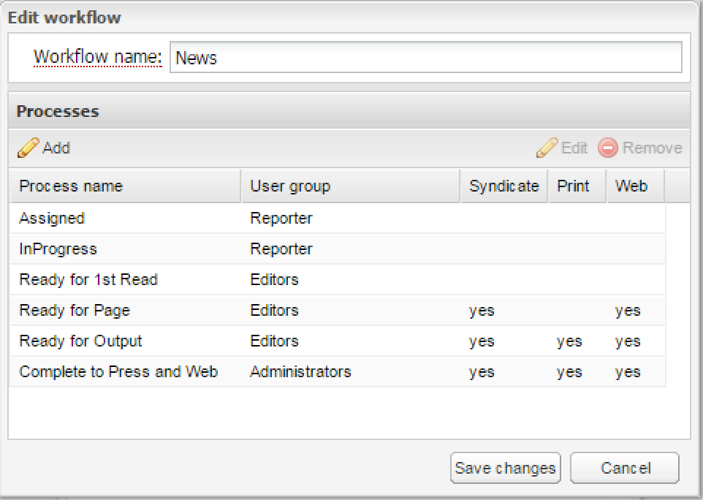
Note how the workflow starts out being owned by the Reporter group. After that the Editor group is in charge. The final process is unique here in that it grants ownership to the Administrator group. If the Editor group has permission to Change workflow and Change process, the editors can still modify assets in that final process.
Preventing Reporters from Editing Assets outside their Permission Group
By Jon S. Winters
Product Architect
User permission to created, edit/modify, or remove assets in hosted BLOX CMS and BLOX Total CMS is controlled by these factors:
The workflow and workflow/process of the asset
The group owner of the that workflow/process
The group's permissions to change workflow and process
Basic Configuration
If the goal is to prevent reporters from modifying assets after they have left their 'writing' / 'in progress' / 'assigned' workflow processes the following configuration will be sufficient.
This configuration is assuming there are two permission groups
Reporter
Editor
If you have other groups, then the process can be expanded.
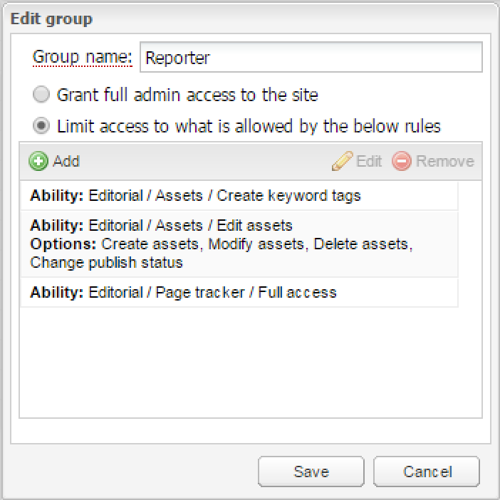
Group Permissions for Reporter
The important thing here is to NOT allow the Report group to Change workflow or Change process. This may seem confusing, but in reality they can change the workflow in the browser interface's Other tab's Workflow accordion (or in Batch edit) to any workflow that has a process owned by the Reporter group.
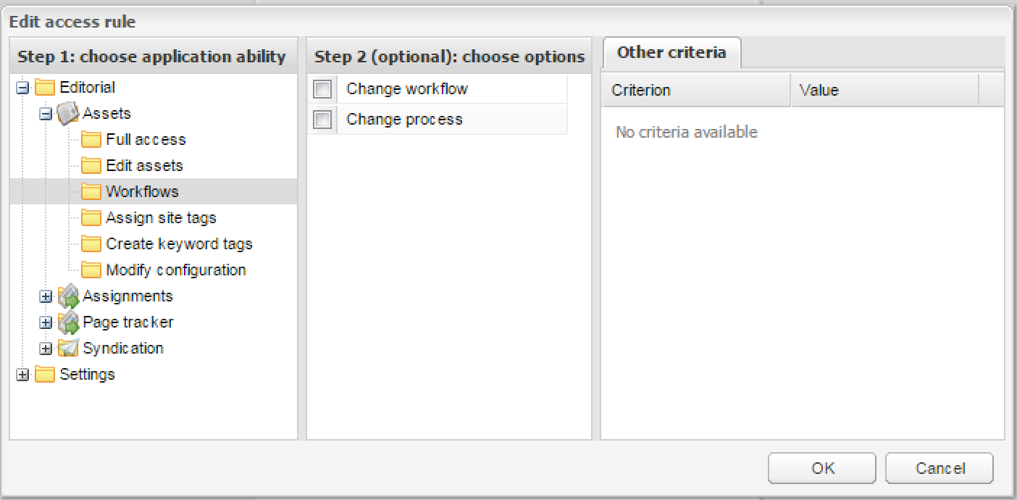
Reporter group permissions with NO workflow access.
Note how both the Change workflow and Change process options are deselected.
Group Permissions for Editor
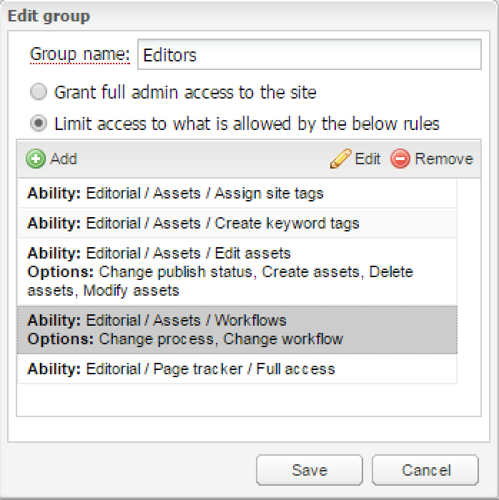
Whereas the reporter shouldn't be given Change workflow and Change process permissions, the Editor needs them to be able to send an asset back to the reporter (if a simple Demote doesn't go back to the reporter). In addition, by using Change workflow and Change process, the editors can advance assets to the point where they will post online if something needs to be post early. There are, however, other group permissions and functionality that could be used for that task.
This group has Workflow permissions showing both the ability to change the Workflow and change the Workflow process
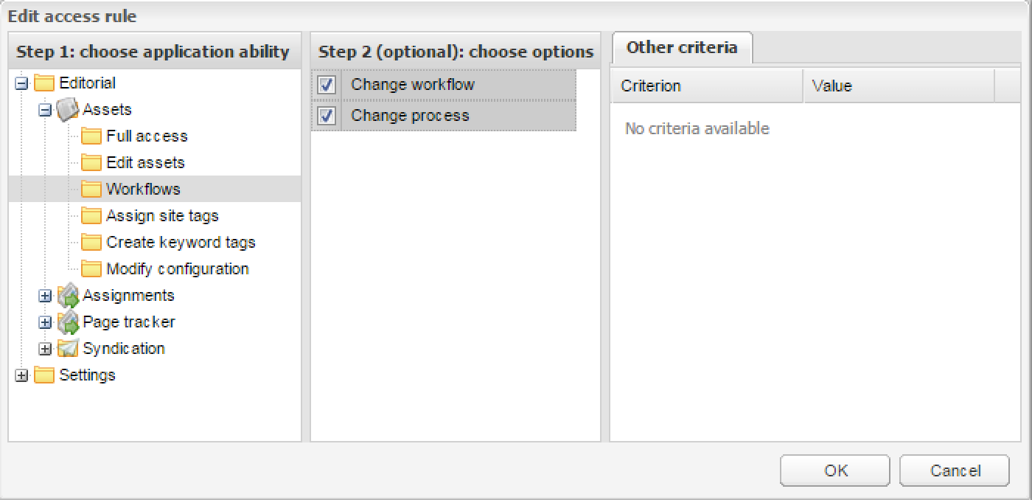
A sample of some group permissions showing both the Change workflow and Change process options checked.
Group Permissions for Reporter
Example Workflow
The final piece of the configuration involves making sure that any Workflow Processes that the reporter group members need to have save permission to has their group as the owner.
Note how the workflow starts out being owned by the Reporter group. After that the Editor group is in charge. The final process is unique here in that it grants ownership to the Administrator group. If the Editor group has permission to Change workflow and Change process, the editors can still modify assets in that final process.