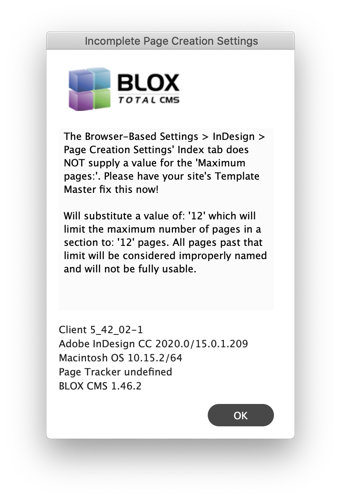
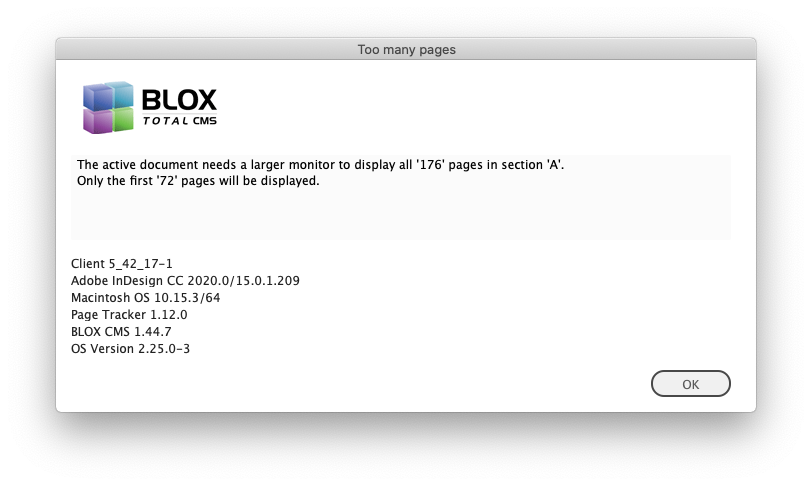
This Warning dialog indicates that the site's naming convention is missing a maximum number pages per section. This is an issue for the site's Template Master to correct.
Settings for Desktop > Settings > InDesign > Preferences
By Jon S. Winters
Product Architect
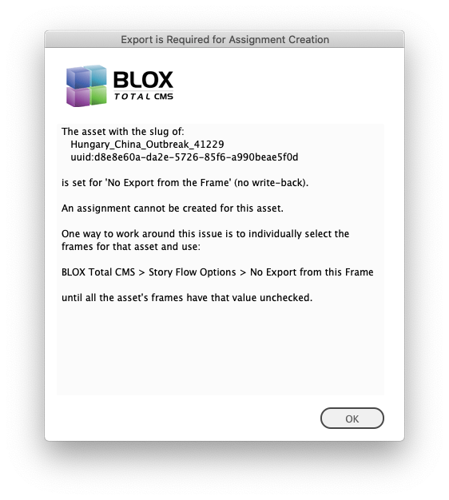
If a user gets this message when creating an Adobe InCopy Assignment it is because one or more frames on the Adobe InDesign page holding the asset has been set to No Export from this Frame. Use BLOX Total CMS > Story Flow Options > No Export from this Frame to correct the issue and then BLOX Total CMS > Create InCopy Assignment again.
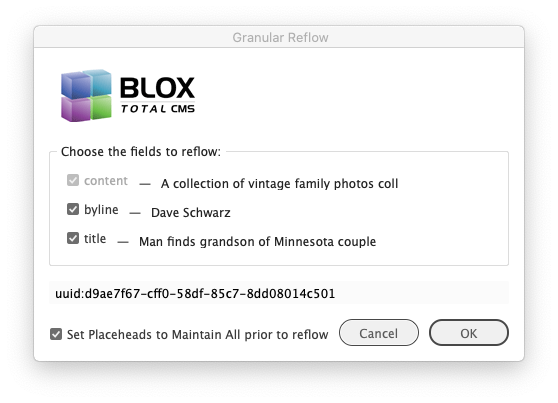
This dialog indicates that the asset is being reflowed. This is normal, even ideal, if the asset has already been placed on a page and then later edited off the page. But it should never be displayed during initial translation/placement of the asset. The dial allows for certain fields of the asset to be ignored. If those ignored fields are in separate frames, they will be left alone. Thus a headline edited on the page will not be replaced with a title edited in the browser if the Title field is unchecked. Content is always required to be reflowed.
Client 5.42 Release Notes
By Jon S. Winters
Product Architect
Updated
Next Version
The release notes for the 5.43 version of the BLOX Total CMS client for Adobe InDesign and Adobe InCopy can be found here.
Client 5.42.x Release Notes
Client 5.42.21-7 was approved by TownNews' QA department on 4 August 2020.
5.42.21-7 Released 2020.07.31
Bug Fix) Some users of 5.42.21-6 were getting errors logged after document activation because of a mistyped variable name. This might have caused some event handlers to not run, but the more serious issue is the generation of Error_Logs. This has been fixed. JIRA INDESIGN-2931
Important Logging Change) The 5.42.21-6 version of the client had a bug where when Adobe InDesign or Adobe InCopy went idle (something it should be doing several times a minute) it would log a message. Unfortunately, this causes two bad things to happen: 1) It causes the logs to get really large in a hurry. 2) It causes false-positive crash logs generating a crash log when the Adobe InDesign/InCopy user didn't force quit nor crash. JIRA INDESIGN-2937
5.42.21-6 Released 2020.07.06
Esoteric Ad Statuses Change) When a site's preferences for Generate Ad Reports: was set to true and the Ad Status Default: is set to Fix Placeholders an error could be triggered. We could not reproduce the error but a change was made to hopefully correct for it at client sites. JIRA INDESIGN-2745
5.42.21-5 Released 2020.06.17
Bug Fix for Users Logging Out) We fixed a bug that caused 5.42.x users to lose their idle events when logging out. The 5.43.x series had a similar problem that was fixed in a different manner. It is now safe to Log Out, do non-BLOX Total CMS related work with InDesign, and then Log In to resume BLOX Total CMS work. JIRA INDESIGN-2745
Benchmarking Bug Fix) Some additional bugs were introduced late in the 5.42.x version that prevented BLOX Total CMS > Development > Benchmark Mode from completing without errors. These have been fixed. Benchmarking is used as a troubleshooting tool to guage the speed of workstations, and networks/file servers. JIRA INDESIGN-2801
5.42.21-4 Released 2020.04.27
Write-back Bug Fix) A prior release attempted to fix the write-back of manually applied Character Styles interacting with Nested Styles in Adobe InDesign did not work. QA Testing found this issue and we have corrected it. While rare to do this, if text translates or is formatted in Adobe InDesign such that a bold or italic Character Style is applied where a Nested Style also affects the text formatting, the applied Character Style will be processed during write-back. This fixes a long-standing bug. Because this affects write-back, it should be tested at each site as part of the upgrade process. JIRA INDESIGN-2502
Bug Fix in Event Listeners for Layout Windows) A recent change in the adding of event listeners for Layout Windows added a potential bug where the event listener wouldn't be added. Only a handful of sites using, if any, using 5.42.21-3 would have encountered this issue that has now been fixed. JIRA INDESIGN-2739
UI Bug Fix) An earlier version of the 5.42 client attempted to fix a case where if the asset had print notes that were very long, the dialogs for Check In, Save Content, and others might not have been able to show all the buttons. It turns out that we fixed the cases except for Check In and Save Content. These two are now fixed. INDESIGN-2749
5.42.21-3 Released 2020.04.23
Important Bug Fix concerning Manually Placed Ads, Override .adinfo file and PCAB output) During regular QA testing it was discovered that if the specified paths for Ads or Ads Alternate were a different case than where the ads were placed from, the manually placed ads could be misinterpreted as cutouts rather than ads. This would then cause the Override .adinfo file function as well as PCAB export to miss these manually placed ads. This has been corrected. JIRA INDESIGN-2729.
5.42.21-2 Released 2020.04.09
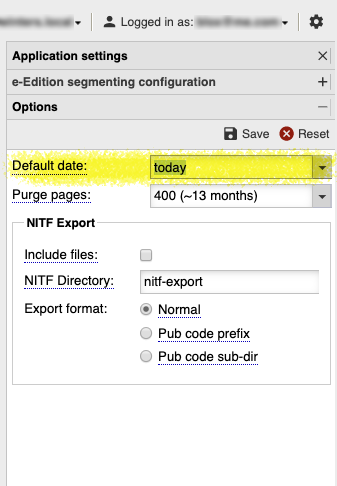
Bug Fix) The 5.42.03 version added a change to the Asset Manager's selection of default publication date. It was supposed to read the value from Page Trackers' Application Settings > Options. But instead, a bug overrode that value and forced the default publication day to always be Tomorrow. This has been fixed. JIRA INDESIGN-2055
Bug Fix for Spawn Template) The x version added a feature to Spawn Template to allow an alternate Default Paragraph Style to be set. Unfortunately, that didn't actually work in certain situations. It has been fixed and default styles, primarily for 3rd party advertising systems, can now be set. JIRA INDESIGN-2447
Asset Manager Bug Fix) A recent change prevented the Asset Manager from opening due to a bug in restoring prior searches. This bug might have only affected new users who wouldn't have prior searches. This has been fixed. JIRA INDESIGN-2701
Advertising Bug Fix) The 5.42.17 version of the client broke the logging of ad problems because of a typo in the client code. This has been fixed. JIRA INDESIGN-2712
5.42.21-1 Released 2020.03.12
Bug Fix) We had a report of the Override .adinfo file... function not being able to work on a background document. We've verified that it works, but made some changes in the notification when a library or some other invalid document is actually the front-most item in Adobe InDesign. JIRA INDESIGN-1551
Important Login Bug Fix) A recent change to examine some experimental methods of logging in broke the ability to use the _Enter manually:_ option in the login dialog for the BLOX Total CMS client. This has been fixed. JIRA INDESIGN-2814
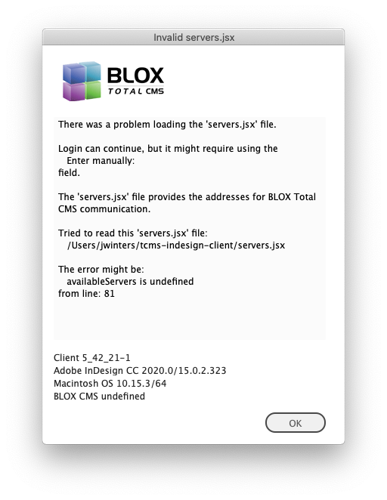
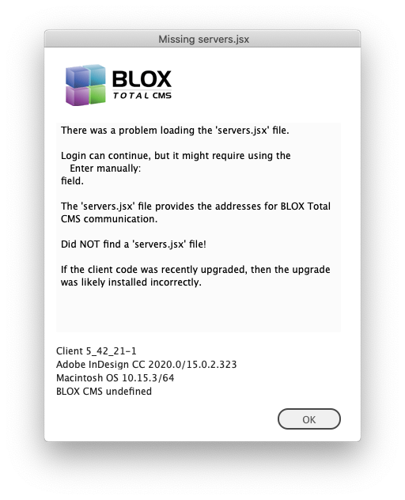
Better Troubleshooting of the servers.jsx File) If a site does the upgrade of the client software incorrectly, it can cause the servers.jsx file, as well as the add-ons which handle folios and certain export options to not be loaded. While immediately known following the next login, there was no warning provided to the users. We now warn the users when the servers.jsx file is missing or damaged with a dialog similar to the ones shown below. JIRA INDESIGN-2814
Minor Change in Logging) During the launch of the BLOX Total CMS client, we now explicitly log the path to the servers.jsx file. JIRA INDESIGN-2814
Minor Benchmarking Change) The Benchmarking routine to generate placeholder ads to test PDF placement was finding non-ad frames and logging a misleading message. This has been fixed and those non-ad frames are now ignored. The non-ad frames were coming from the folio page items on the master pages one some site's templates. JIRA INDESIGN-2824
Logging Change) To aid Customer Support in troubleshooting issues with image downloads from our NYC data center, we have added some additional logging to the image download processes. Only logging was changed. JIRA INDESIGN-2826
5.42.20 Released 2020.03.06
Asset Manager return/enter key Bug Fix) The Asset Manager incorrectly assumed that the return key always was always pointing to the Syndication tab's OK button. Thus, if a user changed a search parameter and pressed return, it would attempt to import the Syndication tab's selected asset even if the user was using Basic Search. This has been fixed. The internal function now knows the active tab. However, fixing this also returns the user warning that they attempted to click the default button and there wasn't an asset selected. We plan on switching the use of the return/enter key to the search button in the near future. JIRA INDESIGN-2087
MacOS based Asset Manager Advanced Search Bug Fix) There was a long-standing bug with the Advanced Search panel in the Asset Manager for MacOS users with Creative Cloud. The ScriptUI component that Adobe provides us to make user interfaces with wouldn't always properly clear the default prompt text (e.g. enter search text or enter slug details). So that text was removed for MacOS Creative Cloud users. But the Advanced Search processing used that to determine if the Search Text or Slug Details were to be included in the query. The result was that if an Advanced Search used search text or slug details, the values in the Basic Search tab (usually clear) would override the values in the Advanced Search and the results would be incorrect. This has been fixed. JIRA INDESIGN-2087
Event Handler Change) We noticed that a couple of sites are having issues saving documents and the actual save is the final option that happens. We've changed the order of the events so that the save can be done earlier in the list of actions but still after anything that might modify the document such as updating the folios or placement information. The hope is that this can prevent some cases of Adobe InDesign going non-responsive or 'freezing'. JIRA INDESIGN-2812
Output Behavior Change for Stability) When using the BLOX Total CMS > Documents > Output functions, the BLOX Total CMS client for Adobe InDesign will not attempt to save the document if there is more than one page in the document. This is to speed up the output and hopefully prevent issues where a user will save and then output or output and then save but because of the extra assets on the extra pages, the 2nd save won't complete because the first hasn't been completed. JIRA INDESIGN-2812
5.42.19 Released 2020.03.04
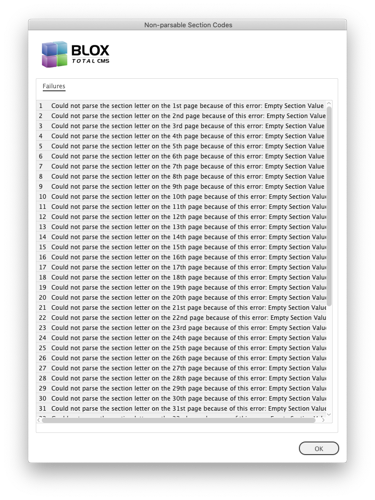
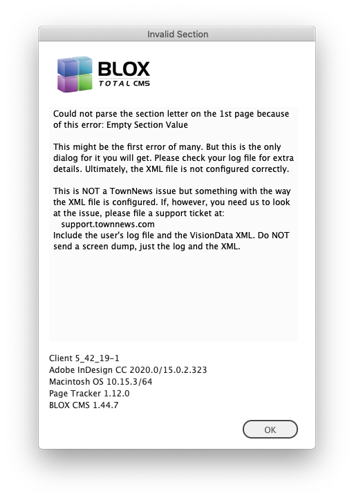
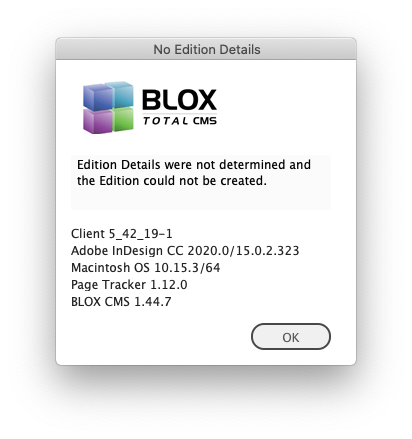
VisionData Parsing Improvement) For sites that use Vision Data XML for their Ad Layout Format, we have improved the notification process for XML files that fail to parse because they had no section tags. If a page has no section tag the user will see a series of alert dialogs similar to the ones shown below. This change only affects the parsing when no section data is supplied. JIRA INDESIGN-1608
Minor Bug Fix) Several places within the BLOX Total CMS client for Adobe InDesign and InCopy were still checking for AdOwl and AdMarket support which was removed with INDESIGN-1230 back in 2016. These checks have now been removed which will very minimally enhance the performance of the client software. JIRA INDESIGN-1629
Bug Fix) When a user has an unsaved document open, the Split Document and Create Pages menu items would generate errors. Now, these two items are automatically disabled when the document is not considered saved by Adobe InDesign. JIRA INDESIGN-1790
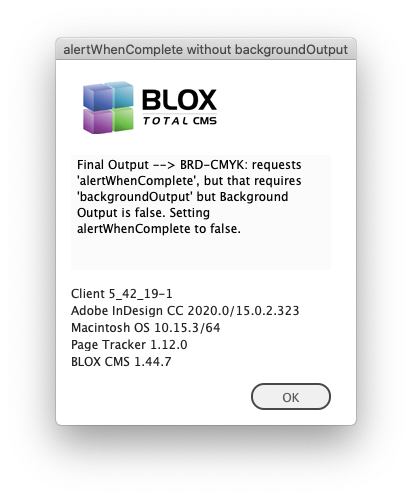
Bug Fix) The Alert When Complete option for output is only functional when Background Output is also true. Unfortunately, neither the logs nor user messages to the Template Master indicated this information. This has been corrected and a dialog is displayed. JIRA INDESIGN-1950
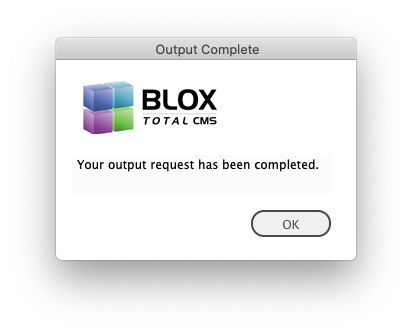
Bug Fix) Most of the time when the Alert When Complete option for output function was called, it would fail to actually alert the user because it would time out while stuck in a loop because of a logic error in the client code. This has been fixed and users should be able to get a message similar to the one shown below. JIRA INDESIGN-1950
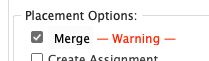
Minor Asset Manager UI fix) Back with the Creative Cloud 2018 release, Adobe changed a component of the ScriptUI interface building tool that they provide us to build dialogs with. That change broke a legacy method of changing text color. That in-turn caused the — Warning — text that we placed next to the Merge checkbox to no longer display in red. We have found a way to return the warning to red. JIRA INDESIGN-1958
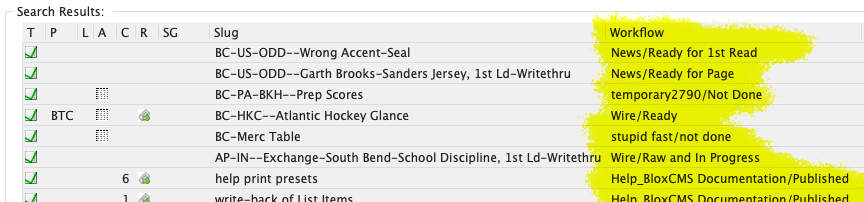
Bug Fix) The 5.42.17 release attempted to fix an issue with assets whose workflow was deleted by the site. But that ‘fix’ caused the Asset Manager to not show any workflows, even those that had proper workflows. This has been fixed and a warning dialog is shown when updating the output menu while in development mode. JIRA INDESIGN-2790
5.42.18 Released 2020.03.02
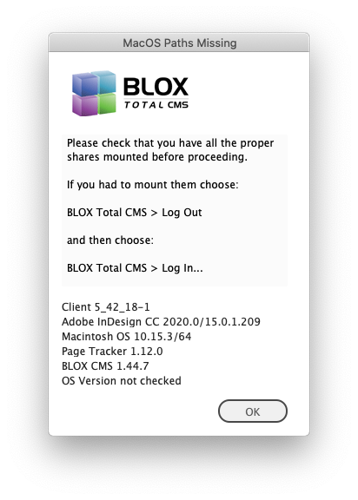
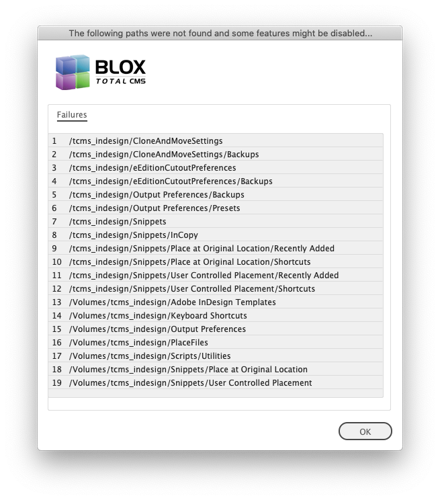
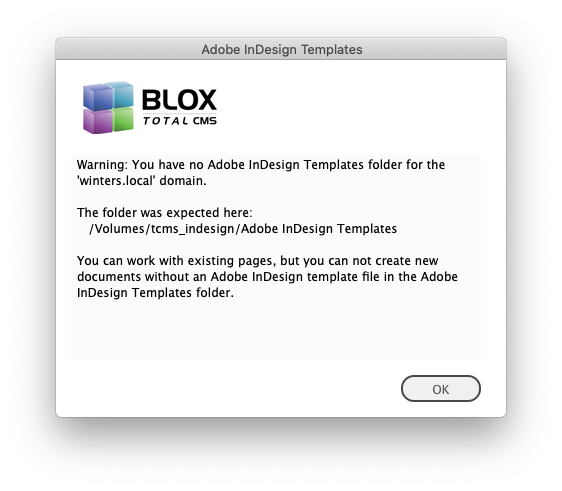
Log In Improvement MacOS sites without All Shares mounted) If a MacOS user didn't have all the shares mounted, for example, tcms_indesign, they would have gotten one warning that indicated that they could use the system, but not make pages. But the login might have failed without any additional information explaining the failure. Now the users will be warned with dialogs similar to these below and login without tcms_indesign mounted can continue, but with adequate warning and logging. JIRA INDESIGN-1544
5.42.16-17 Released 2020.02.26
Change in Behavior) There has been a long-standing bug where if a placeholder file reference is applied to the default (main story) frame of an article asset using BLOX Total CMS > File References > ...placeholder... the asset remains on the page in an odd state. Since the asset now has no default frame it can not be checked in and will remain locked. Now when this happens, the asset will be released which will free the lock. Similar functions happen with other asset types. JIRA INDESIGN-835
Trivial UI Fix) There were a couple of typos in the dialog that warns about the limited number of pages that can be displayed in the Page Content Types dialog. This dialog primarily only affects very large single section publications because it can normally display up to 72 pages. So many users would never see this dialog. JIRA INDESIGN-955
Minor Logging Fix) When translating an image asset the log was supposed to show the frame id for the non-text frames. But instead, it listed undefined. This has been fixed. JIRA INDESIGN-1024
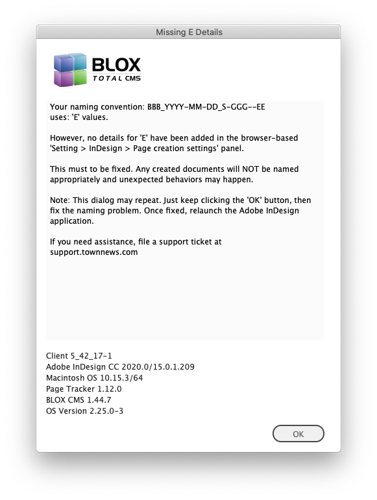
Bug Fix) If a site modifies the naming convention in the browser-based Settings > InDesign > Page creation settings, but fails to add the details, the BLOX Total CMS client for Adobe InDesign would produce some internal errors and not fully explain the issue to the users who really needed to stop and have the issue fixed. Now the users are warned with a dialog similar to the following. JIRA INDESIGN-1281
Minor Logging Change) When the Adobe InDesign user opens a document that needs to be converted (like when the site updates their Adobe InDesign version but fails to update the template document), the logs were listing a confusing message when the save failed. The log will now say 'Unable to Save the converted document to get its name.' JIRA INDESIGN-2566
Minor Bug Fix) When editing an asset in Adobe InCopy in a snippet, if the asset's print_notes didn't contain any text, the word null was being added to the notes. This has been fixed. JIRA INDESIGN-2614
Bug Fix) In some older logs we found a case where the BLOX Total CMS client attempted to check out a non-asset. The client code is supposed to prevent that request, but instead, in the older client, the request was made to the CMS which causes an unnecessary burden on the CMS. Changes were made to prevent these requests in the future. JIRA INDESIGN-2630
Minor Bug Fix) We saw in a log where an internal error was triggered during the output process while trying to gather the e-Edition segmentation coordinate data of a cutout. We've changed the way that information is gathered to prevent the error. However, if it turns out the cutout doesn't have valid coordinates (like if the item was changed to a line that has no area), the cutout still won't be produced. JIRA INDESIGN-2655
Internal Performance Boost for Pre-Placed Asset Policy) When the Pre-Placed Asset Policy dialog was displayed, the dialog gathered the options in the Duplication Details and Sections even though it wasn't being used. This no longer happens and the process is a minuscule bit faster when not duplicating. JIRA INDESIGN-2793
Editing in Snippet Bug Fix) The ability to edit assets in page geometry (special snippets) prior to the asset being placed in Adobe InDesign, added in version 5.35.03, was broken in version 5.41.03 when the lazy loading of rulesets was introduced. This has been fixed and you can edit in geometry items again without needing to open an existing assignment in InCopy first. JIRA INDESIGN-2796
Benchmarking Bug Fix) The BLOX Total CMS client for Adobe InDesign has had a benchmarking feature to compare before/after changes. The option is available at BLOX Total CMS > Development > Benchmark Mode. It produces a series of unique log files that are placed in \ tcms_data \ Benchmark_Data \. Some recent changes broke this feature, but it has now been fixed. JIRA INDESIGN-2801
Minor Logging Change) When an Adobe InCopy link is missing the log used to list the path in a hard to read internal format. It now shows it according to the way it can be located in the host file system. JIRA INDESIGN-2802
Bug Fix) The listed width and height in color factory JRF files used the wrong formula and were listed in the JRF file incorrectly. This has been fixed. JIRA INDESIGN-2805
5.42.15 Released 2020.02.20
Esoteric Translation Bug Fix) If a child asset has been previously budgeted in a page in a Page Tracker edition, and then placed on a different page of the same edition, the subsequent translation of the asset was triggering a reflow during the translation. This was happening because the child asset will be considered out of date once the prior placement is removed as part of the translation as that creates an additional revision of the asset. The reflow then triggered other issues that were causing an error message to be displayed. All issues have been corrected. One change to correct this issue was to not bother removing prior budget listing if the asset was budgeted to a different edition. Thus, if the asset was budgeted for the 14th of the month but was actually placed in print on the 15th, the budget will remain. This itself will be corrected in a future update to Page Tracker that is awaiting development. JIRA INDESIGN-2784
Note: You should NEVER see the Granular Reflow dialog during placement. If this ever happens during placement, please report it and, of course, include a log file from the affected client user. The dialog (similar to that shown below) is, however, desirable during reflow.
This dialog indicates that the asset is being reflowed. This is normal, even ideal, if the asset has already been placed on a page and then later edited off the page. But it should never be displayed during initial translation/placement of the asset. The dial allows for certain fields of the asset to be ignored. If those ignored fields are in separate frames, they will be left alone. Thus a headline edited on the page will not be replaced with a title edited in the browser if the Title field is unchecked. Content is always required to be reflowed.
Bug Fix) The internal Translate to End function broke when the rulesets were moved to lazy load. But Translate to End didn't have normal access to logs and that generated an error. This has been fixed. JIRA INDESIGN-2794
Non-opening Asset Manager Bug Fix) The prior (5.42.14) version added unified support for the determination of the publication day, but it broke the ability to create new cached settings for the Asset Manager. This means that a new user wouldn't have been able to open the Asset Manager and using BLOX Total CMS > Update and Reset > Reset Asset Manager Preferences... would have prevented the Asset Manager from opening for that user. This has been fixed. JIRA INDESIGN-2795
5.42.14 Released 2020.02.19
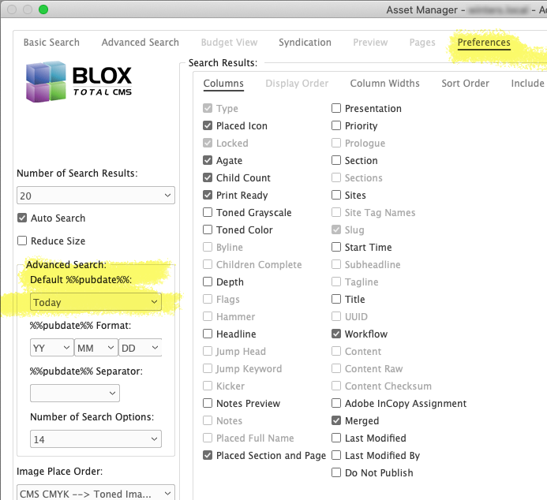
UI Change) In the past, the default date for the BLOX Total CMS client for Adobe InDesign and Adobe InCopy was controlled by a setting in each user's Asset Manager. Now the default date has been centralized to the browser interface for each domain. Changing the browser's setting in Page Tracker's Application Preferences Options accordion will change Adobe InDesign and Adobe InCopy's settings for their next login. JIRA INDESIGN-2055
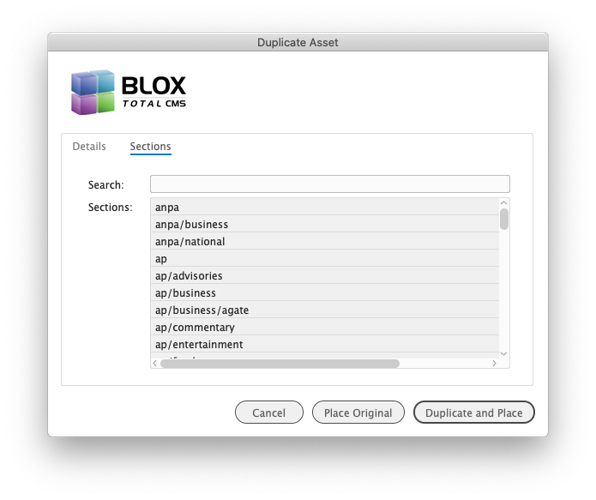
UI Improvement) The Duplicate Asset function (triggered by the Duplicate radio button in the Asset Manager in BLOX Total CMS for Adobe InDesign) now allows Section tags to be added. This is helpful for certain sites that are publishing to multiple web-sites from a single BLOX Total CMS domain. JIRA INDESIGN-2710
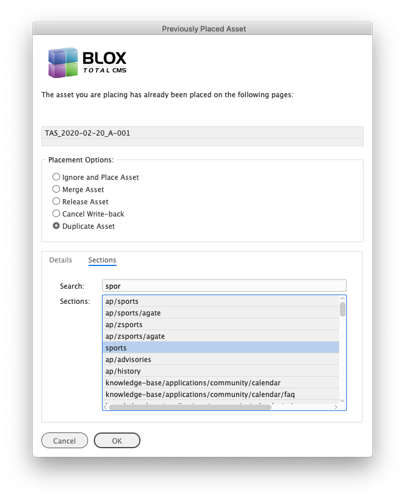
UI Improvement) The Pre-Placed Asset Policy now allows for the asset's original sections to be replaced with a new list of sections. This is accomplished with the new Sections tab in the Pre-placed Asset Policy's dialog. JIRA INDESIGN-2788
5.42.13 Released 2020.02.14
Translation Bug Fix) The function uses for locating frames during translation of standalone images was erroring when no suitable frames were being found and the log was trying to list the id of the non-existent frame. This has been fixed. JIRA INDESIGN-2783
Minor Bug Fix) The support for color factory inadvertently left in the option for listing crop values when toned images cannot be cropped when using Image Statuses to replace images. The ability to specify a crop value has been removed. In addition, the values for O_WIDTH_INCH and O_HEIGHT_INCH were delineated incorrectly in the Color Factory .jrf file with a + instead of an =. This too has been fixed. JIRA INDESIGN-2785
5.42.12 Released 2020.02.11
Bug Fix for Create New Article) One of the recent changes to the UI for some shared dialogs such as Check-In, Save Content, or Create Assignment broke the Create New Article dialog's ability to properly display section tags for selection. This has been corrected. JIRA INDESIGN-2778
Minor Change for Color Factory Export) We've changed the file format to plain UTF-8. Previously we included a BOM (Byte Order Mark) in the file. That BOM character has been removed. JIRA INDESIGN-2781
New Color Factory Option) Color factory sites can now remove the mandatory output file path from their JRF files. To prevent it from being added modify the output preferences .xml file to include
<M_OUTPUT_FILE>false</M_OUTPUT_FILE>
in either the default section or in one of the toning methods sections. If, instead, the site wants it to be included but set to an empty path, then include
M_OUTPUT_FILE=
in the mandatory.jrf file as outlined in a different update in this 5.42.x version. JIRA INDESIGN-2782
5.42.11 Released 2020.02.07
Improvement for Color Factory Sidecar JRF files) We now allow color factory .jrf files to include extra site based tags. To add these add a file called mandatory.jrf to your ImageToningPreferences folder. When using Image Statuses configured to create the sidecar .jrf files for Color Factory, the tags in the file will be added to the sidecar file. JIRA INDESIGN-2771
Standalone Image Placement Bug Fix) A user at a site informed us that there was a bug with the use of snippets for Standalone images using a Standalone head. The BLOX Total CMS client for Adobe InDesign was ignoring the frame for the Standalone image headline and creating its own. This has been fixed. We are unsure what caused the bug or when it was introduced. JIRA INDESIGN-2773
Bug Fix for Specifying the Path to Image Toning Preferences) The browser-based Path Configuration preferences has a unique value for the location of the Image Toning Preferences' .xml file. Unfortunately due to a naming issue, the value was ignored. This has been corrected and you can now specify any path for the location of the Image Toning Preferences both in the browser-based preferences as well as in a fileServerDetails.jsx file if you use those. JIRA INDESIGN-2774
Minor UI and Logging Change) If a user attempts to make an Adobe InCopy assignment on an asset placed in frames marked for No Export, there was no indication of how to correct the frameset. This has been changed and a dialog similar to what is shown below will appear. The information is now also logged as a warning to make it easier to locate during troubleshooting. JIRA INDESIGN-2775
If a user gets this message when creating an Adobe InCopy Assignment it is because one or more frames on the Adobe InDesign page holding the asset has been set to No Export from this Frame. Use BLOX Total CMS > Story Flow Options > No Export from this Frame to correct the issue and then BLOX Total CMS > Create InCopy Assignment again.
Minor Logging Change) Previously, the use of Story Flow Options was not logged. It is now to help with troubleshooting. JIRA INDESIGN-2775
5.42.10 Released 2020.02.04
Major Translation Bug Fix) A site of ours discovered that a long-standing bug with translation. The bug concerns the ruleset's use of the ,1 parameter of the <&recursive:(ruleset_name,1)> calls. For an unknown time, the ,1 parameter has not functioned. This means that rules following the recursive calls with that parameter to ruleset_name were being acted on when they should have been ignored. This has been fixed, but, this might cause a change to some of your site's ruleset's behavior if your rulesets were configured to take advantage of the bug. One way to compare the difference is to add a quit rule with a Start tag: of ....! at the end of called rulesets. If the development mode behavior with the quit is different than the non-development mode result, then you might have a ruleset that is using the rules after the errant <&recursive: call. If you find that translation has broken after installing this update, you can restore the prior behavior by simply removing the ,1 parameter in the offending recursive calls. If your template master needs assistance, please file a support ticket at support.townnews.com and supply a user's log following the translation of an asset that ended prematurely. Also include the slug of the asset. While we encourage testing with this version, we actually think the likelihood of issues is minor. JIRA INDESIGN-2770
5.42.09 Released 2020.02.03
Color Factory Image Toning JRF Sidecar File Bug Fix) It was reported that the Color Factory JRF files exported, when requested, from our Image Statuses function will include information from prior images in addition to the specific image being exported for toning. This has been fixed. JIRA INDESIGN-2767
Note: We have supported generating sidecar files for image toning by Intellitune, Claro, and Color Factory since 2016. If you use any of these three systems, the vendors agree that you can get better results using our sidecar information files.
Important Write-back Bug Fix) A recent change in an earlier 5.42.x version of the client causes frames marked as threads from jumping stories to include the entire content of the asset to be written back twice (or more). While some of the write-back went to the proverbial bit-bucket, external elements like Bylines and Taglines managed to get their content doubled (or more). This has been fixed. In addition, the write-back should be slightly faster than the prior buggy version because the jumped story's thread frames are now ignored. JIRA INDESIGN-2768
5.42.08 Released 2020.01.28
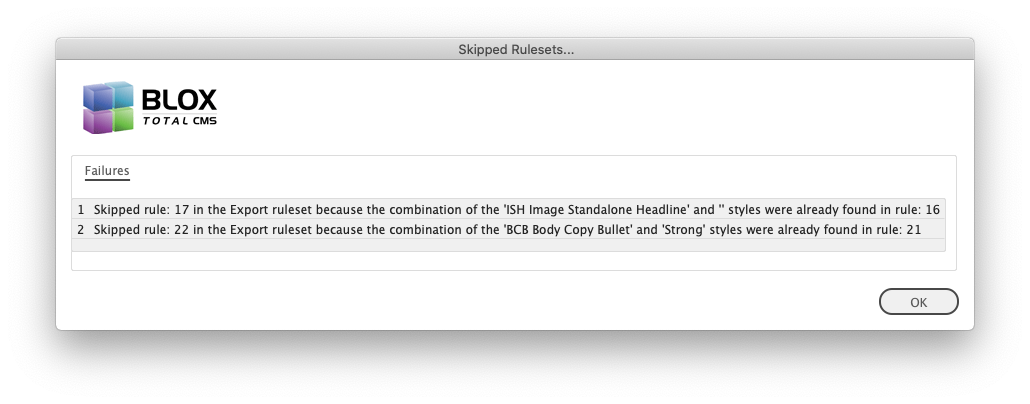
New Warning for Template Masters) When a user is in Development Mode and updates rulesets, they will be warned when the Export Ruleset includes Export Rules that will be ignored because the styles are referenced more than once. JIRA INDESIGN-2148
Minor Logging Change) We changed the text of the logging when using an output method that uses but specifies a workflow process that doesn't exist. JIRA INDESIGN-2662
Mnior Bug Fix with Refreshing Rulesets) The 5.42.06 version added a bug to the use of BLOX Total CMS > Update and Refresh > Translation Rulesets that would have caused the Element Types menu to not update. This has been fixed. Only a couple of sites would have been affected by this as that version was not widely distributed. JIRA INDESIGN-2764
5.42.07 Released 2020.01.27
Esoteric Bug Fix for Write-back of Improperly Formatted Inline Assets) We had one site whose rulesets were formatting the insertion indexes for inline items with Character Styles. Those character style tags then caused the write-back of the inline assets to fail. While this has only ever happened at a single site through user error, we now will remove any inline formatting to the tags in an inline asset. JIRA INDESIGN-2377
Confirmed Write-back of Nested Styles) We had a report from one site that when certain non-conforming fonts were used in nested styles that rather than ignoring the embedded characters styles (what makes up a Nested Style) that the character styles were triggering write-back. We have confirmed that this is no longer an issue. JIRA 2467
Write-back Bug Fix) There has been a long-standing bug affecting the Bold/Italic determination of text in Adobe InCopy or Adobe InDesign that uses both Applied Character Styles and Nested Styles. The testing of the text for write-back handled the paragraph styles first and if it found a match for the bold or italic character style in the nested style it would ignore the character style and write-back the text without indicating it was bold or italic (strong or em). This has been fixed. Because this is a change in write-back, it should be tested at each site. JIRA INDESIGN-2502
List Write-back Bug Fix) There were a couple of combinations of the use of character styles in bullet or numbered lists in Adobe InDesign or Adobe InCopy where the write-back would break the list items or get too greedy and combine an adjacent paragraph into the list. Primarily the problems happened when using a bold or italic set of characters that did not start or stop at the beginning or end of the list item. Write-back of styled list items still requires special rules in your Export ruleset. Those rules are outlined on our help site in the following article. JIRA INDESIGN-2603
Do your list paragraphs from Adobe InDesign and InCopy not write-back correctly and show online incorrect? This article outlines how to configure your Export ruleset for proper write-back.
Byline Write-back Bug Fix) Bylines, including photo credits, with embedded notes from InDesign or InCopy would break into multiple paragraphs at every note after they were written back from Adobe InDesign or Adobe InCopy. In addition, they would include the occasional HTML comment including the paragraph style. Finally, they would frequently include a blank line at the end. None of these three issues now occur. This is a change to the write-back behavior. And during a reflow, any manual change to the paragraph style will no longer be recorded. Thus, those style changes should be handled by the rulesets. JIRA INDESIGN-2604
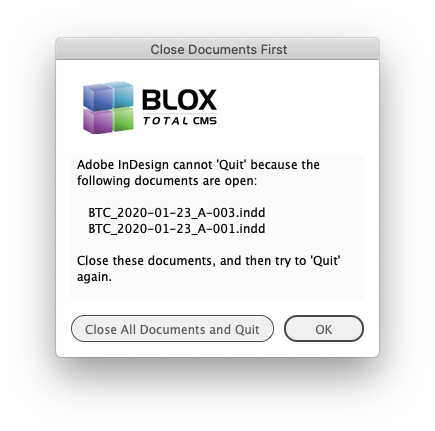
Minor User Interface Enhancement for Quitting) If a user tries to quit Adobe InDesign with documents open, there has always been a dialog that warns them they can't quit with documents open. That same dialog now has a button that the users can click to Close All Documents and Quit. As with the BLOX Total CMS > Documents > Close all Documents option, the users are NOT prompted during the document closing. All assets are checked in at their current workflow processes. JIRA INDESIGN-2759
Important Bug Fix) A change to the 5.42.02 client fixed some issues with the InCopy Check-In, Save Content, and Create Assignment dialogs. But it also broke the dialog at BLOX Total CMS > Create New Article... This dialog has now been fixed. JIRA INDESIGN-2763
5.42.06 Released 2020.01.20
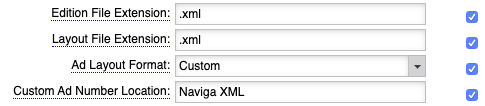
New Ad Layout Format supported) We have added support for yet another ad layout format. The new format is an XML format from Naviga sites. To use it, you would configure your browser-based settings as shown below. This brings the list of fully supported formats to the following list. JIRA INDESIGN-2692
Settings for Desktop > Settings > InDesign > Preferences
By Jon S. Winters
Product Architect
Ad Base PGL
Ad Force using an IDF file (We have a utility to produce that file if your Ad Force is too old to create it)
ALS (requires very customized output)
APT Page Master or Power Plan (three file format)
ATEX XML (a custom format)
Brainworks XML
DTI for Crystal Reports (customized output)
Media Plus
Miles 33 XML
Naviga XML
Newzware
PPI Saxotect XML (customized output)
SCS Layout 8000 (using .edf and .out files)
Vision Data XML
Bug Fix) The prior release could cause the Element Types menu to not show all the standard elements which could make building snippets difficult. This has been fixed. JIRA INDESIGN-2757
Template Master Note on Element Types: If you are adding an element type via the rulesets, the Element Type menu will not update by just using the Refresh option in the Asset Manager. You would need to use the BLOX Total CMS > Update and Reset > options for Translation Rulesets or Update All. This was done to speed the ruleset Refresh.
5.42.05 Released 2020.01.17
Important Image Statuses Bug Fix for Duplicated Images) Both the Duplicate option of the Pre-Placed Asset Policy, as well as the Duplicate option in the Asset Manager's Placement Options, failed to allow duplicated child images to used with Image Statuses. This long-standing bug has been fixed and duplicated images now work as expected with Image Statuses. JIRA INDESIGN-2580
5.42.04 Released 2020.01.17
Template Master Bug Fix) At some point in the client's history the merged element type was removed from the list of available element types. This made it hard to configure snippets for merged items like sports agate. JIRA INDESIGN-2757
Template Master Bug Fix) At some point in the client's history the ability for the rulesets to add element types was removed. This has been corrected. You can add an element type for your own purposes by creating a rule in the Export ruleset like the one below. JIRA INDESIGN-2757
FIELD
VALUE
Start Tag:
#!
Translate Script:
<&tbu2:(,,,,NameOfElementType,ignore)>
Template Master Bug Fix) If a rule in the Export ruleset was commented out, the rule would still be processed instead of being ignored. This has been fixed. Only those rules considered Directives, those whose Start Tag: is #!, will be examined. All others will be ignored. JIRA INDESIGN-2757
Minor Logging Change for Template Masters) The log lists all the details of the Export Ruleset and where things export to, and how, but the log appeared in random order. This has been changed and that section of the log now sorts those Export Options. JIRA INDESIGN-2757
5.42.03 Released 2020.01.16
UI Fix) The shared dialog used for Check In, Save Content, or Create Assignment had a bug where it wouldn't show the fields after Notes if the Notes were very long. This has been fixed and the notes can now be scrolled within a size controlled area that allows the remaining fields to be displayed. JIRA INDESIGN-2749
Bug Fix) There was a bug introduced with the processing after adding a frame to an asset in Adobe InDesign using all of the four optional Add frames to asset functions. All have been fixed. JIRA INDESIGN-2750
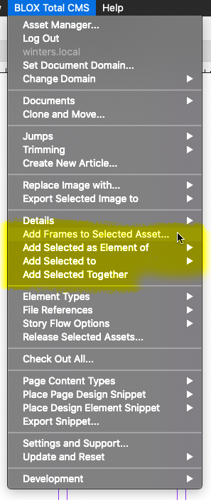
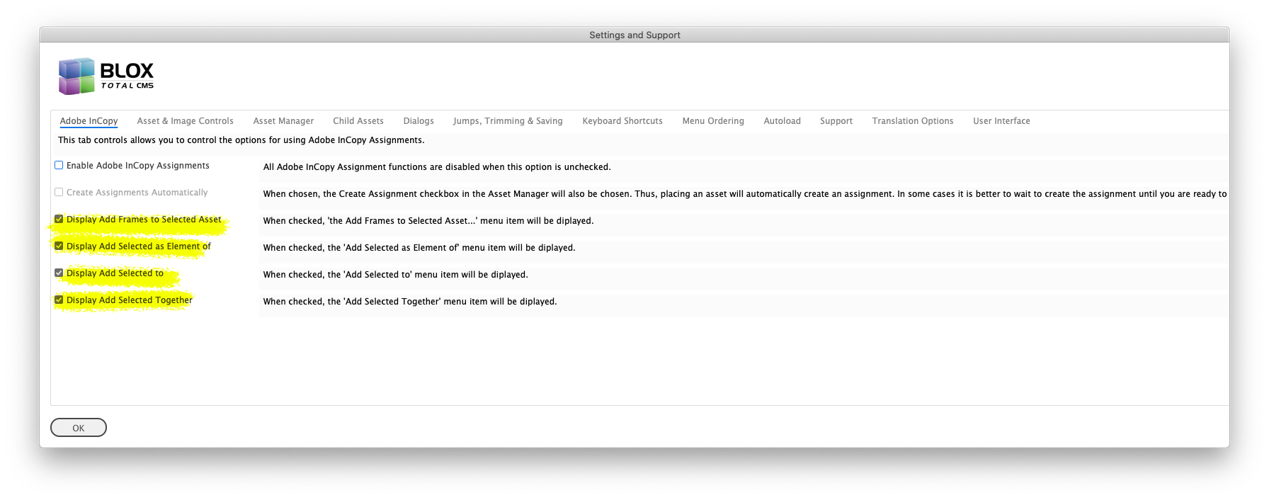
If those options don't exist in your menu, they can be turned on in the InCopy tab of BLOX Total CMS > Settings and support...
Minor Bug Fix) We had a user select BLOX Total CMS > Update and Reset > Update All with an unsaved and improperly named document open. This threw an internal error that has been corrected. Remember if you need to use Adobe InDesign on non-BLOX Total CMS documents, choose BLOX Total CMS > Log out first. JIRA INDESIGN-2752
Bug Fix) Client 5.41.01 added a feature that allows assets to be duplicated on placement by checking an option in the Asset Manager (as opposed to limiting the option to the Pre-Placed Asset Policy dialog). Unfortunately, an internal bug always marked the frames for the duplicated asset with No Write-back which some users didn't like. We have corrected it and now the No Write-back option is controlled by the Asset Manager's Placement Options. JIRA INDESIGN-2755
5.42.02 Released 2020.01.09
Verified Legacy Behavior) We had a report of assets not maintaining the proper lock ownership when an asset was moved from page to page within a multi-page document. Our testing indicates that the desired behavior is working as intended and we could not reproduce the report. However, this could have been fixed with the recent changes to the core code that locates the assets within a document or it could be something unique to the site in question. JIRA INDESIGN-2511
Template Master Bug Fix) The 5.34.02 version of the BLOX Total CMS client for Adobe InDesign and Adobe InCopy added the ability to load rulesets from alternate domains. This works great for design centers that don't want to maintain multiple sets of identical rulesets. But unfortunately, the process was flawed in that the Update Rulesets functions didn't work with this new method. This has been fixed and you can now use BLOX Total CMS > Update and Reset > Translation Rulesets, BLOX Total CMS > Update and Reset > Update All, and the Refresh options in the Asset Manager while in Development Mode. JIRA INDESIGN-2575
Advertising Bug Fix) Since client version 5.25.03 released in January of 2018, after using Create Edition from Edition file, the Edition file and Layout file (if different) would be backed up to keep the Advertising folder cleaner. Shortly after that, we added the ability for a site to disable that feature. That request to disable didn't disable the backup of the Layout files if, like for APT, or SCS Layout 8000, the Edition file and Layout file are two separate files. This has been corrected and if the backupEditionFiles.disabled file is added to the root of the client software share, we will no longer back up the separate Layout file. JIRA INDESIGN-2460
Minor Bug Fix for APT PowerPlan Sites) The above features to backup the edition and the layout file never backed up the Pages file (.lp) from APT sites. This has been fixed and they will now be backed up unless the backupEditionFiles.disabled file is correctly installed. JIRA INDESIGN-2460
Bug Fix) The common dialog for Create Assignment, Check In, and Save Content has always had a bug where if the workflow of the asset was changed, the Promote and Demote buttons didn't update to the correct workflow. Even though the dialog has been in use since 2012, no site ever reported the issue. Instead, the issue was discovered by TownNews during routine testing. The bug has been fixed and now when the workflow is changed, the Promote and Demote buttons should automatically update. JIRA INDESIGN-2680
Minor Bug Fix) Attempting to Log Out of the BLOX Total CMS client for Adobe InDesign when a misnamed (or unnamed) document was open was throwing internal errors. This has been fixed. JIRA INDESIGN-2697
Improvement) If a site has cleared the maximum number of pages, any Adobe InCopy or Adobe InDesign user who logs in following this change will get warned. The setting is in the browser-based Settings > InDesign > Page creation settings' Index tab. JIRA INDESIGN-2723
This Warning dialog indicates that the site's naming convention is missing a maximum number pages per section. This is an issue for the site's Template Master to correct.
Important Change for Multi-domain sites) In the past if a document being opened didn't have assets in it, we would NOT check to see if it was from another domain. We now check the document's domain and will switch domains if necessary. Note, documents created with BLOX Total CMS > Documents > Advertising > Create Edition from Edition file... will have the active domain inserted into the document. Documents created with other tools might not. JIRA INDESIGN-2731
Important Document Naming Change for Multi-domain sites) If your site does pagination work for more than one domain (site, web-site, etc.) operating on joined appliances or multiple non-appliances BLOX Total CMS sites hosted in our datacenters, the document naming should match across all domains. Remember, the document naming does not have to match your output naming, which is controlled by each domain's Output Preference XML file. TownNews will be glad to help you adjust output naming if your document naming needs to be modified to match all other domains. JIRA INDESIGN-2731
Minor Change in Opening Documents) If you open a document that is NOT named correctly for the active domain, we will no longer create the folder for the document's log. JIRA INDESIGN-2731
Minor Bug Fix for Ad Statuses) If an Ad Statuses user clicked on a Page, Block, or Color Mode line in Ad Statuses it would trigger an internal error as it looked for the related links. Alas, as these aren't ads, they won't have links. This has been fixed and internal errors are no longer triggered. JIRA INDESIGN-2732
Speed Enhancement for Large Documents or Master Documents) Some of the recent changes to better handle items placed on pasteboards (the proper way to remove an image caption is to place it on the pasteboard) caused a slow down when working with large documents. Complicated layouts like the Template Master's Master Document might take over a minute to open, save, close, etc. This has been corrected. JIRA INDESIGN-2733
Important Behavior Change) If a document is not considered named properly, the function that checks for page items will now only look for placed assets and will ignore placeholders, cutouts, and ads. This will speed up the use of these documents. It is still STRONGLY recommended that, except for the Template Master working with Master Documents, if you aren't using a properly named document, you should choose BLOX Total CMS > Log Out. JIRA INDESIGN-2733
Esoteric Bug Fix with Image Captions) There was a legacy (>10 years old) issue with a check for a variable often used with image captions that could have caused stand-alone images to not properly tag the caption frames and then trigger a No Default Frame message for the related image assets. This should now be fixed and new stand-alone images should be fine moving forward. JIRA INDESIGN-2733
Potential Stability Improvement) If multiple documents were open and then some of them closed, the Adobe InDesign event listeners could remain for the closed documents. Then, if those closed documents were later re-opened, Adobe InDesign could have potentially created a duplicate set of event listeners which could have caused Adobe InDesign to crash. We were unable to replicate any crashes because of this issue, but we verified cases where event listeners for documents that were not open existed during the examination of crash logs. Thus the issue is correlational and not causational. If you are worried about Crashes of Adobe InDesign we STRONGLY RECOMMEND upgrading to the current version of Adobe InDesign Creative Cloud 2020. Remember, Adobe no longer supports Creative Suite and we do not develop or QA test using it. JIRA INDESIGN-2739
Esoteric Bug Fix) The developer encountered a situation during routine testing where after logging out of the client (as is recommended when using non-BLOX Total CMS named documents) that upon logging in again, the prior idle events for logging out were still running and it essentially caused Adobe InDesign to go to a not responding state. This has been fixed. JIRA INDESIGN-2745
Asset Manager Refinement) When logging into a domain for the first time (including during the first launch of the BLOX Total CMS client for Adobe InDesign and Adobe InCopy), the Asset Manager would likely show the Preview panel too narrow. This has been corrected. JIRA INDESIGN-2746
5.42.01 Released 2019.12.23
Bug Fix) The 5.38.01 version added the ability to force a PDF to open in your system's default PDF viewer and then acknowledge the PDF as being valid before proceeding to move it to its final location. This is a Page Tracker output method option turned on by using <approveFirst>true</approveFirst> in your Output Preferences XML file. Unfortunately, it was supposed to stop processing that page when the user marked the PDF as failed. But it proceeded to send the PDF anyway. This is now fixed. JIRA INDESIGN-1918
New Image Statuses Feature for Design Centers) All folders for Images referenced in the Image Toning Preferences XML file can now use %%pubcode%% to insert the active document's publication code into any of the listed paths. This allows for unique toning for CMYK, for example, by publication code without needing a unique menu option. To make the process even easier, many, if not all, of our hub or design center locations use a publication code prefix in this type of fashion CNTR-PUB and we will strip the non-alphanumeric separator and all that follows so that %%pubcode%% becomes just the prefix (CNTR in this example). This greatly simplifies the number of export locations. The use of %%pubcode%% works in both the defaults area and in the menuItem area of the XML. JIRA INDESIGN-2698 Additional information available here: https://help.bloxcms.com/knowledge-base/total-cms/technical_users/article_8e511f9e-e9f6-511c-bb99-2e55d6199933.html
Minor UI Bug Fix) The BLOX Total CMS > Update and Reset > menu was missing the option to update the Image Toning Options. That has been returned and its named changed from Image Export Preferences. In addition, there had previously been an option in the Template Master's Development Mode menu to Update Naming Convention, but this superfluous duplicate has been removed as it exists in the Update and Reset menu. JIRA INDESIGN-2698
Minor Logging Change) As sites have been updating Adobe InDesign and the client software, we have had a couple of reports of Ad Statuses not automatically opening as expected. We've added some additional logging to help track down why that might be. The current best guess is that the site wasn't using a template document spawn from the master document using the current version of Adobe InDesign this would open the pages in an unsaved condition where idle tasks can't run. We are hoping that this additional logging will confirm or deny this assumption. JIRA INDESIGN-2736
Minor Logging Change) All calls to Save Asset are now always logged. This is being done to allow for better troubleshooting during write-back as some write-back changes will be happening in this 5.42.x version. JIRA INDESIGN-2738