In the browser interface, while logged in with the same Email Address and Password, choose Account > Connections > InDesign. From there you can click a button to view a single-use Access Code. Copy the single-use Access Code and paste it into the Log In dialog in the BLOX Total CMS client for Adobe InDesign and Adobe InCopy. After clicking the Log In button, the client will remember your password and automatically log you in if you use the client at least once every 14 days.
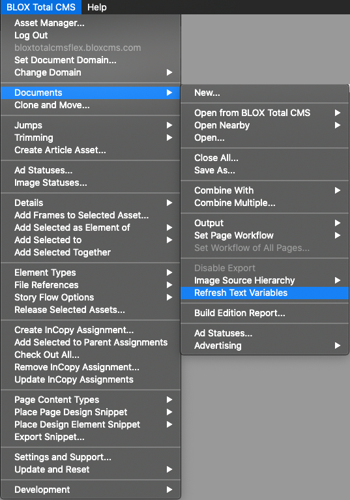
You can use this BLOX Total CMS > Documents > Refresh Text Variables function to update the Text Variables that are frequently used to automate the folios. Normally those functions update automatically, but if the custom .jsx files have been modified since the document was first opened, this will run the updated versions on an existing document.
By Jon S. Winters
Product Architect
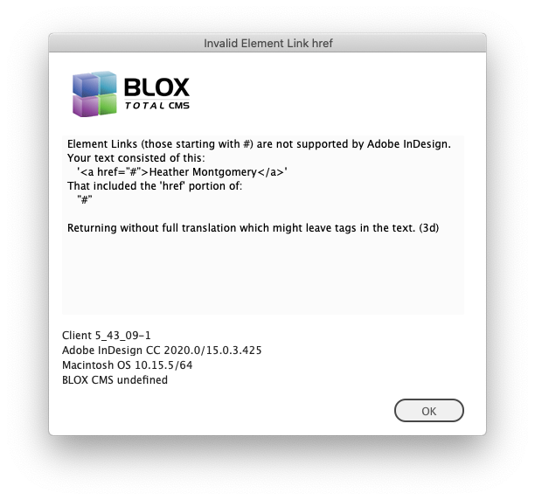
This warning dialog appears when attempting to place/translate an asset with an invalid link. In general, these types of links wouldn't appear on a BLOX based site, but in a user can paste links that are incorrectly formatted as this one shows. #based links should follow a url and this one doesn't and that makes it invalid.
If you get an dialog like this when working with AP Media API based syndication channels you need client 5.43.13 or newer.
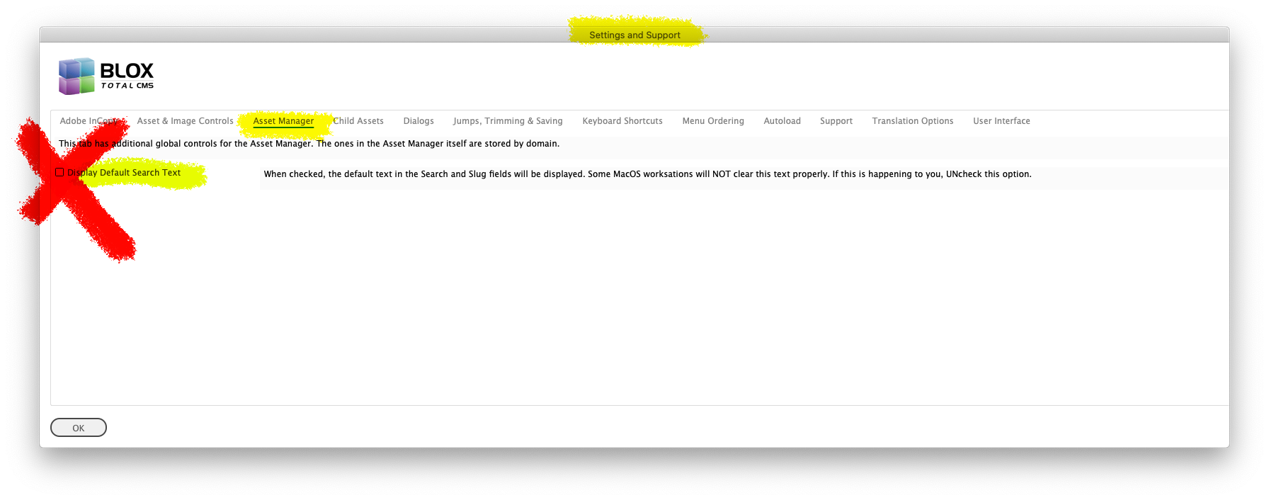
MacOS users have an option to disable the display of the Default Search Text in the Asset Manager. Some sites have issues with it clearing before the user types in those fields. We recommend that the option remain UNchecked.
By Jon S. Winters
Product Architect
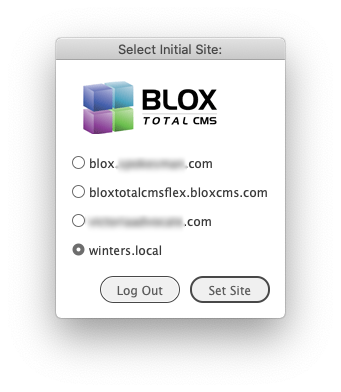
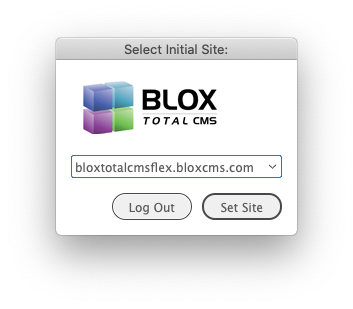
If a user has access to 10 or more domains, the Select Initial Site dialog will be displayed with a drop down list instead of individual radio buttons.
By Jon S. Winters
Product Architect
If one or more servers are added to a pool (appliance-based, non-appliance-based, or servers.jsx-based) and a user doesn't have at least one domain on a server of that pool, they will receive a warning similar to this one.
Client 5.43 Release Notes
Updated
5.43.17-7 Released 2020.11.06
Improvement) If a user has an account for more than one domain on a non-pooled appliance and without using the servers.jsx pool option, the user will get prompted for all the domains even if the account is set to normal vs. admin access on the other domains. This no longer happens and only domains with full Admin access will be presented as an option to log in to. JIRA INDESIGN-2942
Change to Login Dialog and Process) The 5.43.x version of the client added a feature to allow for the use of login token granted with an Access Code. It was felt, however, the user experience for that could be improved and made more consistent with two-factor authentication within the browser interface. So the feature has temporarily been removed and it will return in a future version. Any cached login information will automatically be removed upon launching the current client and the Access Code option will no longer appear in the dialog. JIRA INDESIGN-3036
5.43.17-6 Released 2020.10.19
Adobe InCopy Check-In Bug Fix) An earlier version of the client software (5.43.13-1) allowed the asset titles to be changed on image assets in the Adobe InDesign Check-in dialog. But this caused a bug to occur in Adobe InCopy Check-In dialog if the title of any asset was changed. This has been fixed. JIRA INDESIGN-2966
5.43.17-5 Released 2020.10.12
Bug Fix) The bug fixes for the BLOX Total CMS > Add Selected Frame To and the BLOX Total CMS > Element Types menu items from the 5.44.03 version of the client have been backported to this version. We believe these menu items to be functioning perfectly again. JIRA INDESIGN-2902
5.43.17-4 Released 2020.09.30
The UI fix for skipped ruleset notification has been extended to also include CS6) The 5.43.14 version replaced a dialog, that the Creative Suite CS 5.5 version could not display, to a text file. QA tested the same dialog with Creative Suite version CS6 and found that it too could not display the dialog. So the text file based warning for skipped rulesets has been extended to CS6 versions as well. This is yet another example of how even though Adobe stopped supporting Creative Suite years ago, subtle changes are happening as the host OSes are updated. JIRA INDESIGN-2913
Bug Fix) We found in a QA log a case where the user was quitting Adobe InDesign while documents were open and an error was thrown because one of the documents wasn't yet saved. The error has been corrected but it wouldn't have caused any user issues. JIRA INDESIGN-2939
5.43.17-2 Released 2020.08.03
Bug Fix Logging in to an Appliance with Multiple Domains with Tunnel option in servers.jsx) When attempting to log in to an appliance using the tunnel option in the servers.jsx file only the specified site would be available. This has been fixed. JIRA INDESIGN-2920
5.43.17-1 Released 2020.07.31
Bug Fix for Appliance based Pools) The revised login process didn't fully support appliance-based pools if manual server.jsx pools were created. This has been corrected and users should be able to bounce back and forth amongst all the domains in a pool regardless if they are appliance-based, non-appliance-based, or server.jsx based. JIRA INDESIGN-2920
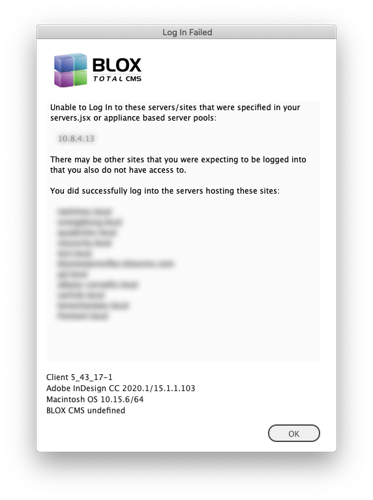
New Warning For Partial Log In of Appliance Pools) If an appliance pool exists, but a user doesn't have an account on at least one domain on one of the servers in the pool, they will receive a warning dialog similar to the following. They ARE logged in to the servers providing the listed domains, but not to the listed server address. This is just a warning dialog. If it scares some users, add their account to at least one domain on the listed server. JIRA INDESIGN-2920
If one or more servers are added to a pool (appliance-based, non-appliance-based, or servers.jsx-based) and a user doesn't have at least one domain on a server of that pool, they will receive a warning similar to this one.
5.43.16 Released 2020.07.29
Bug Fix) A log from a site showed errors from attempting to use BLOX Total CMS > Add Selected Frame To. We believe those errors have been fixed. JIRA INDESIGN-2902
Bug Fix For Logging In with Pool information in Servers.jsx) If a site used the optional pool entry in the servers.jsx file, but had it following another entry using the same server address, the pool information could be skipped. This could then result in not be prompted to select the proper domain when logging in. This has been fixed. Since only a couple of sites use the pool information, this didn't affect many and may have been a theoretical bug. The ability to use the servers.jsx to pool together sites from different data centers and/or appliances was first added in client 5.37.01 released back in mid-May 2019. JIRA INDESIGN-2920
Improvement for Logging In to multiple domains/servers) If a site is configured to use classic appliance pooling, or if a user has access to multiple non-appliance domains using the same login credentials (either tokens or simple passwords) all domains will be checked during login and the internal cross-references to all servers and domains will be configured. This is even more important now because a change in the CMS will return all users with the same credentials even if they don't have permission to use the web-services. The client code works around this to make sure that you truly have access before allowing you to switch domains. JIRA INDESIGN-2920
Recommendations for Sites using Pool information in Servers.jsx:
Since Access Code or Token-based login is now available on all platforms, it is recommended that when configuring the servers.jsx file that in addition to the main entry for where you have listed the pool option, you should also list each server address individually so that each user can individually enter the server's access code to establish and cache a token. Since all pooled sites are now logged in during the initial login, this will keep all tokens active even if a user doesn't normally use all of the domains in the pool.
The use of servers.jsx based pooled sites are not supported if your servers.jsx also specify either the redirect or the tunnel option with primary address and site. We know of no sites that this change affects. Redirect and tunnel are both used with appliances that IP address different from that of the actual appliance. This is often the case when the appliance is ported through the firewall. TownNews does NOT sanction that use since it leaves the appliance vulnerable to malicious attacks. If you need to use BLOX CMS outside of an internal network, we recommend configuring your hosted site for use with BLOX Total CMS and keep the appliances for page storage.
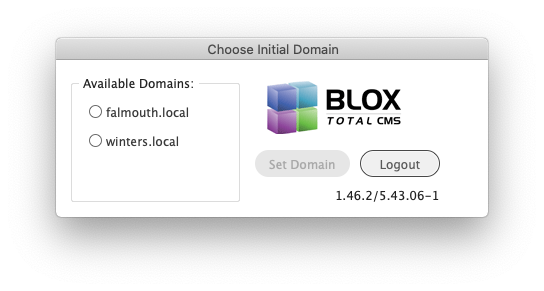
Minor Change for Initial domain Selection) When a user has more than one domain available, the dialog to select from those domains has been changed slightly. It now looks similar to the one below. JIRA INDESIGN-2920
By Jon S. Winters
Product Architect
If a user has access to 10 or more domains, the Select Initial Site dialog will be displayed with a drop down list instead of individual radio buttons.
By Jon S. Winters
Product Architect
5.43.15 Released 2020.07.20
Important Bug Fix) Certain users at certain sites were experiencing problems with assets going out of date after checking in or after closing and reopening documents and occasionally when using final output where asset check-in happened. The problem was caused by the routine that marks the frames with both revision numbers and content hashes or the function that maintained the Adobe InCopy revision files not running. We are unsure which version the problem began. If you are experiencing problems with assets going out of date for no reasonable reason, then you should update to this version. JIRA INDESIGN-2925
5.43.14 Released 2020.07.13
Esoteric Ad Statuses Change) When a site's browser based preferences for Generate Ad Reports: was set to true and the Ad Status Default: is set to Fix Placeholders an error could be triggered. We could not reproduce the error but a change was made to hopefully correct for it at client sites. JIRA INDESIGN-2745
Esoteric MacOS Asset Manager Bug Fix) There was an odd mixture of settings for MacOS users that were not yet on any version of Creative Cloud and also had the Settings and Support chosen the option for Asset Manager Display Default Search Text. That combination of things could cause changing text in the Search Text or Slug fields to automatically jump to the Search button. This has been fixed. JIRA INDESIGN-2909
MacOS users have an option to disable the display of the Default Search Text in the Asset Manager. Some sites have issues with it clearing before the user types in those fields. We recommend that the option remain UNchecked.
Update Output Menu Bug Fix) A change in the 5.43.02 version of the client seems to have disabled the ability for BLOX Total CMS > Update and Reset > Output Menu or BLOX Total CMS > Update and Reset > Update All to actually update the Output menu. This has been fixed and both will properly reread the output preferences file and update the output processes as well as refresh the menu options as expected. JIRA INDESIGN-2922
UI fix for skipped rulesets) We had a Creative Suite CS 5.5 user with duplicate rules in their export ruleset and the dialog to show those rules no longer functions is this severely outdated version of Adobe InDesign. So for these duplicate rules and rulesets problems, we now make a .txt file on the users' desktop when duplicate rules or rulesets are found. Current Creative Cloud users will notice no differences. JIRA INDESIGN-2913
Adobe InDesign versions CS5, CS 5.5, and CS6 aren't a no cost piece of software, they are expensive!
Learn why you should update to Creative Cloud and gain ROI.
Important Bug Fix for Opening Documents After doing a Log Out) Both the 5.42.x and 5.43.x versions of the client have had some recent changes to the behavior of the BLOX Total CMS client for Adobe InDesign following the use of BLOX Total CMS > Log Out... One of those recent changes caused an error to be generated if opening an existing document following the Log Out. This has been fixed. JIRA INDESIGN-2914
5.43.13 Released 2020.07.06
Odd Write-back Bug Fix involving Stand-Alone Heads) Several asset types, but primarily image assets, do not have their own print_headline data and instead, any stand-alone_headlines write-back to the asset's title field. But the dialog showing Check-In, Save Content, etc. would show the asset's original Title and not was currently on the Adobe InDesign page. If that was not changed, everything was fine. But if it was changed the two would get added together and the asset would show both online. This has been fixed. JIRA INDESIGN-2765
Bug Fix for Placing Secondary Turnlines) If you are jumping the same article asset to a third or more page the turnlines stopped getting produced. This has been fixed. JIRA INDESIGN-2855
Minor Asset Manager Bug Fix) There were some changes back in version 5.41.10 to force a larger preview panel in the Asset Manager because the previews themselves became larger. Unfortunately, those changes also prevented the preview panel from getting any wider than the new minimum of 300 pixels. Essentially, it caused the preview width slider to become meaningless. This has been fixed and the Preferences tab's Preview Width slider is now functioning again. The maximum width is 470 pixels, but you would need a very wide display to use much more than the 300 pixels preferred minimum. JIRA INDESIGN-2901
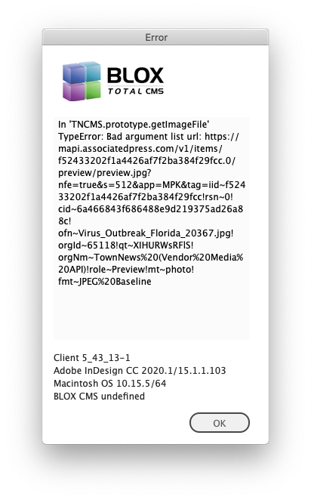
If you get an dialog like this when working with AP Media API based syndication channels you need client 5.43.13 or newer.
Bug Fix for AP Media API Article Previews) While testing AP Media API based syndication channels we noticed that Articles with preview images would sometimes display the previews and sometimes not. This has been fixed and the previews now display. If you get an error similar to the one above, you need to update your client code to 5.43.13 or newer. JIRA INDESIGN-2910
5.43.12 Released 2020.06.19
Bug Fix) A recent version of the BLOX Total CMS client for Adobe InDesign caused the activation of documents with multiple pages to generate an internal error. This has been fixed. JIRA INDESIGN-2903
5.43.11 Released 2020.06.18
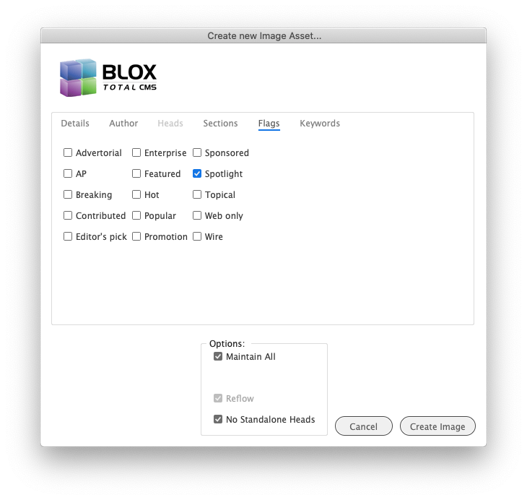
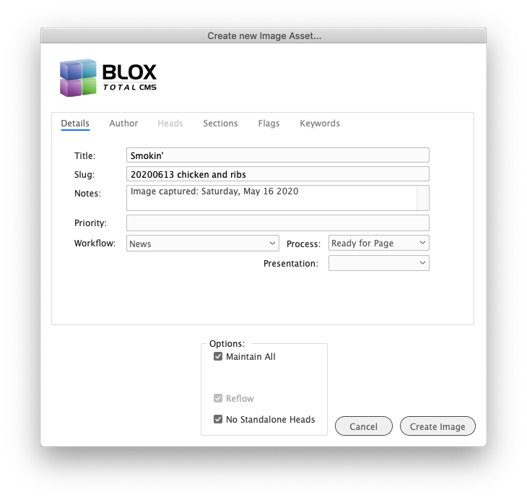
MAJOR NEW FEATURE) Users can now place a JPEG image on an Adobe InDesign page and create image assets without having to use the browser interface. To use this feature, place an image on the page, select the image frame (not a caption or a head frame) and then choose BLOX Total CMS > Create Image Asset... a dialog similar to the one shown below will appear. As many fields from the image or user defaults will be filled in as possible. This includes putting the image capture date in the Print Notes field. Embedded caption information will be extracted from the image and added to the asset's description. The result is that after the asset is created, the new asset will be flowed onto the page and that includes the caption, and if desired, the stand-alone heads. This feature is for Adobe Creative Cloud users only. JIRA INDESIGN-267
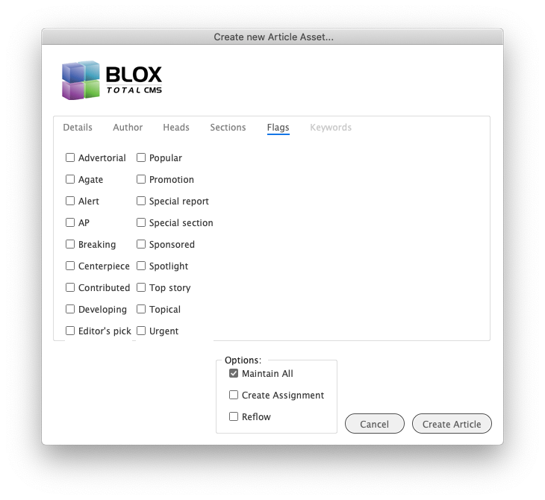
Create New Asset Enhancement) The existing Create Article Asset, as well as the newly added Create Image Asset, features now fully integrate support for Asset flags. The available flags change upon asset type as shown below. JIRA INDESIGN-267
Benchmarking Bug Fix) Some additional bugs were introduced late in the 5.42.x version that prevented BLOX Total CMS > Development > Benchmark Mode... from completing without errors. These errors have been fixed. JIRA INDESIGN-2801
New Feature for Translating Standalone Images) A site can now add an imagePresentation.enabled file to the root of the folder holding ActiveVersion of the client software and we will pass along the image's Presentation Mode for stand-alone images. This will change the Raw or untranslated version of the image assets to include a presentation mode prefix on the significant tags. For example, rather than <image>, an image with a MugshotPresentation Mode would import as <mugshot_image>. New rulesets are required to deal with these Presentation Mode prefixes. TownNews hopes to provide new sites with a revamped set of basic rulesets to deal with these tags, but we don't yet have a good method of dealing with supporting these in existing rulesets without the site doing a lot of editing. JIRA INDESIGN-2895
Asset Manager Bug Fix) A change in the 5.41.10 version introduced a bug in the Asset Manager that some other recent change started triggering. The bug causes the creation of an e_ prefixed log in the Error_Logs folder indicating ll is undefined after trying to establish the position and size of the preview panel. This then prevented the Asset Manager from showing a preview for some users. A temporary work around might be to use BLOX Total CMS > Update and Reset > Reset Asset Manager Position and Size. The bug has been fixed. JIRA INDESIGN-2899
5.43.10 Released 2020.06.16
Major Bug Fix for PDF Assets) The 5.43.01 release broke the placement of PDF assets. At that time, PDF assets started placing only the JPG preview version of the PDF rather than the actual PDF. This has been fixed. JIRA INDESIGN-2897
5.43.09 Released 2020.06.15
Element Link Hyperlinks Change) We had a site attempting to use Element Link (those starting of # with/without additional text) as a hyperlink in a story. It's not easy to create such a link and is generally only possible by pasting from some other source. The UI to make links won't allow it. Nonetheless, those types of links aren't supported. When they are used the BLOX Total CMS client for Adobe InDesign and Adobe InCopy will now warn the user and leave the link untranslated. The warning appears similar to below. JIRA INDESIGN-2893
This warning dialog appears when attempting to place/translate an asset with an invalid link. In general, these types of links wouldn't appear on a BLOX based site, but in a user can paste links that are incorrectly formatted as this one shows. #based links should follow a url and this one doesn't and that makes it invalid.
Minor Bug Fix) Placing a standalone image with a presentation mode set generated an error. The error has been fixed. In a future release, it will be possible to get different standalone translations based upon presentation mode. JIRA INDESIGN-2894
Minor Log Fix) The client code that handles errors was occasionally not sent the proper information on what function triggered the error and so it logged an undefined in two places. This affected troubleshooting and not actual users. This has been fixed. JIRA INDESIGN-2896
5.43.08 Released 2020.06.12
Bug Fix) A user site noticed that choosing BLOX Total CMS > Update and Reset > Update All... updated the open document's Text Variables. It should NOT have done that and it no longer does. JIRA INDESIGN-2888
UI Changes) The BLOX Total CMS > Update and Reset > Folio Text Variables option has been moved to BLOX Total CMS > Documents > Refresh Text Variables as shown below. JIRA INDESIGN-2888
You can use this BLOX Total CMS > Documents > Refresh Text Variables function to update the Text Variables that are frequently used to automate the folios. Normally those functions update automatically, but if the custom .jsx files have been modified since the document was first opened, this will run the updated versions on an existing document.
By Jon S. Winters
Product Architect
Important Logging Change) We discovered while troubleshooting an unrelated issue that if an Adobe InDesign or Adobe InCopy user chooses BLOX Total CMS > Log Out prior to quitting that the user's log file was not being copied to the User_Logs folder. This then made troubleshooting certain issues nearly impossible. That behavior has now been changed and when a user chooses to Log Out, we copy the user's log file at that time. We also modified the log file processing so that the rest of the log produced when quitting following a Log Out would not be considered a crash log even though they don't end as a normal log does when quitting. JIRA INDESIGN-2890
It is NOT necessary to Log Out before quitting. The only reason to Log Out prior to quitting is if you need to use Adobe InDesign outside of producing BLOX Total CMS based pages. If you need Adobe InDesign outside of working with BLOX Total CMS pages then you should Log Out or refrain from Logging In when Adobe InDesign is launched.
Major Bug Fix) While investigating a case where a user's idle tasks were not running, and thus idle items such as Ad Statuses, Jumps, closing documents, and flagging for out of date items weren't automatically happening, it was discovered that the user had Logged Out and then subsequently Logged In. Unfortunately, there has been a long-standing bug in the BLOX Total CMS client for Adobe InDesign where when the user Logs Out and In that the idle events are stopped but not restarted. Thus, after Logging Out, those idle items such as Ad Statuses, Jumps, etc would not run until the user quit Adobe InDesign, relaunched, and then Logged In. This has all been fixed and it is now safe to Log Out and In with no repercussions. JIRA INDESIGN-2891
5.43.07 Released 2020.05.27
Minor Logging Change) To help with troubleshooting of the page segmenting, we now log the full URL of the web-service instead of the raw segment data and the function arguments. Users should notice no changes. JIRA INDESIGN-2874
Logging Change) When a document is opened and it triggers the checking of Ad Statuses, we now log more details to make troubleshooting easier for the TownNews staff. Users should notice no changes. JIRA INDESIGN-2875
Bug Fix) Some, but not all beta testers of the 5.43.x client complained that the Create Pages function (BLOX Total CMS > Documents > Advertising > Create Pages...) would leave the temporary (t.indd) document open and on occasion want to crash Adobe InDesign because the client code deleted the file even though the document was still open. This has all been fixed. JIRA INDESIGN-2878
Note: When using Total CMS > Documents > Advertising > Create Edition from Edition File..., please wait for the Ad Statuses dialog to open before and be used (usually by clicking the Fix Errors and Warnings button) before using Create Pages. If Create Pages is used before the idle event for Ad Statuses kicks in, the dialog can keep the _BU document from closing.
5.43.06 Released 2020.05.18
Improvement) If a user opens up the _BU copy of an edition and if a page that has no assets, such as some site's comics pages, the BLOX Total CMS client will no longer update Page Tracker if the page itself has been set to the final process of the Page's workflow. This will prevent the clearing of PDFs on pages with no BLOX Total CMS assets but cutouts for Live e-Editions. JIRA INDESIGN-2619
Minor Logging Change) When checking pages for assets, the web-service we call returns an error when the page has no assets when it really isn't an issue. We, in turn, logged that response as a warning. We now log it as information only. JIRA INDESIGN-2853
Bug Fix) The new login dialog, first released with version 5.43.02, had a bug with filling in the user's Email Address. That bug has been fixed. The bug resulted in is code errors and prevented a user's Email Address from prefilling from the last successful login. JIRA INDESIGN-2869
Bug Fix) Canceling login from the Choose Initial Domain dialog was triggering an internal error because of an undefined variable. This too has been fixed. JIRA INDESIGN-2869
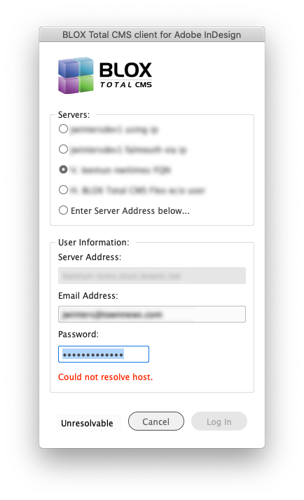
Bug Fix and Improvement) If a user attempted to login to a server that wasn't reachable, the prior version of the changed login method would close the login dialog without providing any warning that the Log In attempt actually failed. Now the dialog will be reopened and display a Could not resolve host message. In addition, the area where the Appliance OS version used to be listed will be marked with Unresolvable as shown below. JIRA INDESIGN-2869
Bug Fix) A beta site for the 5.43.x client reported a warning dialog that was produced by both the BLOX Total CMS > Update and Reset > Update All and the BLOX Total CMS > Update and Reset > Output Menu options. The cause of the warning has been fixed. If you see a message similar to the dialog below, please upgrade to the 5.43.06 or newer version of the client. JIRA INDESIGN-2870
Logging Change) The 5.42.04 and 5.42.08 versions of the client effectively combined to instigate a requirement that the Export ruleset could only contain #! lines. This was a mistake as comments are fully allowed. While comments are still ignored, the log now includes them less aggressively. JIRA INDESIGN-2871
5.43.05 Released 2020.05.06
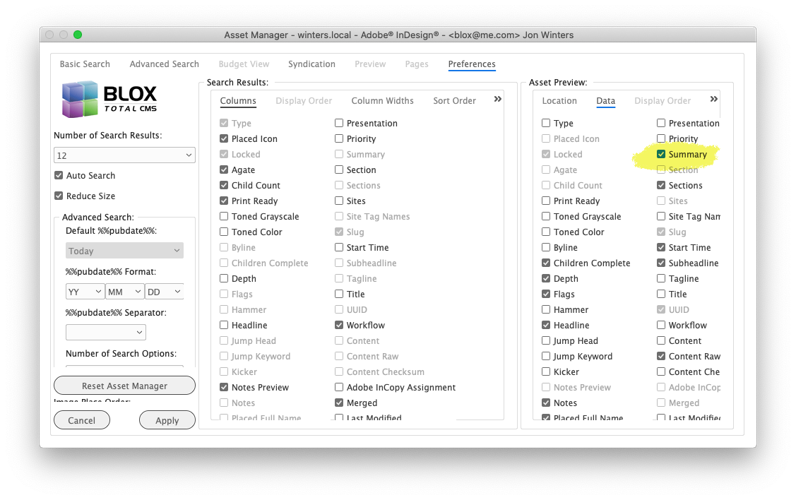
Minor UI change in the Asset Manager) The list of available options to be displayed in the Preview area used to include Prologue. It now says Summary to match the browser-based title. It will still be listed in the same location as Prologue, however. JIRA INDESIGN-678
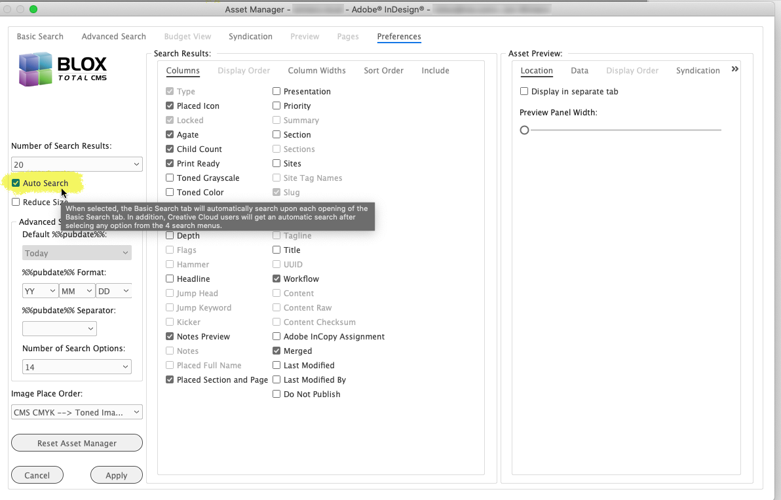
New Feature in Asset Manager) Creative Cloud sites using the Asset Manager's Auto Search feature will now see that when they change any of the menus in the Basic Search tab, the Auto Search feature will kick in and they will get updated search results. This must be enabled using the preference below. JIRA INDESIGN-2019
Minor Internal bug fix) For an unknown reason when unchecking the Merge checkbox in the Asset Manager the display of the selected asset would refresh. This no longer happens. JIRA INDESIGN-2041
Minor UI improvement for Asset Manger's Default Text) Occasionally when typing a new search text or slug in the Asset Manager the first character was removed due to Adobe InDesign's event listeners running asynchronously. We've changed the results to remove the default text from the field rather than clear the field. Hopefully, this will make searching for asset a nicer user experience. JIRA INDESIGN-2070
Logging Change) A minor change was made to the logging of advanced searches in the Asset Manager. This doesn't affect their use. JIRA INDESIGN-2541
Collection Asset Improvement) The byline of a collection asset now is available to the BLOX Total CMS client for Adobe InDesign and Adobe InCopy. Depending upon the configuration of your rulesets, you might need to add support for it. Else, if you place collection assets, you might get an untranslated byline in Adobe InDesign or Adobe InCopy. Contact TownNews support if you need assistance after testing this update. JIRA INDESIGN-2567
Asset Manager Change) When using BLOX Total CMS > Update and Reset > Reset Asset Manager Position and Size..., the preview panel is now reset to this minimum and recommended size. Some users previously might have had it too narrow to see the full width of image previews (which typically can be at much as 300 pixels wide). JIRA INDESIGN-2741
Asset Manager Change) We made an internal change to the Asset Manager which will allow the asset manager to configure itself taller. The maximum automatic height will be the height of the available area of the shortest monitor/display of the workstation. A user might be able to draw it taller if necessary. If, after attempting to open the asset manager the user doesn't see anything open, you might have moved the asset manager to an undisplayable position. This tends to happen to users who move the asset manager to see something under it rather than closing it. That behavior isn't efficient and it can cause Adobe InDesign, especially the out of date Creative Suite versions, to not be able to display the asset manager. If this happens to a user, have them press the ESC or escape key and then choose BLOX Total CMS > Update and Reset > Reset Asset Manager Position and Size... to resize and reposition the Asset Manager. JIRA INDESIGN-2741
Asset Manager Creative Suite Change) In our ever frustrating attempt to keep the Creative Suite using sites functioning, we had prevented the MacOS-based Asset Manager from changing size back in version 5.20.04 of the client software. This caused some different problems and so we have re-enabled the ability for a MacOS based Asset Manager to change size. JIRA INDESIGN-2741
NOTE: The Creative Suite versions are NO LONGER SUPPORTED by Adobe. The Creative Suite versions CANNOT BE INSTALLED on current versions of MacOS. The Creative Suite versions have most assuredly been depreciated years ago. Just because you're site is not paying monthly for them doesn't mean they are cheap. You are missing out on stability, features, and productivity. Creative Cloud can be licensed for under $1/day/user.
Adobe InDesign versions CS5, CS 5.5, and CS6 aren't a no cost piece of software, they are expensive!
Learn why you should update to Creative Cloud and gain ROI.
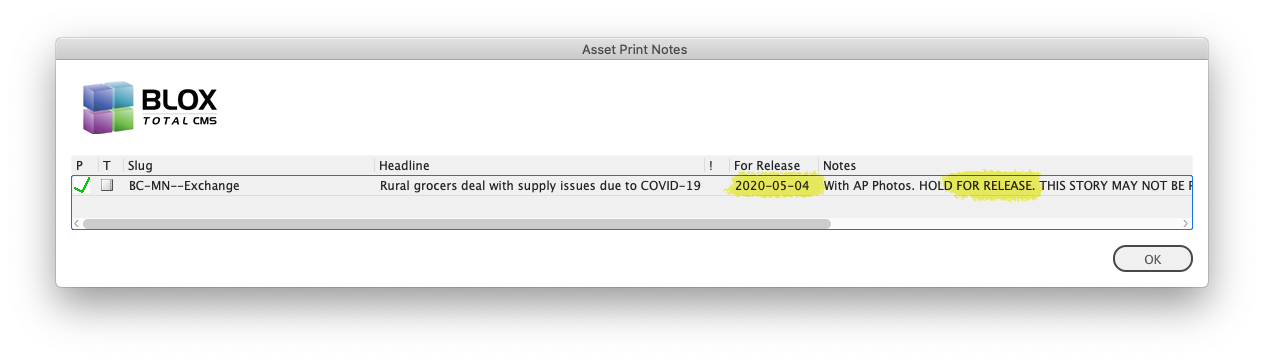
Improvement) We will now warn Adobe InDesign users when placing content that has 'FOR RELEASE' in the print notes if the Start Date is after the publication date. The notice is common in advance assets from AP. The dialog shown will have an 'FOR RELEASE' column and it will show the Start Date. That is your cue that the asset has been marked for future release. JIRA INDESIGN-2756
Bug Fix) A change in the 5.39.x version of the Asset Manager to allow the position and size of the Asset Manager to be reset separately broke the Asset Manager's ability to remember some options in the Preferences tap as well as some user-generated values like the search text. This has been fixed. JIRA INDESIGN-2844
Minor Logging Change) An earlier version of the client added extra logging for the location of frames on pages and pasteboards to track down an issue with generating segments for e-Editions. That issue has been solved so we have reduced the amount of logging. This will slightly speed up the day to day use of the BLOX Total CMS client for Adobe InDesign. JIRA INDESIGN-2852
Asset Manager Bug Fix for MacOS-Based Sites) Some MacOS sites might have experienced the Asset Manager resizing whenever a search was performed. We believe this has been fixed. JIRA INDESIGN-2857
Bug Fix) If, when logging in, one of the required paths, such as articles or images isn't available, the login process would further fail when verifying the settings for Advertising. This has been fixed. When the login fails, the Advertising settings are no longer looked at. JIRA INDESIGN-2858
Minor Logging Change) The 5.42.08 version of the client added a check and a log for workflows. But that log message was flawed. Just because a workflow wasn't passed, it didn't mean that it was a new site as the log listed. Instead, workflows are only passed during write-back if during properly setup output using <checkInAssets> and the use of the Check-In, Create Assignment, and Save Content dialogs. JIRA INDESIGN-2859
5.43.04 Released 2020.04.29
Write-back Bug Fix) A prior release attempted to fix the write-back of manually applied Character Styles interacting with Nested Styles in Adobe InDesign did not work. QA Testing found this issue and we have corrected it. While rare to do this, if text translates or is formatted in Adobe InDesign such that a bold or italic Character Style is applied where a Nested Style also affects the text formatting, the applied Character Style will be processed during write-back. This fixes a long-standing bug. Because this affects write-back, it should be tested at each site as part of the upgrade process. JIRA INDESIGN-2502
Important Bug Fix concerning Manually Placed Ads, Oveverride .adinfo file and PCAB output) During regular QA testing it was discovered that if the specified paths for Ads or Ads Alternate were a different case than where the ads were placed from, the manually placed ads could be misinterpreted as cutouts rather than ads. This would then cause the Override .adinfo file function as well as PCAB export to miss these manually placed ads. This has been corrected. JIRA INDESIGN-2729.
Change for Layout Window After Activate Event Handlers of New Documents) During QA testing of 5.42.x it was discovered that when creating a new document from a template that the 'after activate' event handler for the document's layout window wasn't being added. This might have caused Adobe InDesign to not check for out of date assets on documents created directly from a template – usually only for Advance work or testing as live documents are created from layout files. JIRA INDESIGN-2739
UI Bug Fix) An earlier version of the 5.42 client attempted to fix a case where if the asset had print notes that were very long, the dialogs for Check In, Save Content, and others might not have been able to show all the buttons. It turns out that we fixed the cases except for Check In and Save Content. These two are now fixed. INDESIGN-2749
Change to Idle Events) The Save on Idle event that is triggered after opening a document will no longer be attempted if there is a dialog showing to the user. This will prevent the user from getting into a loop where they might have to end task or force quit Adobe InDesign. The Import Unplaced Document Jumps task will also be skipped if a dialog being shown for the same reason. JIRA INDESIGN-2846
Important Translation Bug Fix for Trimmed Text) The print_trim function usually called as part of the Tail ruleset had a long-standing bug where in certain cases if trimming needed to happen across multiple Text Style Ranges in Adobe InDesign or Adobe InCopy the final closing span tag would be removed but the rest of the trimming wouldn't happen. Instead, the user would be left with untrimmed text and an opening span tag. This has been fixed. JIRA INDESIGN-2848
Bug Fix) While examining a log from a client site we saw an internal error produced from the idle event-based asset check-in following the final output of the document. We have added some extra logging and some extra protection to prevent the error. JIRA INDESIGN-2849
Esoteric Merging Bug Fix) We saw in a log from a client site where merging an asset failed because the frame's link was null and yet part of an Adobe InCopy assignment. Unfortunately, the client code didn't check for the esoteric opportunity and an error was generated. The client now checks this and the internal error shouldn't happen. We don't, however, know how the site's user managed to configure such an option. JIRA INDESIGN-2850
Minor internal change for a Template Master Add Missing Styles) The Development > Add Missing Styles... function searches rulesets for styles that are used by the rulesets but do not exist in the current document. It's process of doing that also compares against a list of known Translate Script functions. That internal list was missing two functions that were added in the 5.41.x version of the client. Because they were there, uses of Add Missing Styles was logging a warning message. This has been fixed. JIRA INDESIGN-2854
5.43.03 Released 2020.04.09
Bug Fix) The 5.42.03 version added a change to the Asset Manager's selection of default publication date. It was supposed to read the value from Page Trackers' Application Settings > Options. But instead, a bug overrode that value and force the default publication day to always be Tomorrow. This has been fixed. JIRA INDESIGN-2055
Bug Fix for Spawn Template) The x version added a feature to Spawn Template to allow an alternate Default Paragraph Style to be set. Unfortunately, that didn't actually work in certain situations. It has been fixed and default styles, primarily for 3rd party advertising systems, can now be set. JIRA INDESIGN-2447
Asset Manager Bug Fix) A recent change prevented the Asset Manager from opening due to a bug in restoring prior searches. This bug might have only affected new users who wouldn't have prior searches. This has been fixed. JIRA INDESIGN-2701
Advertising Bug Fix) The 5.42.17 version of the client broke the logging of ad problems because of a typo in the client code. This has been fixed. JIRA INDESIGN-2712
5.43.02 Released 2020.04.08
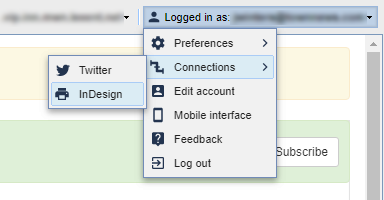
Major New Feature) Beginning sometime after the release of BLOX CMS version 1.48 the BLOX Total CMS client for Adobe InDesign will prompt for an Access Code in addition to a user's password. The access code can be obtained from the browser interface by choosing Connections > InDesign from the user's Logged In As menu as shown below:
In the browser interface, while logged in with the same Email Address and Password, choose Account > Connections > InDesign. From there you can click a button to view a single-use Access Code. Copy the single-use Access Code and paste it into the Log In dialog in the BLOX Total CMS client for Adobe InDesign and Adobe InCopy. After clicking the Log In button, the client will remember your password and automatically log you in if you use the client at least once every 14 days.
That single-use Access Code and be copied and pasted into the BLOX Total CMS for Adobe InDesign and/or Adobe InCopy Log In dialog to have the client retrieve a token from the CMS. Once the token has been acquired, the user's login information will be cached until either the user changes their password or they go 14 days without using the client software. JIRA INDESIGN-2766
WARNING: This new login method does not work with legacy appliance pools (as far as we know only one client uses this feature). To continue using the existing pools, the Token-based login cannot be used. However, the site can modify their servers.jsx file to include an artificial pool for all their servers and domains and this works just fine. In essence, this moves the pooling configuration from the appliance itself to the servers.jsx file.
New Template Master Feature) To aid those sites that use the client's optional feature to check-in assets as part of the final output, we've added a new option BLOX Total CMS > Development > Create Workflow List for Output Preferences. This rather long named function creates a text file with the full <checkInAssets> section of XML for your site's entire list of workflows. The text can be copied from the resultant text file and pasted into the XML of the output preferences. JIRA INDESIGN-2837
Logging Change) We now log a user-friendly version of the site's workflows and processes. Simply search for User Readable Workflows in any user's log file for a current list. JIRA INDESIGN-2837
5.43.01 Released 2020.03.19
Asset Manager Bug Fix) Even if it was selected (and it always is) the Slug would not display in the Asset Manager's Preview pane. This has been fixed and the Slug will now display in the Preview pane. JIRA INDESIGN-2797
Esoteric Bug Fix) We had a case where a site had managed to cause their file server to not allow files to be created. But then they used our BLOX Total CMS > Documents > Advertising > Create Pages... and it, of course, failed. But the client code then tried to log a different error and ended up producing a stream of errors in the log. This has been fixed and if pages fail to be copied as a result of Create Pages, a dialog listing those issues will be displayed but not an error dialog. JIRA INDESIGN-2800
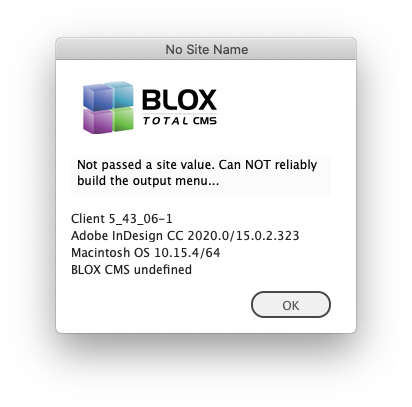
Translation Behavior Change) A recent change in the behavior of handling the Template Master quit commands (....!) in rulesets caused a warning during the translation of assets with multiple child assets similar to the shown below. This has been fixed. If you are getting a warning similar to the one below, you should upgrade your client to at least this version. JIRA INDESIGN-2818
Logging Change) We noticed a false positive crash log because part of the process of quitting Adobe InDesign had left a routine in place to log the event listeners. This has been modified and these false-positive crash logs should happen less often. JIRA INDESIGN-2820
Logging Change) Since version 5.36.07 of the client there has been a function to check the performance of the client software as an option in the Support tab of BLOX Total CMS > Settings and Support. That tab has a _Slow Line Finder_ button that can search through a client log file and identify lines that took more than 3 seconds to complete. In slow environments, this is generally things like opening files, exporting PDFs, printing, etc. But some recent log changes caused more items to show up where Adobe InDesign was actually just waiting on the user to do the next thing. We've cut down on the number of those things appearing in the result of the Slow Lines log. Because logging constantly changes, there will always be some false positive items in this function, but we have removed some. JIRA INDESIGN-2823
Image Download Verification) To aid in troubleshooting an issue that a few of our non-appliance sites are facing with image download, we now log in to the local user's log an indication if the image being downloaded was referenced by the asset's .image or .resource property. No changes were made other than logging. JIRA INDESIGN-2827
Minor Change with Determining if an Image is Available for Download) Several parts of the BLOX Total CMS client call a function that informs them of the availability of image sources in Image Assets. That function incorrectly used the asset's .resource property instead of the asset's .image property to determine if the image was available. This has been changed. It is unlikely that any user or function will actually be affected by this minor change because the function only returned a true/false value if the URL existed. A separate function was correctly configured to download from the .image.url property. JIRA INDESIGN-2827
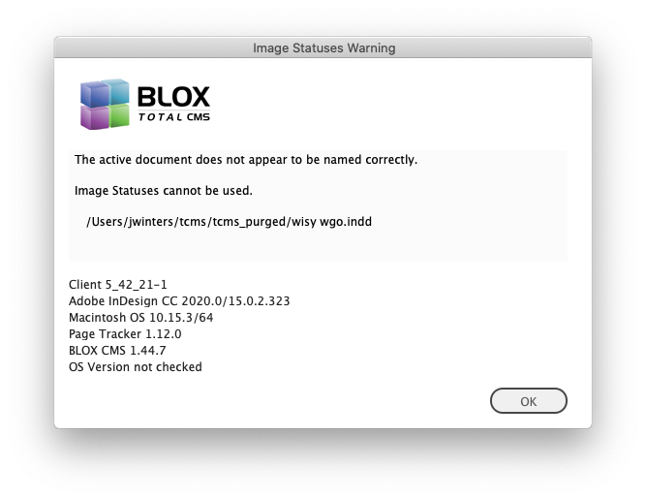
Bug Fix for Image Statuses) If Image Statuses was attempted to be used on an improperly named document, it would attempt to proceed. But if the Image Toning Preferences was configured to use the %%pubcode%% option in the output path (added in client version 5.42.01) it would export an undefined in the path. Instead, the user should have been warned that Image Statuses cannot be used unless the document is properly named for the active domain. A dialog similar to the one below now appears. JIRA INDESIGN-2834
Bug Fix) Some changes implemented in the 5.36.x version of the client caused aliases to be ignored on MacOS based systems when using BLOX Total CMS > Documents > Open from BLOX Total CMS... This has been corrected. JIRA INDESIGN-2836