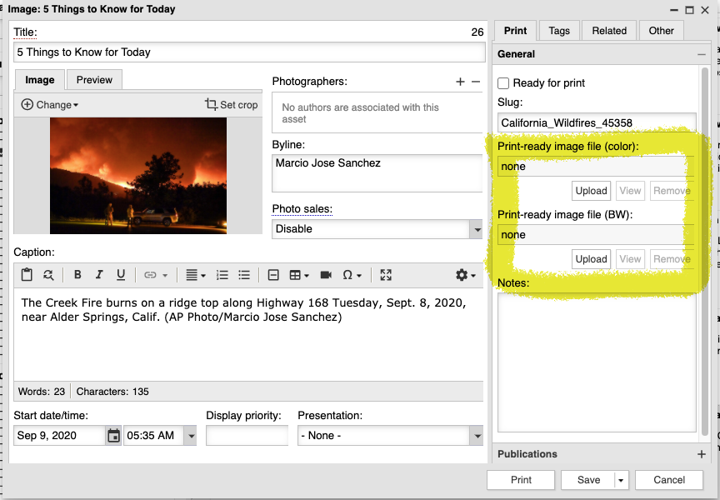
The Print-ready image fields have been available for use in BLOX Total CMS for many years. Soon there will be import features to load uuid named images to these fields. Image Placement already supports using them when placing images and if the page is marked as a Color or BW page, the selection of which print ready image to use will be automatic.
Client 5.50 Release Notes
Updated
Next Version
The release notes for newer versions of the BLOX Total CMS client can be found here.
5.50.03-1 Released 2021.06.04
MacOS Output Preferences Bug Fix) The 5.47.01 version attempted to fix an output problem when using MacOS paths but a typo prevented it from working correctly and caused the MacOS to go to the user's folder instead of the directed folderPath. This has been corrected. JIRA INDESIGN-3183
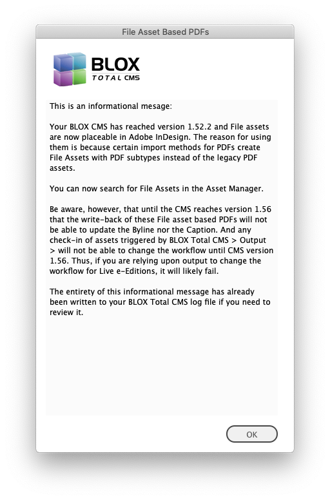
Change to Support of File Asset based PDFs) Full support for File Assets was originally to begin with the release of BLOX CMS version 1.55, but the final component needed wasn't released into BLOX CMS version 1.56. The client code had a switch added looking for CMS version 1.55 but that was wrong. It has, however, been changed so that it actually allows placement of File assets with CMS 1.52 and then full support with CMS 1.56. Appliance-based sites get BLOX CMS 1.52.2 with Appliance OS 2.29. Non-Appliance sites are already BLOX CMS 1.57.2 (as of 2021.04.30) and thus have full support. The first time a user launches with access to BLOX CMS version 1.52 or greater but less than BLOX CMS 1.56 they will get the informational warning below. The important thing here is that if File Assets are used, only write-back and changing workflows for Live e-Edition forward does NOT work. However, some media import jobs will only import PDFs as File Assets. Manual asset creation and Batch upload asset creation will continue to create legacy PDF assets. JIRA INDESIGN-3266
Bug Fix for Dead Jumps) A change in the 5.48.02 client broke the placement of the Continued From Jump Items when working with dead jumps if, and only if, the user was just clicking on the page when placing the dead jump. This has been fixed. The workaround is to first draw a frame and then when using Place Dead Jump it will place into the selected frame. JIRA INDESIGN-3267
5.50.02-1 Released 2021.04.22
New Options for Image Toning/Image Statuses) As part of the enhancements for Image Toning, the new _distributed_ purpose for image toning preferences now causes the exported image source to be Import from CMS rather than the Import Toned option. In addition, similar to the changes in the prior version, the default choice for the Image Place Order will come from the color setting of the active page. So if you have multiple pages in your document and some are color and some are black and white, the default choice in that menu will match the color of the active page. JIRA INDESIGN-3099
Improvements for Distributed Production Image Toning Options) The intention when using Distributed Image Toning is for an importer in the CMS to add the toned images to the image assets in the Print-Ready fields. That process requires the image to be unlocked, or not in use in all interfaces. Thus, now when images are exported for toning, using a distributed option, the images are automatically checked in. JIRA INDESIGN-3240
Note: Using the distributed image toning options requires that the assets on the page are from the domain of the document. There is no option to export for distributed production use images that are not assets of the current domain. A user could, however, create an image asset using BLOX Total CMS > Create Image Asset... as that feature has existed since version 5.43.11 Released 2020.06.18.
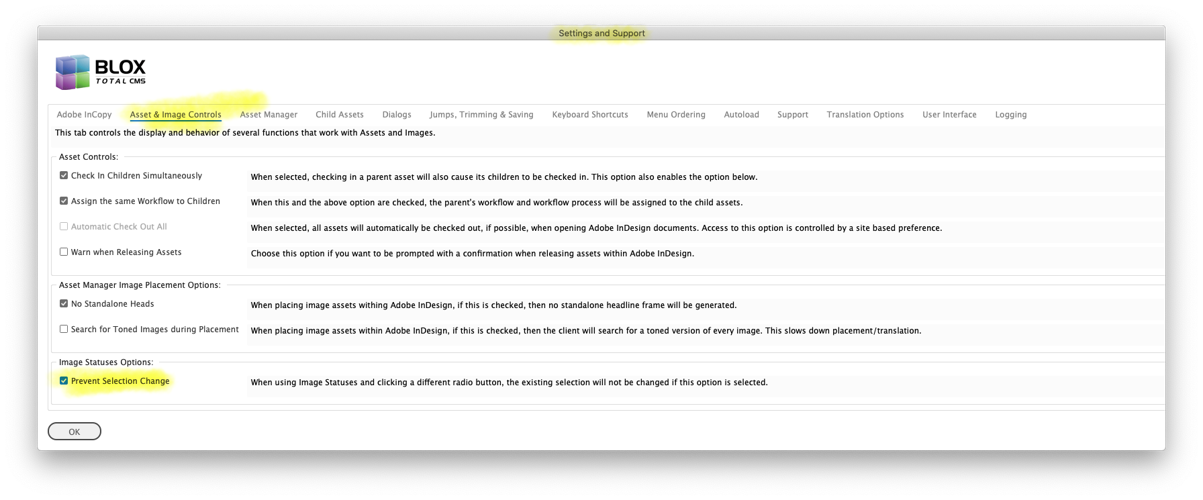
Image Statuses Behavior Change with Corresponding Preference Option) In the Image Statuses dialog, if the user selected or deselected image using the Select All checkbox or by double-clicking on an image and then clicked either the Export for Toning: or the Import Toned: radio button, the selection would automatically update to match what would be selected if the user has instead used either Image Toning Shortcut. Some users didn't like that behavior because they might be in the habit of selecting the images first and then selecting what they were going to do to those images (export being the most common) and finding the selection changed and thus the need to reselect the same images. Those users can now select a Prevent Selection Change option in the Image Statuses Options panel in the Asset & Image Controls (AIC) tab of Settings and Support available at BLOX Total CMS > Settings and Support... When that option is checked, choosing either the Export for Toning: or the Import Toned: will leave the selection unchanged. JIRA INDESIGN-3244
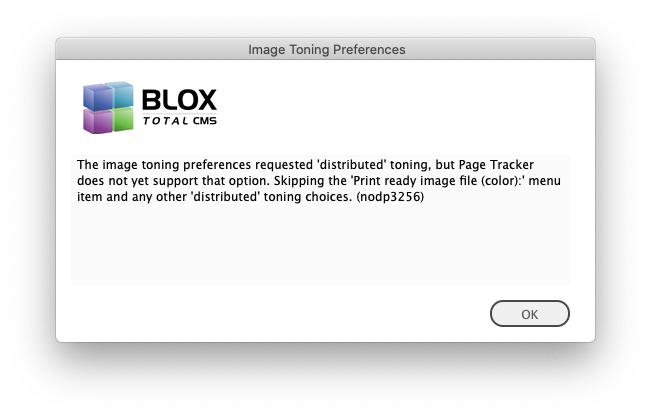
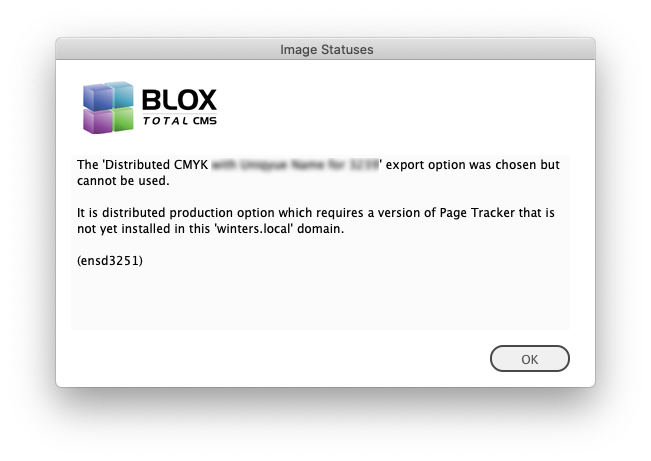
Image Toning Preferences Filtering for Distributed Production) If a site has distributed toning options in their image toning preferences but the user logs in to a server/domain that does not yet have the option to export the images for distributed production, those items will be skipped and the user warned. Because of the way the toning preferences are parsed, if the purpose is set entirely in the defaults, this check can be skipped. However, a later check during export will still happen. Warnings are shown below. JIRA INDESIGN-3251
5.50.01-1 Released 2021.04.16
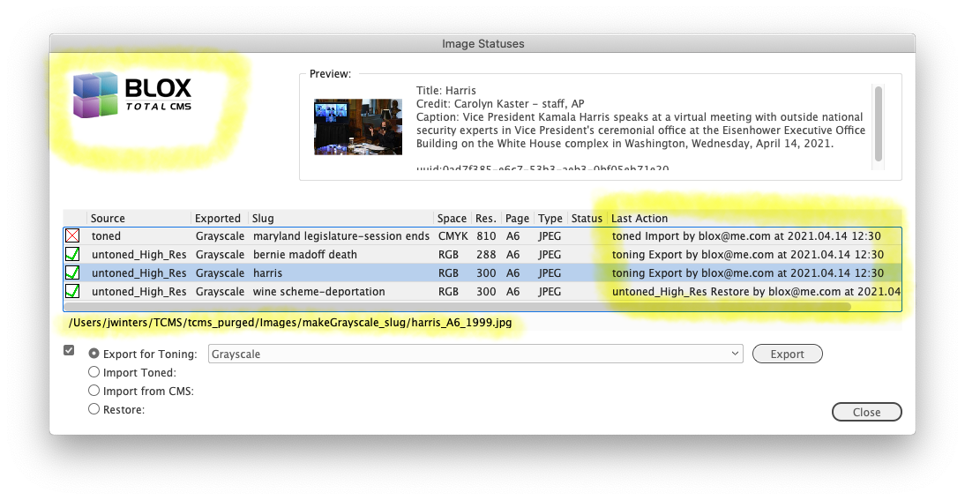
New Feature for Image Statuses) Adobe InDesign Creative Cloud users will now have the export path for the selected image listed in the Image Statuses dialog for any exported image using purpose toning or purpose uuid. There is no fixed path for the distributed purpose, but a generic data feeds folder will be listed. In addition, there is an extra column in the table for the Last Action that lists what action, Export, Import, Restore, etc., as well as the user and the time stamp. Finally, because there is now room the BLOX Total CMS logo is included in the dialog. A sample of the revised dialog is shown below with the new items highlighted. JIRA INDESIGN-1698
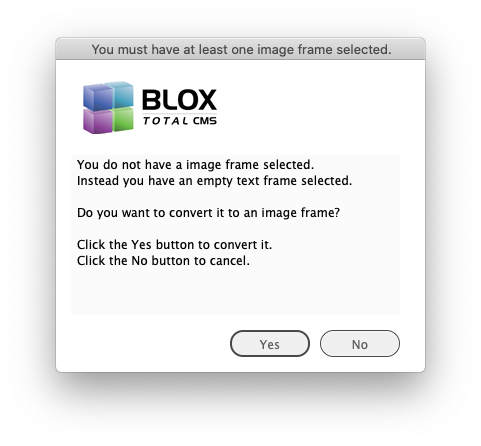
New Feature to Convert Empty Text Frames to Graphic Frames when Placing Standalone Image Assets) In the past, if the user wasn't paying attention and tried to place an image asset into an empty text frame, the BLOX Total CMS client for Adobe InDesign would balk and tell the user to select a single image frame. It now provides the option of converting an empty text frame to an image frame with the dialog shown below. This conversion process also has the advantage of applying the Object Style associated with the image asset's frame as supplied in the Export ruleset. So, in some cases, it could now be faster to draw a text frame and let the new feature apply the Object Style than to draw an image frame and manually apply the Object Style. JIRA INDESIGN-1709
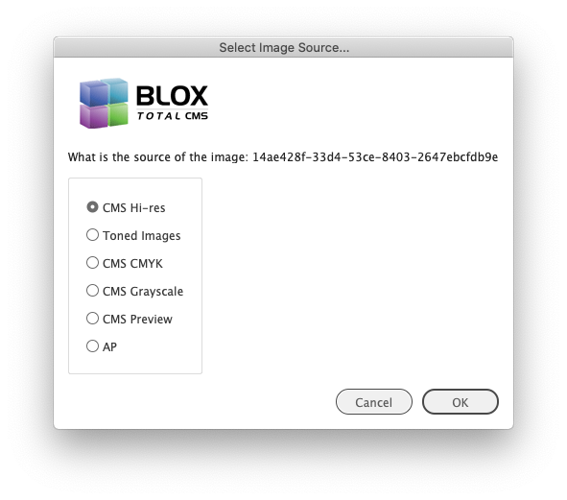
Image Statuses Improvement for Missing Source Files) If a user moved an image to another page, document, publication, it was possible that the source file, an internal information file wouldn't be where it was expected, and the Image Statuses export functions wouldn't work. If an image's source is not known, the user will be prompted with a rudimentary dialog (see below). JIRA INDESIGN-1881
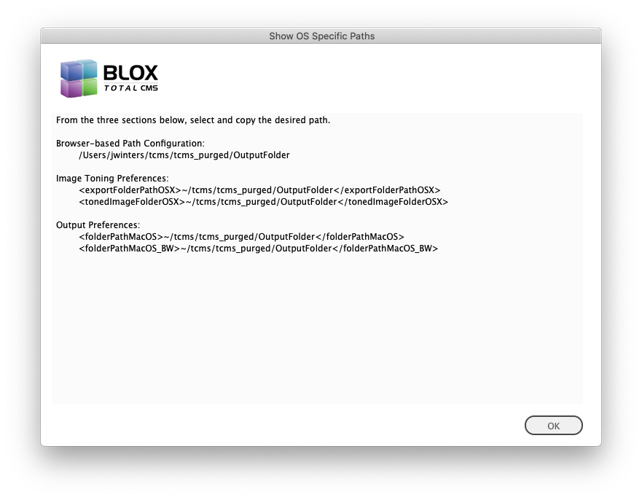
Updated OS Specific Paths to show _BW output paths) Several versions ago, our optional BLOX Total CMS output functions got the ability to output to unique destinations based upon a page's color status. For many, many versions of the client, there has been a Template Master Development feature to Show OS Specific Paths. That feature now includes the output paths for _BW pages as well as the color pages that use the default paths. JIRA INDESIGN-2998
New Distributed Production Feature for Remote Image Toning) There is now a new image toning option that can export images directly to an appliance's data_feeds share or to an SFTP navigable directory for non-appliance BLOX Total CMS sites. While the intent is for distributed production, it can be used by any site. The feature will be functional once Page Tracker version 1.16 is released. JIRA INDESIGN-3063
New Template Master Feature to Add Distributed Options to Image Toning Preferences) The Image Toning Preferences are used to drive the option in the Image Statuses dialog. To make it easier to test the new options of exporting to a unique Data Feeds folder, there is a Template Master Feature at BLOX Total CMS > Development > Add Distributed to Image Toning Preferences... This option will modify your site's existing Image Toning Preferences XML File and add two export options for Print-ready Image file (Color) and Print-ready Image file (BW). The intent is for a toning process to pick up the exported images and move them to a folder where a future function will be able to import them to the Image asset's Print-ready versions. The feature to add the options is to be considered a starting point. Additional options are available. Names of export folders are limited to alphanumerics, underscores, and hyphens. For help please file a support ticket at: https://crm.tn-cloud.net/contactlogin/ JIRA INDESIGN-3063
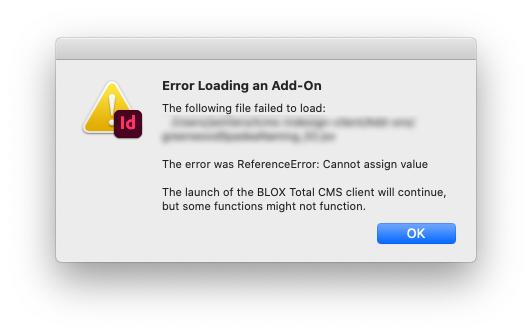
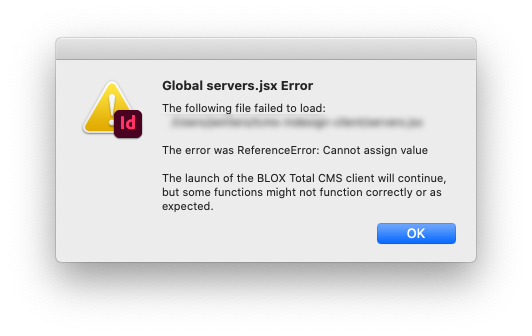
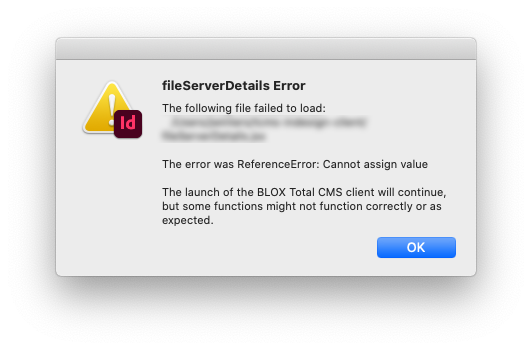
Improvement for Distributed Production Launching) The BLOX Total CMS client for Adobe InDesign and Adobe InCopy was not built to expect failures during launching. But because of its ability to be extended with Add-Ons and Utility Scripts, occasionally, one of those items, or a poorly done install/update, launch errors can occur. Unfortunately, those launch errors offered zero details about the underlying problem. This has been changed and if an issue occurs sites should get more details on the problem which can facilitate TownNews support or provide an actual automatic workaround. In addition, when an add-on fails, it will not prevent the loading of the client, but obviously, the functionality of the add-on will not function properly. Samples of the warning dialogs are shown below. JIRA INDESIGN-3203
New Feature for Sites Using Page Color Labels) If your site uses the Print-ready images the appropriate image will be imported automatically if pages have been marked Color or Black & White using the Page Color Labels features. Many advertising systems we work with can feed the labels but there are some semi-automatic methods of determining page color that has existed since 5.44.x versions of the client. You can see the pre-selection in the Image Placement Order menu. JIRA INDESIGN-3236
The Print-ready image fields have been available for use in BLOX Total CMS for many years. Soon there will be import features to load uuid named images to these fields. Image Placement already supports using them when placing images and if the page is marked as a Color or BW page, the selection of which print ready image to use will be automatic.
Bug Fix For Sites with Pooled Domains) We had a report from a single site with outdated appliances with pooled domains where they weren't able to switch domains. There had been a bug in the client software when logging into CMS versions before 1.51 that has now been fixed. If you are needing to log out and then back in to switch domains, please update the client to this version or newer. JIRA INDESIGN-3237
Distributed Production Image Toning Export Options) When Page Tracker version 1.16 is released sites can modify their image toning options to export images with a UUID-based filename for third-party image processing and subsequent importing to the print-ready image fields of the original image asset. The intention is to allow a remote user to export images along with sidecar xml/jrf files as needed for print production. To enable this feature the value needs to be configured as _distributed_. In addition, the distributed export does NOT use a but instead uses subfolders as the folder path is the site's data/feeds or data_feeds folder for non-appliance and appliance-based sites respectively. TownNews' BLOX Total CMS team will be glad to assist you in configuring your image toning preferences XML file to use this option if it fits your workflows. JIRA INDESIGN-3238
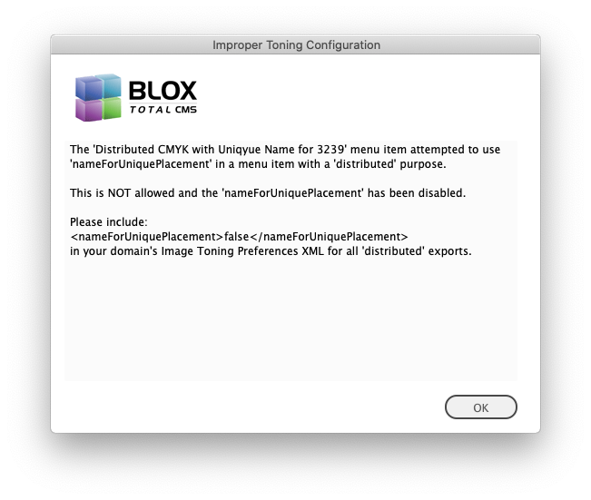
Warning for Unique Placement and Distributed Production) If a domain's Image Toning Preferences attempts to use distributed and true, development mode users will receive a dialog similar to the one below warning that the requested unique naming during export will not happen. JIRA INDESIGN-3239
Log In Bug Fix) There was an internal error created in client version 5.47.01 that could prevent logins from using a cached password and thus it prevented some automatic login. This has been corrected. JIRA INDESIGN-3245
Internal Changes for New Features) Clients 5.47.01 through the current versions used the existence of a BLOX CMS web-service to indicate that certain features have moved from independent files to browser-based settings. Unfortunately, that wasn't an appropriate switch as the web-service has been released to non-appliance-based BLOX CMS sites while the browser-based settings have yet to pass QA testing. So we now specifically test for the new browser-based settings. We were alerted to the mismatched distribution by a site that received an information message about the changes as outlined in various changes in the 5.47.x change logs. JIRA INDESIGN-3248
Prior Versions
You can find the release notes to the prior versions of the BLOX Total CMS client for Adobe InCopy and Adobe InDesign here.