


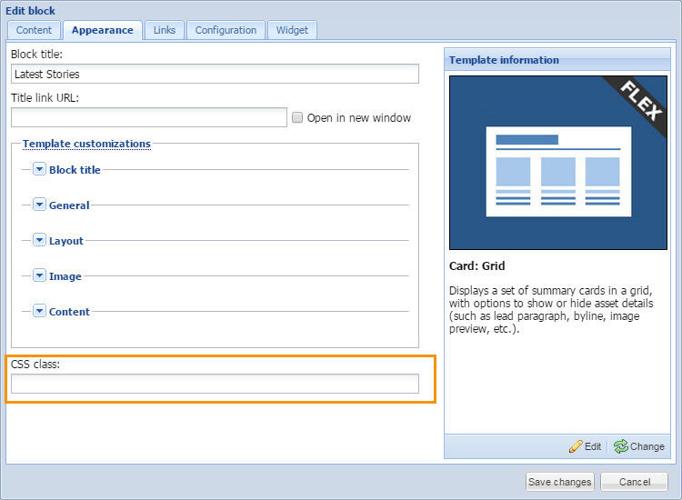
The CSS class field can be used to make a block visible or hidden based on a device's view size (desktop, tablet, phone). This is useful for large blocks (like a slideshow, a leaderboard ad block, etc.) where they won't fit width-wise on a phone, so you can use a CSS class to make the block visible on large sizes, or hide the block on small sizes.
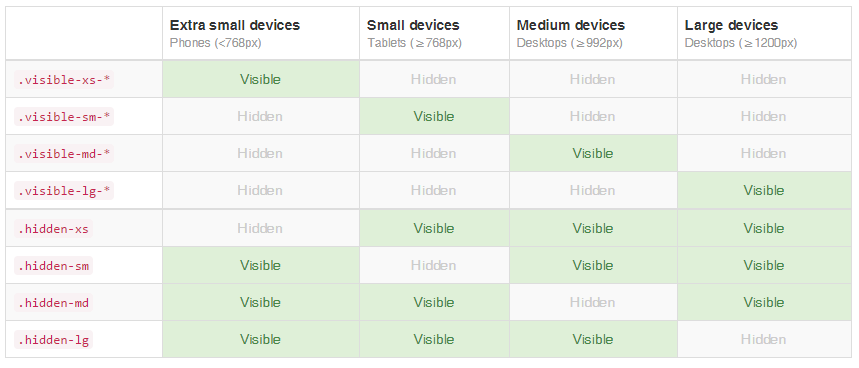
The table below lists the available visibility classes supported by Bootstrap.
Note: To include multiple classes, use a space between them. The below example illustrates how to hide a block for medium and small view sizes.
Note: Do not use leading characters or trailing characters, only the CSS Class Name itself.

More information on Bootstrap CSS: http://getbootstrap.com/css/