As of April 2026, BLOX Digital has sunset support for the BLOX VMS mobile upload app for iOS and Android, and the app is no longer available for download from app stores.
Users who have previously installed the app on their devices may be able to continue to use it; however, successful use may vary by device.
There are several alternatives available for submitting videos from a browser on a mobile device:
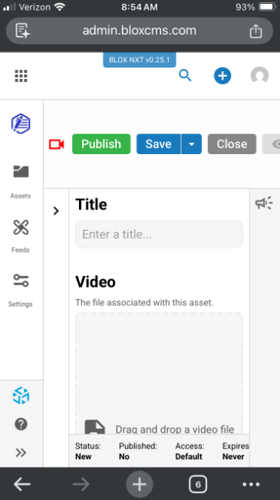
The BLOX NXT CMS interface is responsively designed with mobile in mind. Users can create video assets in NXT in a mobile browser just like a desktop browser. Go to https://admin.bloxcms.com/[your site domain] to log in to NXT.
As long as your CMS site is configured to allow direct upload to BLOX VMS, these videos will be stored in your BLOX VMS account.
Please connect with your BLOX Digital sales representative to learn more about how your site can access BLOX NXT.
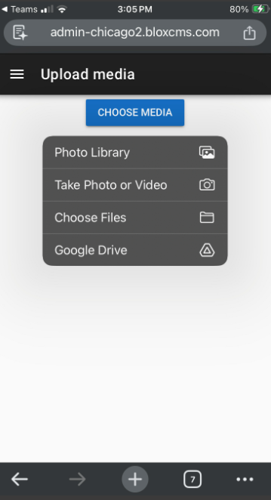
Users in legacy BLOX CMS can also create video assets via the legacy CMS mobile view. To access, depending on whether your CMS site is in our Chicago or New York data center, in a mobile browser go to either https://admin-chicago2.bloxcms.com/[your site domain] or https://admin-newyork1.bloxcms.com/[your site domain] to access the mobile view. Then choose "Upload Media".
Please note when using this version that you cannot set any additional metadata, and the binary asset file name as set by your mobile device will be used as the file name initially. A user in the desktop CMS would need to rename the file/add additional text or tags as desired.
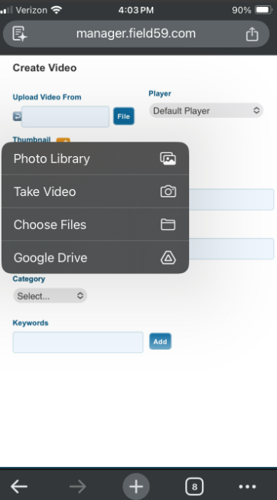
Although not responsively designed for mobile, users can log in to BLOX VMS in a mobile browser and upload videos. Pinch and zoom as necessary to move about the VMS interface.
Files uploaded can be turned into CMS video assets via Syndication/Feeds just as previous with the mobile upload app.