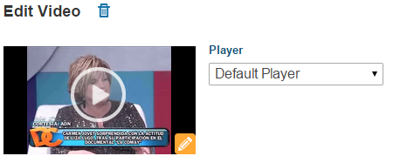
When you create a new Video or Live Event in BLOX VMS, you can upload a custom thumbnail at the time of creation. This is optional — The manager creates a default thumbnail for the video, and for a live event if no image is associated, a default image is provided.
For uploaded videos, the thumbnail default is set at 5 seconds into the clip. It is one of four thumbnails that are automatically created. The others are created using the frames at 25%, 50% and 75% of the way through the video.
Once your video completes the transcoding process, these four auto-generated thumbnails are available to view and select by clicking into the video item from the BLOX VMS Media tab and locating the thumbnail display at the top of the Edit Video screen.
Select the orange Change button in the lower-right corner of the thumbnail to view and select other auto-generated thumbnails. You can also upload a custom thumbnail at that time.
For Live Events, you can change the custom thumbnail for a Live Event at any time.
When you are uploading a custom thumbnail to a Video or Live Event item, the allowed image file types are: .jpg, .gif, and .png. There is a 2 MB size limit.