

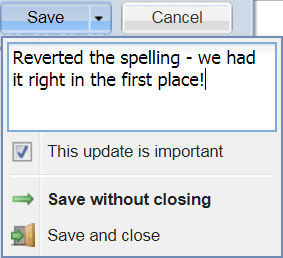
By enabling the “Internal Comments” feature, reporters, producers and editors can leave an optional note at the time an article is saved. This is a helpful way to communicate to other content producers the reasons why something was updated or changed. It can also notify other editors that a specific name or place has been fact checked, for example.
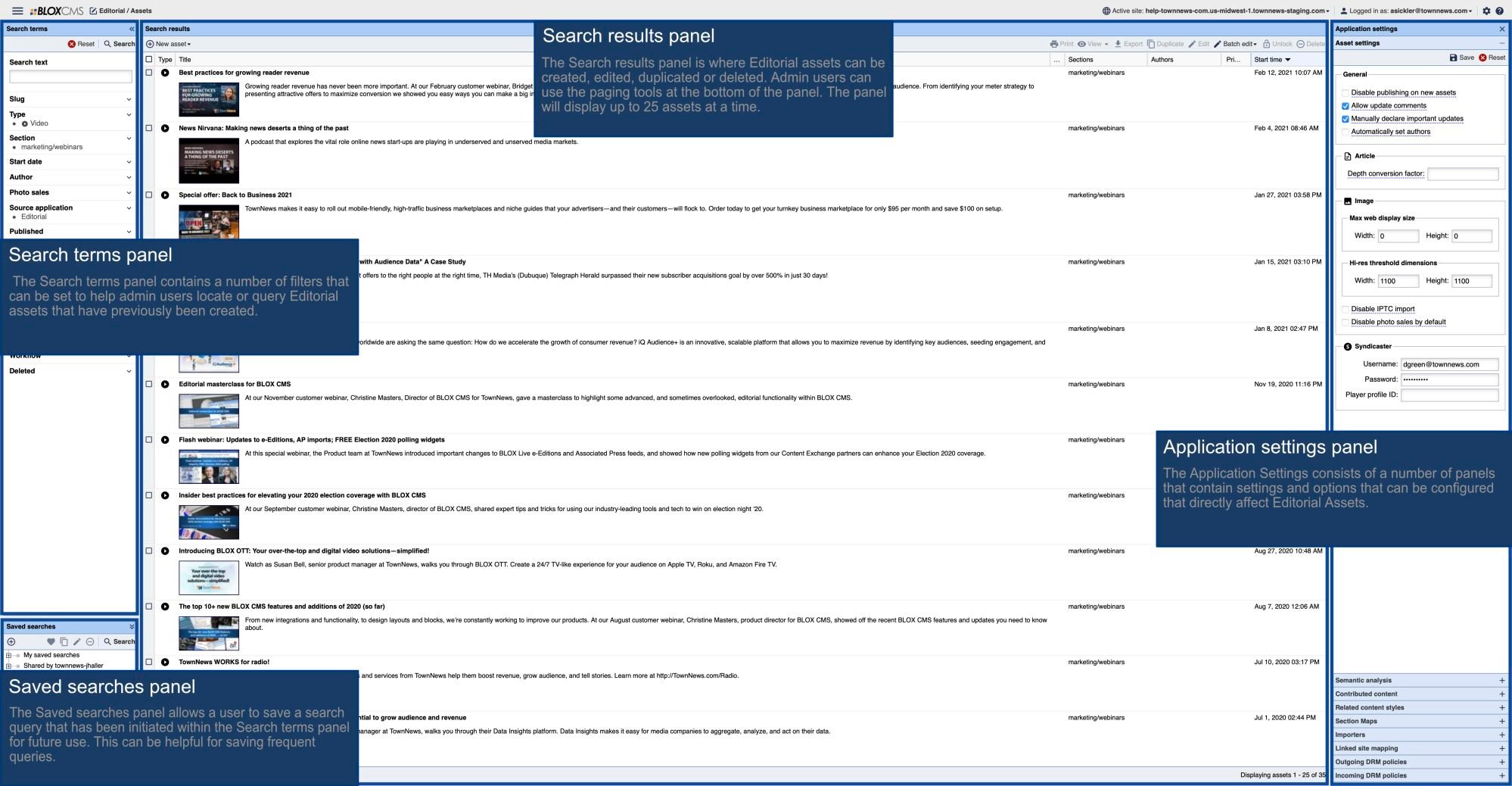
In order to enable this feature, go to Editorial Settings -> Asset settings and enable both "allow update comments" as well as "manually declare important updates." Both settings must be enabled for "update comments" to work.
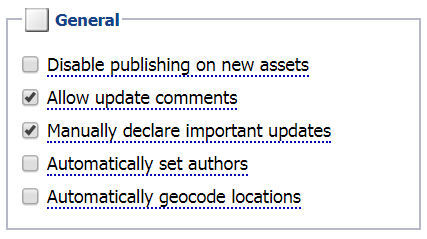
When "manually declare important updates" is enabled, stories that are updated but not marked as important will not create the "updated" timestamp on the front end. This way, a reporter can fix a typo but not show that there was an update to readers on the front end.
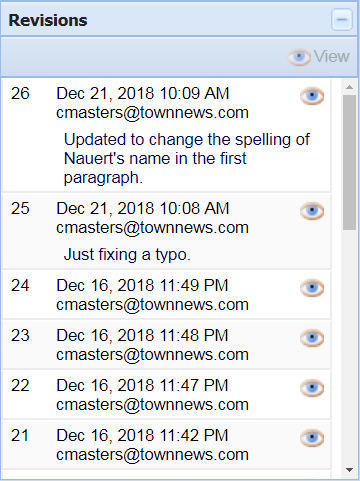
In order to read any notes that have been saved with an article, go to that article’s revision history and notes will be displayed alongside the user who saved the item, as well as the date and time.
In addition, several revisions are available to view by clicking on the "eye" icon.