

Select Page Design Snippet

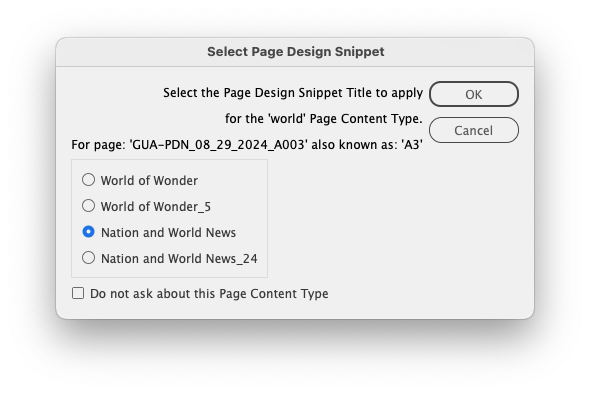
When multiple Page Design Snippets exist for a page's Page Content Type with the active Publication Code, a dialog similar to above will be presented. Select the Page Design Snippet that you want placed.
When you select one of the snippets and click the `OK` button, that choice will then be remembered the next time that Page Content Type is used with the active Publication Code.
To always use this option, check the `Do not ask about this Page Content Type` checkbox before clicking the `OK` button. This will prevent the prompt from appearing again for the combination of Page Content Type and Publication Code providing the snippet isn't removed.
As featured on

This document outlines the functionality to automatically place a Page Design Snippet matching a page's Page Content Type. This built-in automation is a great way to speed the production of pages.