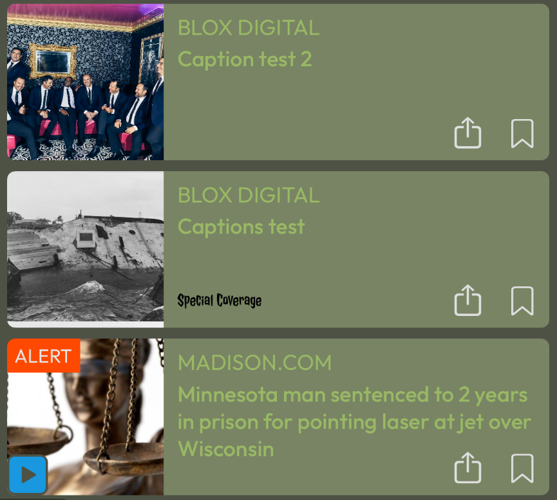
Example “Special Coverage” Card Badge with “Timestamp Setting” set to “Hide dates”.
How to add a custom keyword card badge for Mobile NX
Note: the Minimum version required for this is version 1.8.0.
In the 1.8.0 Mobile NX version, customers will be able to add custom badges to their cards. These new badges will be associated with keywords per asse. The card badge will work alongside the flag badges.
Pre-requisites
A card badge image. Specifically a PNG with the dimension of 304px X 88px (Anything smaller or larger will not work and will be rejected when uploaded)
Setup Instructions
Note:Before proceeding, you will need to determine the keyword you wish to associate with your card badge. Some suggestions are “#sponsoredmikes” or “election2024coverage” or “highlightsbestof2024”. The keyword should be unique enough where it will not accidently be used. The badge will be applied to any asset in most blocks (grid blocks will not apply card badges).
1.Navigate to the BLOX Admin
2. Open the BLOX Mobile App Manager (the “Apps” application in upper left menu under “Design”)
3. Select the “Customization” tab
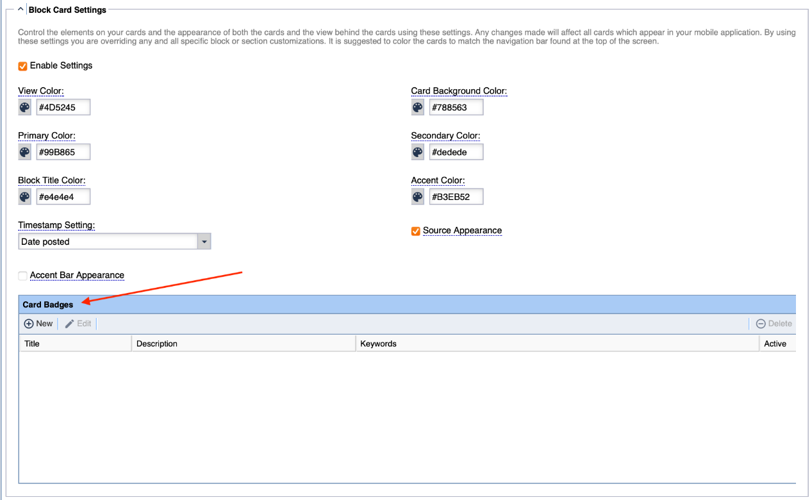
4. Scroll down to find the section labeled “Block Card Settings”
5.Click “New” in the “Card Badges” table
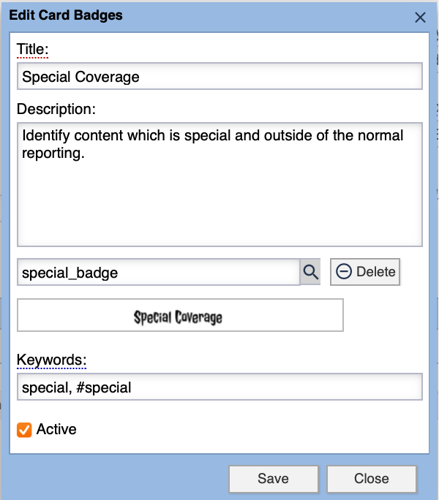
6. Provide a Title and Description for the new Card Badge
Note: Title and Description are for reference purposes. These are not used within the app.
7. Click the magnifying glass to upload an image or select an image from the asset library
Note: This is the image that will be displayed in the card badge. When selected it will display in the “Image Preview” below.
8. Enter the Keyword(s) associated with this new Card Badge
Note: There is no limit to the number of Keywords entered. If you wish to add more than one Keyword they should be separated by comma.
9. Click Save
10. Click Save at the top of the “Customization” tab
11. Select the “Configuration” tab
12. Click the “Make Live” option
Verification Instructions
1. Navigate back to BLOX Content Management (the “Assets” application in upper left menu under “Editorial”)
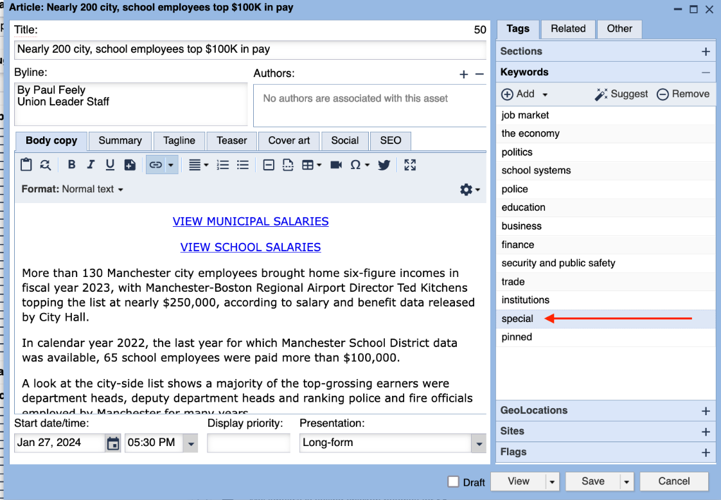
2.Edit an asset appearing on your app and add the Keyword(s) associated with the card badge
Within the app, you will see your new badge attached to any asset where the keyword is associated.
Example “Special Coverage” Card Badge with “Timestamp Setting” set to “Hide dates”.