


Editing an HTML template can be overwhelming initially but if you follow our recommendations / best practices below, you’ll be modifying your templates like a pro in no time!
1. Identify which template you would like to edit
Example: You want to edit the email users receive when they purchase a subscription. In this case, the purchase-user subscription email template.
NOTE: if the email template in question is already localized don’t forget to make AND SAVE a copy of the text somewhere first. There is no concept of version control and no automated way to go back to a previous version.
3. Copy and paste the template text to another text editor such as notepad so that you can search the text
4. With an example email in hand, identify what part of the email you’d like to edit
Example: You want to edit the welcome text within the email message to include the following text, “Your subscription makes a real difference to local journalism.”
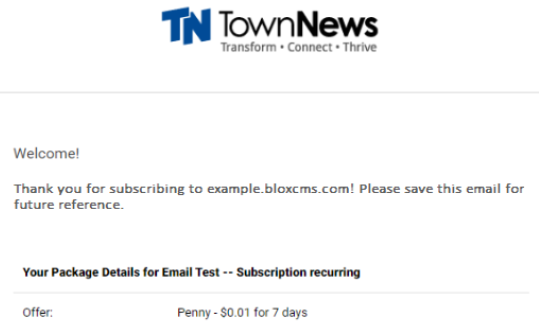
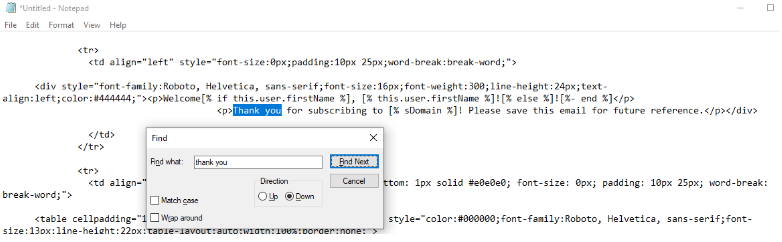
5 Search for the identified part of the email you’d like to edit
Example: Search for “Thank you“
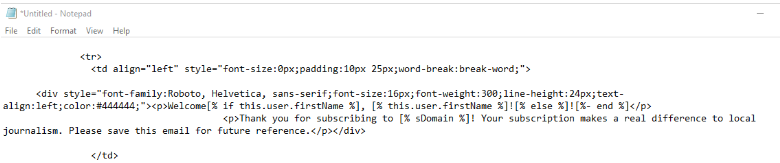
6. Edit as desired
Example: Our additional text has been added, "Your subscription makes a real difference to local journalism.
7. Save a copy of the edited template
8. Copy and paste the edited template text back into the email template
9. Click Save
10. Click Close