
You have permission to edit this article.
Edit

Allow users to choose how they read your e-Edition

  • Updated

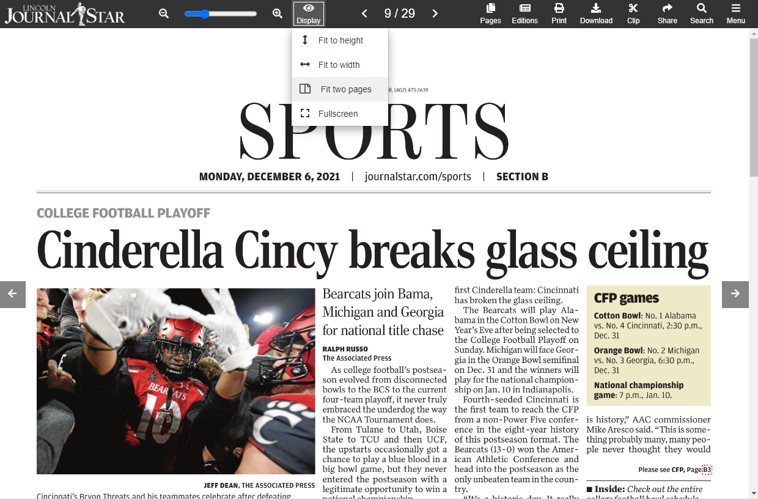
A powerful new Display button has been added to the navigation of BLOX Live E-Editions. This setting allows users to choose how they like to read their print replica, magazine, or special section: fit to height, fit to width, two pages, or full screen.

BLOX Live E-Edition Display options

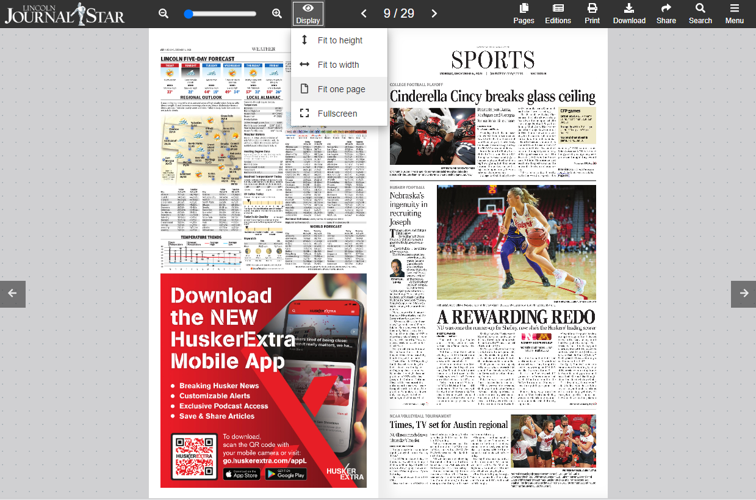
The two pages option is a brand new setting that allows the user to view their e-Edition as facing pages (also known as a two-page spread).

eedition flex facing pages 2.png
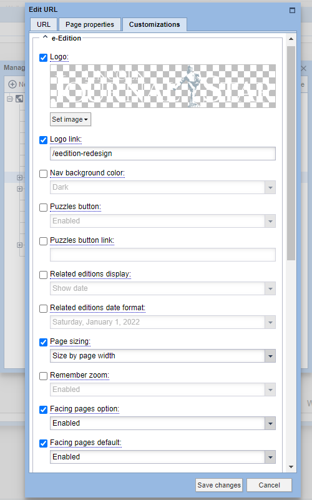
e-edition settings.png

We want your feedback!

See something that needs updating or additional clarification? Want assistance with a topic that isn’t listed here? Please let us know!

At BLOX Digital we are dedicated to providing you the information you need to be successful when you need it.

Visit our feedback page to log in, submit a support ticket, and track the progress of your open requests.