





- Log in
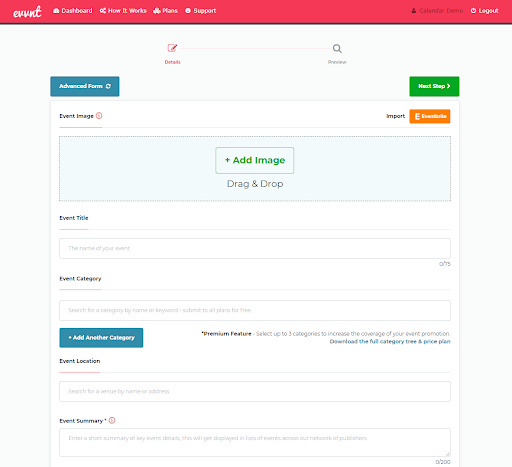
- Add Image
- Add Event title (75 characters)
- Add Category (up to 3 with free option)
- Add Event location
- Add Event Summary (200 characters)
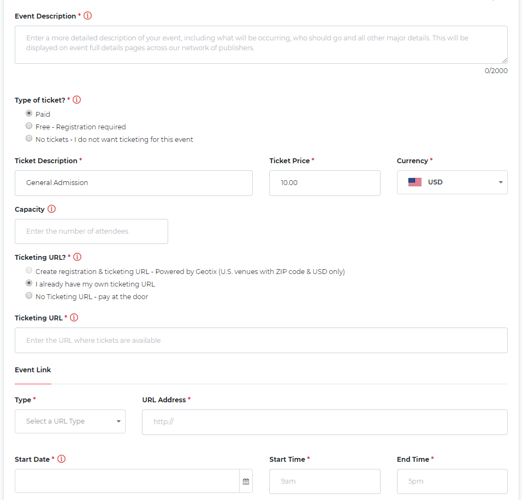
- Add Event Description (2,000 characters)
- Select type of ticket
- Paid
- Free -Registration required
- No tickets
- Enter the capacity of the venue
- Enter event link type and URL
- Enter start date, start time, and end time
- Enter Organizer, Contact, Email and telephone number
- Click Next Step
- Review information
- Click Submit Event
- Choose if you want a Monthly, One-Off, or Free promotion offer