Overview
There are two ways to create a new race within BLOX Election Stats. You can Create a New Race from scratch or, if you already have created a past race, you may Duplicate an Existing Race to ensure consistency and reduce manual effort and then edit the newly created assets as needed. Duplication is helpful for runoff elections.
Prerequisites
Election Stats requires a contract. You can put in a ticket or contact sales to add this application.
Create New Race
To create a new race, follow the directions below.
1. Navigate to BLOX Election Stats (In BLOX CMS, go to Editorial > BLOX Election Stats)
2. Click New Asset>Race to create a new Race asset
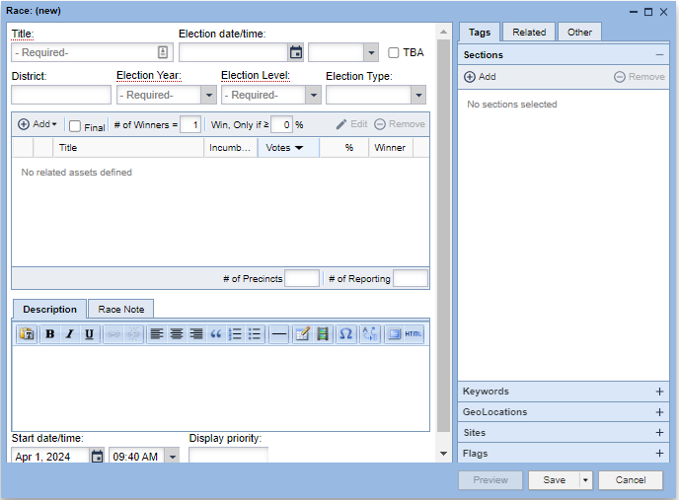
3. Add the following required fields
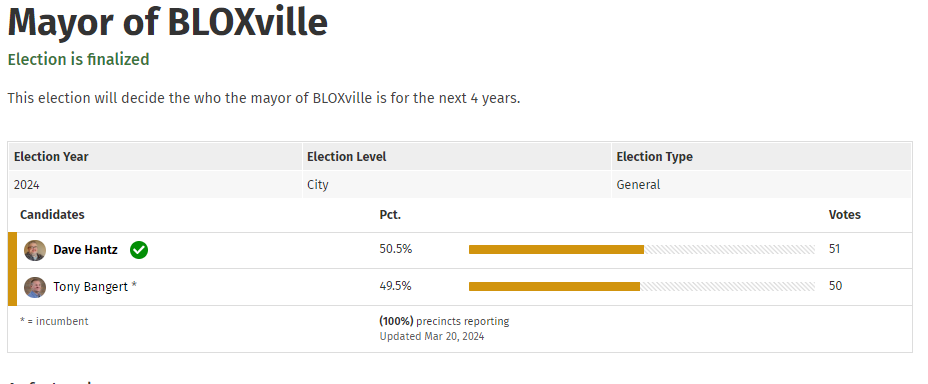
Title: Will display as the title/headline of the Race on any blocks that the race is pulled into or on any article that displays the race
Election Year: Year that the election will be held.
Election Level: Options include city, community, county, international, national, school, state or other
*You can also add the following optional fields:
Election date/time: Should be set to the date/time that the election will begin. There is also a TBA option for unknown election dates.
District: This would be for any races that have a specific region/district/precinct that the election is for.
Election Year (Required): Year that the election will be held.
Election Level (Required): Options include city, community, county, international, national, school, state or other
Election Type: This refers to whether the race is a primary election, general election or a special election, like special, referendum, recall or other
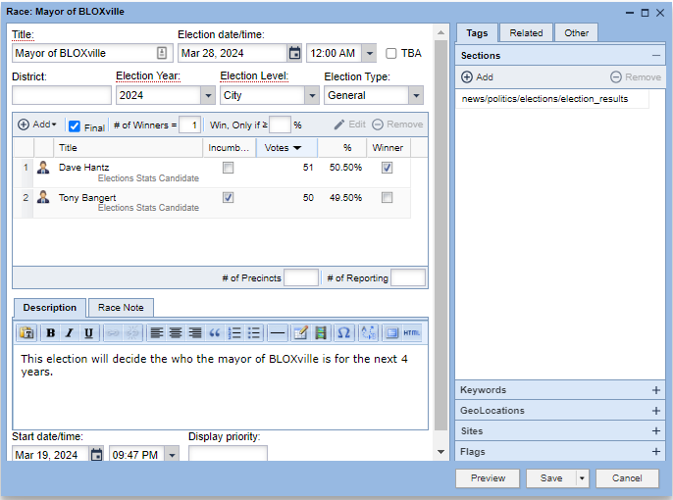
Final: A checkbox that will signify that the race results are finalized and the election is over.
# of Winners: Used to depict how many of the candidates will be considered winners in the race.
Win, Only if: This will set a minimum standard for any winner (typically a percentage of the vote they must garner to win)
Description: Can be used if a race needs extra explanations
Race Note: Can be used for any additional notes about a race. The race note will appear below the description on the race details page.
# of precincts: Can be used to show how many total Precincts are included in this race.
# of Reporting: Used to show now many precincts are reporting as results are being updated to the race asset.
State date/time: Should reflect the date/time for the asset to appear live on the site.
Duplicate Existing Race
To duplicate an existing race, follow the directions below.
Navigate to BLOX Election Stats (In BLOX CMS, go to Editorial > BLOX Election Stats)
Search to find a Race asset that would be similar to the Race you are wanting to create
Select an existing Race asset
Click ‘Duplicate’
📝 the new election asset will be created with “(copy)” appended to the beginning of the original asset’s title and will be set to ‘Do not publish’. In addition, all relationships and attributes from the original asset will be inherited.
Edit the Race asset as needed