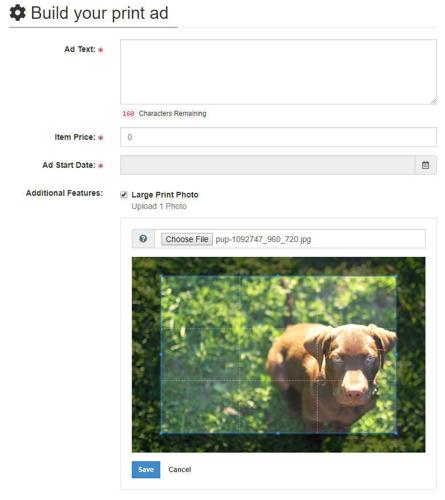
Users can now crop photos in BLOX Ad-Owl or the User Dashboard once the image is uploaded as part of an online order. This allows end users to crop, or change the display or orientation of an image at the time they are placing their ad.
The crop or zoom functionality will be part of the standard ad order entry workflow. Site visitors can choose to use a portion of an image. The zoom tool is an expanding and contracting grid that allows you to control which area of the image you wish to use.
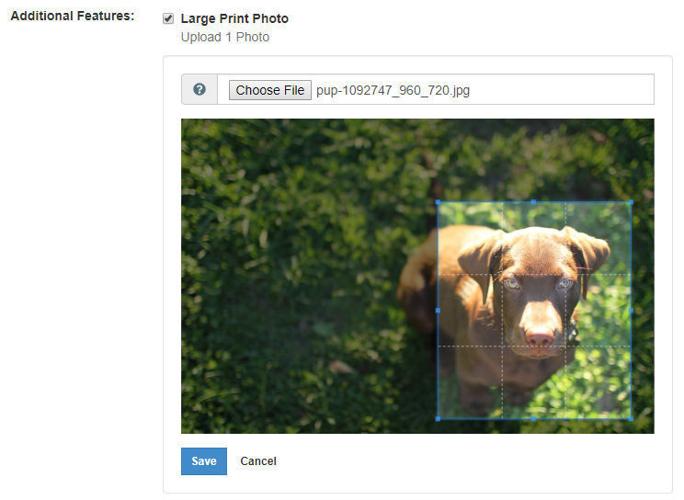
To use the tool, first a user must upload an image. Once uploaded, the image is presented with a simple cropping interface and an overlaying grid.
Then end users will drag the grid interface to select the portion of the image they wish to use in their ad. The grid can be used as a way to preview the final image and center it, if desired.
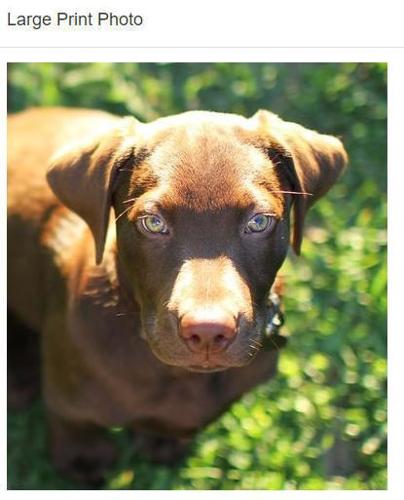
Once saved, the system will create a new, cropped image that can be previewed in the system. This will be used in the final ad that is submitted to the website.