


Track Page Colors Enabled.png
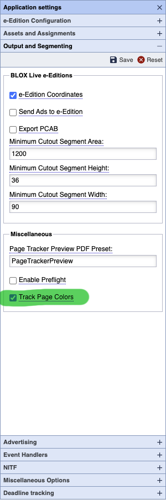
The Track Page Colors option is required if you want to cause the BLOX Total CMS client for Adobe InDesign to auto-export the images for toning based on the page's color mode.
This option will also cause users to get prompted to select each page's color at some point in the production process. But it allows besides the Auto Export for toning, an automatic selection of the toning option if you want to use the slower method. And it can automatically select the output method based on page color.
As featured on

The client 5.47 release primarily handles the movement of the preferences from the browser's Settings > InDesign > Preferences dialog to Page Tracker's Application Settings's accordions. The new Application Settings includes features that previously were handled by the now depreciated .disabled and/or .enabled files. Finally there are settings that only TownNews staff can enable to reproduce some esoteric settings.
This article shows several menu groups and methods incorporating processing pages with known color values.
This document outlines the use of the new Output Preference options that can name output files or export them to specific folders based on if the page is color or black and white.