HOME
EDITORIAL
  • Assets
  • e-Editions
  • Syndication
DESIGN
  • Blocks
  • Forms
  • Media Library
  • Now app
  • OTT
  • Static Pages
COMMUNITY
  • Access Control
  • Calendar
  • Comments
  • Email Reach
  • Form Submissions
  • Notifier
  • Subscription
  • User Accounts
MARKETPLACE
  • Ad-Owl
  • Banner Ads
  • Businesses
  • Classifieds
  • Upsell Manager
STATISTICS
  • Analytics
  • Data Insights
OTHER
  • Developer's Corner
  • Integrations
  • Policies
  • Software
  • Settings
  • Support Ticket
BLOX TOTAL CMS
RAYOS PLATFORM
BLOX VMS
TOWNNEWS SUPPORT
  • Assets Home
  • Interface Overview
  • Create an Article
  • Child Assets
  • WYSIWYG Editor
  • Glossary
site-logo

Editorial / Assets

  1. Home
  2. BLOX CMS
  3. Editorial
  4. Assets
  5. Help Topics by Role
  6. Photographers

Photographers

Editorial Assets Configuration Tips (working)

  • Mar 8, 2021

We recommend that Content Creators complete a number of configuration steps in order to achieve the best experience and smoothest workflow in BLOX CMS.

How do I link to another asset from the body copy?

  • Oct 12, 2020

If you want to link to another asset on your site in your body copy you can follow these instructions. 

How to customize columns on the BLOX CMS interface

How to customize columns on the BLOX CMS interface

  • Jan 10, 2020

In the most BLOX CMS applications there are several columns which show information about content. By hovering over the column titles, you'll see a small arrow to the right of each column title. Clicking on it allows you to customize the columns visible on the page. You can hide existing columns here.

How do I create a livestreamed commencement ceremony for my schools?

  • Apr 17, 2020

Obviously, this requires close coordination with the school in order to organize this event, and there are multiple ways to do it. TownNews recommends, and has tested, the concept of the school hosting a Zoom meeting with the main speakers from the commencement, such as the President, Board of Trustees representative, Graduating Class Representative, Student speaker, and Keynote speaker. Keeping the number of Zoom attendees low reduces load on the Zoom meeting.

Editorial Assets Custom Properties

  • Feb 17, 2015

Note:  You can only use one Property Name per Asset.  Example: You cannot use 'note' more than once.

BLOX Assets Overview

BLOX Assets Overview

  • Jun 1, 2021

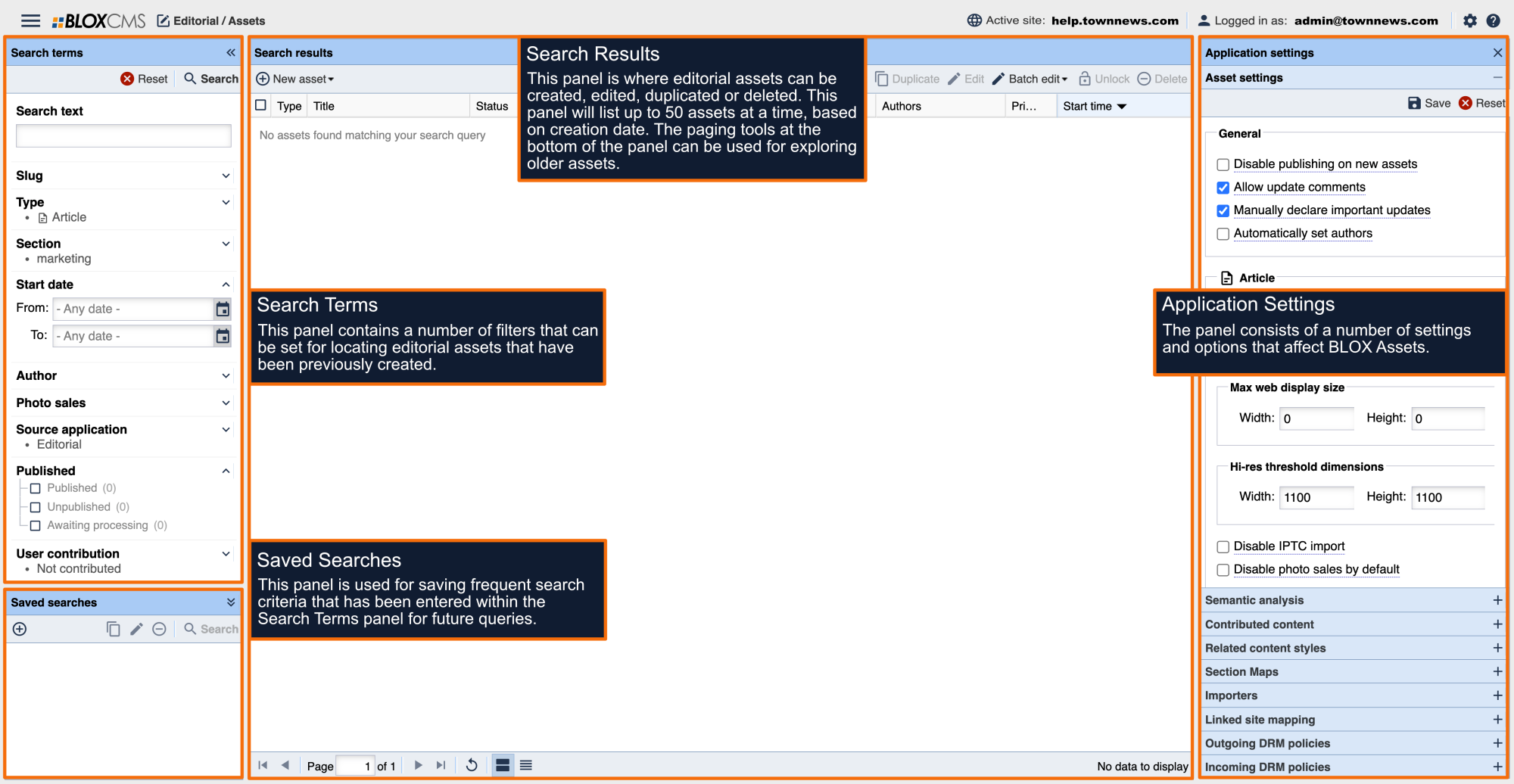
BLOX Assets is where editorial content is created and managed within BLOX CMS. Editorial content includes articles, images, videos, polls, tables and other types of assets. 

Was this content helpful?

We want your feedback!

See something that needs updating or additional clarification? Want assistance with a topic that isn’t listed here? Please let us know!

At BLOX Digital we are dedicated to providing you the information you need to be successful when you need it.

Visit our feedback page to log in, submit a support ticket, and track the progress of your open requests.

Activating content. Delivering results.

Help.BLOXDigital.com
1033 7th St Suite 200
East Moline, IL 61244
Phone: 1.800.293.9576
Email: training@bloxdigital.com
site-logo

Sections

  • About This Site
  • BLOX CMS
  • BLOX Total CMS
  • Rayos Platform
  • BLOX VMS
  • FAQ
  • BLOX Digital Support

Follow Us

  • Facebook
  • Twitter
  • LinkedIn
  • YouTube
  • Instagram
  • Email

Browser Compatibility

Your browser is out of date and potentially vulnerable to security risks.
We recommend switching to one of the following browsers:

Microsoft Edge Google Chrome Firefox
© Copyright 2026 BLOX Digital 1033 7th St Suite 200, East Moline, IL  | Terms of Use  | Privacy Policy
Powered by BLOX Content Management System from BLOX Digital.