Learn how to create a content importer for The Conversation's content.
Learn how to create a content importer for The Conversation's content.

Learn how to create a content importer for States Newsroom content.

Learn how to create a content importer for NerdWallet content.

Learn how to create a content importer for Lattice Publishing collections.

This article describes how to configure a new BLOX CMS Channel in Syndication

Learn how to create a content importer for Get HealthDay content.

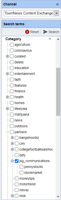
Content Importers automatically syndicate content into BLOX. Once a Channel has been established, the Search terms panel can be used to query content with specifics, such as asset type, category and date. That criteria can then be used as the basis of a Content Importer for automatically pulling in content on an ongoing basis.

Learn how to create a content importer for NTVB Media content.
See something that needs updating or additional clarification? Want assistance with a topic that isn’t listed here? Please let us know!
At BLOX Digital we are dedicated to providing you the information you need to be successful when you need it.
Visit our feedback page to log in, submit a support ticket, and track the progress of your open requests.